Welcome to a journey into the heart of programming: How to Use Loops and Conditionals Effectively. These fundamental building blocks are the keys to crafting dynamic, responsive, and efficient code. This guide will unravel the mysteries of loops and conditionals, empowering you to solve complex problems and bring your programming visions to life.
We’ll explore various loop types, conditional statements, and optimization techniques. From the basics of ‘for’ and ‘if-else’ to advanced concepts like debugging and best practices, we’ll equip you with the knowledge and skills to write clean, maintainable, and high-performing code. Get ready to transform your understanding of programming and elevate your coding abilities.
Introduction to Loops and Conditionals
Welcome! In the world of programming, loops and conditionals are like the building blocks of complex instructions. They let you automate tasks, make decisions, and create dynamic programs that can respond to different situations. Understanding these concepts is crucial for any aspiring programmer.
The Purpose of Loops
Loops are designed to repeat a block of code multiple times. This repetition eliminates the need to write the same code over and over, making your programs more efficient and easier to maintain. They are essential for tasks like processing lists of data, iterating through a sequence of numbers, or performing actions until a certain condition is met.
Definition of Conditional Statements
Conditional statements, also known as ‘if’ statements, allow your program to make decisions. They evaluate a condition (a statement that can be true or false) and execute a specific block of code based on whether the condition is true. This enables your program to respond differently depending on the input or the current state of the program.
Basic Syntax of a ‘for’ Loop (Python Example)
The ‘for’ loop is a fundamental looping construct. It iterates over a sequence (such as a list, tuple, or string) or a range of numbers, executing a block of code for each item in the sequence. Here’s how it looks in Python:“`pythonfor item in sequence: # Code to be executed for each item“`For example:“`pythonfor i in range(5): print(i)“`This code will print the numbers 0, 1, 2, 3, and 4.
The `range(5)` function creates a sequence of numbers from 0 to 4. The loop iterates five times, with the variable `i` taking on the values of each number in the sequence.
Basic Syntax of an ‘if-else’ Conditional Statement (Python Example)
The ‘if-else’ statement allows your program to make decisions. It evaluates a condition and executes one block of code if the condition is true, and another block of code if the condition is false.Here’s the basic syntax in Python:“`pythonif condition: # Code to be executed if the condition is trueelse: # Code to be executed if the condition is false“`For example:“`pythonage = 20if age >= 18: print(“You are an adult.”)else: print(“You are a minor.”)“`In this example, the condition `age >= 18` is evaluated.
If the value of the variable `age` is greater than or equal to 18, the message “You are an adult.” is printed. Otherwise, the message “You are a minor.” is printed. This demonstrates how the program’s behavior changes based on the value of a variable.
Types of Loops and Their Use Cases
Loops are fundamental control flow structures in programming, enabling repetitive execution of a block of code. Understanding the different loop types and their appropriate use cases is crucial for writing efficient and maintainable code. Choosing the right loop can significantly impact performance and readability.
Different Types of Loops
There are several types of loops, each designed for specific scenarios. The most common include `while` loops, `do-while` loops, and `for` loops (including `for-each` loops). Each has its strengths and weaknesses, making them suitable for different tasks.
`while` Loops
The `while` loop executes a block of code as long as a specified condition is true. The condition is checkedbefore* each iteration. If the condition is initially false, the loop body will not execute at all.
- Iterating until a condition is met: A `while` loop is suitable for tasks where the number of iterations is not known in advance but depends on a certain condition. For example, reading data from a file until the end of the file is reached.
- Input validation: Use a `while` loop to repeatedly prompt a user for input until they provide valid data. This is especially useful for ensuring data integrity.
- Game loops: In game development, a `while` loop often forms the main game loop, constantly updating the game state and rendering the graphics as long as the game is running.
`do-while` Loops
The `do-while` loop is similar to the `while` loop, but the condition is checkedafter* each iteration. This guarantees that the loop body executes at least once, regardless of the initial condition.
- Menu-driven applications: A `do-while` loop is well-suited for creating menu systems where the user must select an option at least once before the program terminates or continues.
- Repeating a process: When a process needs to be executed at least once and potentially repeated based on a condition, a `do-while` loop is a good choice. For example, prompting a user to play a game again.
- Handling user interactions: When interacting with hardware or external devices, a `do-while` loop can ensure at least one attempt to establish communication.
`for` Loops
The `for` loop is a control flow statement that allows code to be executed repeatedly based on a counter. It’s commonly used when the number of iterations is known in advance.
- Iterating over a sequence: `for` loops are ideal for iterating over sequences like arrays, lists, or strings. This is the most common use case.
- Performing a specific number of iterations: If you need to execute a block of code a fixed number of times, a `for` loop is the most straightforward choice.
- Implementing algorithms: Many algorithms, such as sorting and searching, rely on `for` loops to process data in a structured way.
`for-each` Loops
The `for-each` loop (also known as enhanced `for` loop) provides a simplified way to iterate over elements in a collection (like an array or list) without needing to manage an index or counter. It is also known as the “enhanced for loop” or “foreach loop”.
- Iterating over collections: `for-each` loops are specifically designed for iterating over collections, such as arrays, lists, sets, and other iterable objects.
- Reading data from collections: Use a `for-each` loop to access and process each element in a collection without needing to know the collection’s size or manage an index.
- Processing data in a specific order: When the order of elements in a collection is important, and you need to perform an operation on each element sequentially, `for-each` loops are often the simplest and most readable approach.
Performance Differences Between Loop Types
While the core functionality of different loop types is similar, subtle performance differences can arise depending on the specific use case and the programming language and compiler being used. In many cases, these differences are negligible, but they can become significant in performance-critical applications.* `for` loops: Generally, `for` loops are considered the most efficient when the number of iterations is known in advance.
The compiler can often optimize `for` loops more effectively due to the explicit control over the loop counter.
`while` and `do-while` loops
`while` and `do-while` loops can be slightly less efficient than `for` loops, particularly if the loop condition involves complex calculations. However, the performance difference is usually minor unless the condition is computationally expensive.
`for-each` loops
`for-each` loops are often as efficient as regular `for` loops when iterating over collections. However, the performance can vary depending on the underlying implementation of the collection and the language’s support for optimized iteration.The most important factor is code readability. Choose the loop type that makes your code easiest to understand and maintain. In most cases, the performance difference between loop types will not be the primary bottleneck.
Premature optimization is often less effective than writing clear and maintainable code.
Nested Loops
Nested loops are loops within loops. They are commonly used when you need to iterate over multiple dimensions of data or perform operations that require a combination of iterative processes.A real-world example of nested loops is processing a two-dimensional array (matrix) to calculate the sum of all elements.“`int[][] matrix = 1, 2, 3, 4, 5, 6, 7, 8, 9;int sum = 0;for (int i = 0; i < matrix.length; i++) // Outer loop: iterates through rows for (int j = 0; j < matrix[i].length; j++) // Inner loop: iterates through columns of each row sum += matrix[i][j]; System.out.println("Sum of all elements: " + sum); // Output: Sum of all elements: 45 ``` In this example: * The outer loop iterates through each row of the matrix. - The inner loop iterates through each element (column) within the current row. - The sum variable accumulates the value of each element. Nested loops are also frequently used in image processing (iterating through pixels), game development (collision detection), and data analysis (processing multi-dimensional datasets). However, using nested loops excessively can lead to performance issues, particularly with large datasets. Always consider the computational complexity of nested loops and optimize them when necessary.
Types of Conditionals and Their Applications
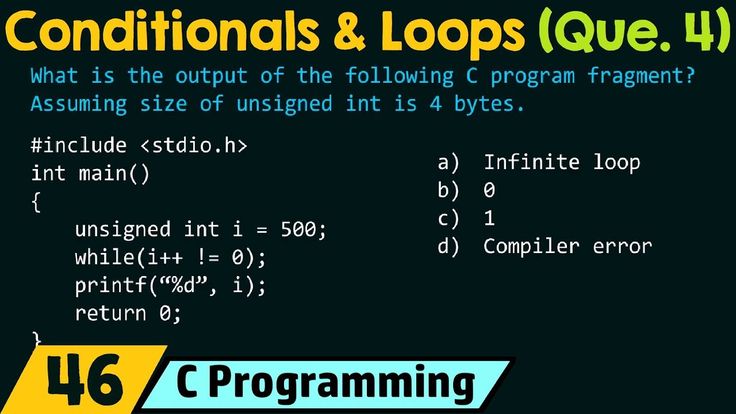
Conditionals are fundamental building blocks in programming, enabling code to make decisions and execute different blocks of code based on specific conditions.
They provide the logic necessary for programs to respond dynamically to various inputs and situations. Understanding and utilizing conditional statements effectively is crucial for writing flexible, responsive, and intelligent software.
The Function of ‘if’, ‘else if’, and ‘else’ Statements
Conditional statements control the flow of execution in a program. They evaluate a condition and, based on whether the condition is true or false, execute a specific block of code. The ‘if’, ‘else if’, and ‘else’ statements work together to provide a comprehensive mechanism for handling different scenarios.The ‘if’ statement is the primary conditional statement. It evaluates a boolean expression (a condition that results in either true or false).
If the expression is true, the code block within the ‘if’ statement is executed. If the expression is false, the code block is skipped.The ‘else if’ statement extends the ‘if’ statement, allowing you to check for additional conditions if the preceding ‘if’ or ‘else if’ conditions are false. You can have multiple ‘else if’ statements chained together, each evaluating a different condition.
The first ‘else if’ condition that evaluates to true will have its associated code block executed, and the rest will be skipped.The ‘else’ statement is used in conjunction with ‘if’ and ‘else if’ statements. It provides a default code block to be executed if none of the preceding ‘if’ or ‘else if’ conditions are true. The ‘else’ statement is optional, but it is useful for handling cases that don’t meet any of the specified conditions.
Scenarios for Each Conditional Statement
Each conditional statement is suited for different types of situations. Here are some examples:
-
‘if’ Statement: The ‘if’ statement is used when you need to execute a code block only if a specific condition is met.
- Checking if a user’s age is greater than or equal to 18 to determine eligibility for voting.
- Verifying if a file exists before attempting to read its contents.
- Determining if a product’s stock level is below a certain threshold and triggering a reorder alert.
- ‘else if’ Statement: ‘else if’ statements are ideal when you need to check multiple conditions sequentially.
- Grading a student’s score: ‘if’ the score is 90 or above, assign an “A”; ‘else if’ the score is between 80 and 89, assign a “B”; ‘else if’ the score is between 70 and 79, assign a “C,” and so on.
- Handling different types of user input: ‘if’ the input is a number, perform a calculation; ‘else if’ the input is text, process it as a string; ‘else if’ the input is a date, format it accordingly.
- Classifying the type of a shape: ‘if’ the shape has 3 sides, it’s a triangle; ‘else if’ it has 4 sides, it’s a square or rectangle; ‘else if’ it has 5 sides, it’s a pentagon.
- ‘else’ Statement: The ‘else’ statement is used to handle a default case when none of the previous conditions are true.
- Handling invalid user input: ‘if’ the input is a valid number, process it; ‘else’ display an error message indicating invalid input.
- Responding to a condition that is not met: ‘if’ a user is logged in, display their profile; ‘else’ display a login form.
- Managing situations where a specific condition is not met, like checking if a database connection is successful: ‘if’ the connection is successful, proceed with database operations; ‘else’ display an error message indicating a connection failure.
Comparing and Contrasting ‘switch’ Statements with ‘if-else’ Statements
Both ‘switch’ statements and ‘if-else’ statements provide ways to control the flow of execution based on conditions. However, they are best suited for different scenarios.The ‘if-else’ statements are versatile and can handle complex conditions involving logical operators, ranges, and boolean expressions. They are suitable for a wide variety of decision-making scenarios.The ‘switch’ statement, on the other hand, is designed for situations where you need to compare a single variable against a series of constant values (cases).
It provides a more concise and readable way to handle multiple equality checks.Here’s a comparison:
- Complexity of Conditions: ‘if-else’ statements can handle complex conditions involving logical operators and boolean expressions. ‘switch’ statements are limited to checking for equality against constant values.
- Readability: ‘switch’ statements can be more readable than a long chain of ‘if-else if-else’ statements when dealing with multiple equality checks.
- Performance: In some cases, ‘switch’ statements can be slightly faster than ‘if-else’ statements, especially when there are many cases to check. However, the performance difference is often negligible.
- Use Cases: Use ‘if-else’ for complex logic, and ‘switch’ when you need to compare a single variable against multiple constant values.
Handling Multiple Conditions Using Logical Operators
Logical operators allow you to combine multiple conditions to create more complex decision-making logic. The most common logical operators are AND (&&), OR (||), and NOT (!).* AND (&&): The AND operator returns true only if both operands are true.
Example: `if (age >= 18 && hasValidID)`
- This checks if a person is both 18 or older
- and* has a valid identification. Both conditions must be true for the entire expression to be true.
OR (||)
The OR operator returns true if at least one of the operands is true.
Example: `if (isMember || isGuest)`
- This checks if a user is either a member
- or* a guest. If either condition is true, the entire expression is true.
NOT (!)
The NOT operator inverts the value of an operand. If the operand is true, NOT makes it false, and vice versa.
Example: `if (!isAdmin)`
- This checks if a user is
- not* an administrator. If `isAdmin` is false, the entire expression is true.
Using logical operators, you can create sophisticated conditional statements to handle a wide range of scenarios. For instance, when validating user input, you can use AND to ensure that a field is not empty
- and* contains a valid email address. When determining access levels, you can use OR to grant access if a user is either an administrator
- or* a member of a specific group.
Effective Loop Control Techniques
Loops are powerful tools, but without careful control, they can lead to unexpected behavior or inefficient code. Mastering techniques to manage loop execution is crucial for writing clean, readable, and performant programs. This section delves into strategies for controlling loop behavior, ensuring loops operate as intended, and preventing common pitfalls like infinite loops.
Controlling Loop Execution with ‘break’ and ‘continue’
These statements offer granular control over loop flow, allowing you to alter execution based on specific conditions.
- ‘break’ Statement: The ‘break’ statement immediately terminates the loop it’s contained within. Execution resumes at the statement immediately following the loop. It’s often used when a specific condition is met, and further iterations are no longer necessary.
- ‘continue’ Statement: The ‘continue’ statement skips the rest of the current iteration and proceeds to the next iteration of the loop. It’s useful when you want to bypass certain parts of the loop’s body based on a condition, but still want the loop to continue.
Consider a scenario where you’re searching for a specific value in an array.“`python# Python example demonstrating ‘break’numbers = [1, 5, 10, 15, 20]target = 10for number in numbers: if number == target: print(“Found the target:”, number) break # Exit the loop once the target is found print(“Checking:”, number)# Output:# Checking: 1# Checking: 5# Found the target: 10“`In this example, the loop iterates through the `numbers` list.
Once the `target` value (10) is found, the `break` statement immediately exits the loop, preventing further iterations. The output clearly shows that the loop stops once the target is located. Without `break`, the loop would continue to iterate through the remaining elements, even after the target was found.“`python# Python example demonstrating ‘continue’numbers = [1, 2, 3, 4, 5]for number in numbers: if number % 2 == 0: continue # Skip even numbers print(number)# Output:# 1# 3# 5“`In this `continue` example, the loop iterates through the `numbers` list.
If a number is even (divisible by 2), the `continue` statement skips the `print(number)` line and proceeds to the next iteration. Consequently, only odd numbers are printed to the console. The `continue` statement allows the loop to skip specific iterations based on a condition without terminating the entire loop.
Avoiding Infinite Loops
Infinite loops are a common programming error that can cause your program to freeze or consume excessive resources. They occur when the loop’s termination condition is never met. Preventing these requires careful attention to loop conditions and increment/decrement operations.
- Incorrect Condition: Ensure the loop’s termination condition will eventually evaluate to `False`. This is the most frequent cause of infinite loops.
- Missing Increment/Decrement: For loops that rely on incrementing or decrementing a counter, verify that the counter is correctly updated within the loop body. Without this, the loop condition might never change.
- Logical Errors: Carefully review the logic within the loop. A subtle error in the logic might prevent the termination condition from being met.
Consider a `while` loop intended to count down from 5 to 1.“`python# Example of an infinite loop (incorrect)count = 5while count > 0: print(count) # Missing count = count – 1; the loop will never terminate“`In this example, the code is missing the decrement operation (`count = count – 1`). Consequently, the `count` variable remains at 5, and the loop condition (`count > 0`) is always true, resulting in an infinite loop.
The program will print “5” repeatedly, indefinitely.To prevent infinite loops, always meticulously review your loop conditions and ensure that the loop’s termination condition will eventually be met. Test your code with various inputs to uncover potential issues. Implement safeguards like a maximum iteration count if you are uncertain about the loop’s termination.
Program Snippet: Finding the First Prime Number
This program snippet demonstrates how to use `break` to solve a specific problem. The goal is to find the first prime number within a given range.“`pythondef is_prime(n): “””Helper function to check if a number is prime.””” if n <= 1: return False for i in range(2, int(n0.5) + 1): if n % i == 0: return False return True def find_first_prime(start, end): """Finds the first prime number within a given range.""" for number in range(start, end + 1): if is_prime(number): print("First prime found:", number) break # Exit the loop after finding the first prime # Example usage find_first_prime(10, 20) # Output: First prime found: 11 ``` In this example, the `find_first_prime` function iterates through a range of numbers. The `is_prime` function checks if a number is prime. If a prime number is found, the program prints the number and then uses `break` to exit the loop. This efficiently finds only the first prime number, preventing unnecessary iterations. This demonstrates the power of `break` in optimizing the search process. Without `break`, the loop would continue to check every number in the range, even after the first prime is found. This snippet showcases a practical application of the `break` statement.
Optimizing Loop Performance

Loops are fundamental in programming, allowing us to automate repetitive tasks. However, poorly optimized loops can significantly impact application performance, leading to slower execution times and resource inefficiency.
This section focuses on identifying and addressing common performance bottlenecks within loops, and provides strategies for writing more efficient code.
Identifying Common Performance Bottlenecks in Loops
Several factors can contribute to performance bottlenecks within loops. Understanding these common issues is the first step towards optimization.
- Redundant Calculations: Performing the same calculation repeatedly inside a loop, especially if the result doesn’t change, is a major performance drain.
- Unnecessary Function Calls: Calling functions within a loop can introduce overhead, particularly if those functions are computationally expensive or perform I/O operations.
- Inefficient Data Structures: Using data structures that are slow to access or modify within a loop (e.g., inefficient list implementations) can significantly slow down loop execution.
- Excessive Memory Allocation: Repeatedly allocating and deallocating memory inside a loop can lead to performance degradation, especially in languages with manual memory management.
- Loop Control Overhead: The overhead associated with loop control itself (e.g., incrementing a counter, checking a condition) can become significant in very large loops.
Strategies for Optimizing Loop Performance, Such as Reducing Redundant Calculations
Several techniques can be employed to optimize loop performance. One of the most impactful is reducing redundant calculations.
- Move Loop-Invariant Code: Identify calculations whose results don’t change within the loop and move them outside the loop. This prevents the repeated execution of the same code.
- Cache Intermediate Results: If a calculation is performed multiple times within a loop, store the result in a temporary variable and reuse it.
- Optimize Data Access: Access data in the most efficient way possible. For example, in array-based loops, accessing elements sequentially is generally faster than accessing them randomly.
- Choose Efficient Data Structures: Select data structures that are optimized for the operations performed within the loop. For example, using a `HashSet` for membership checks can be significantly faster than iterating through a `List`.
- Minimize Function Calls: If possible, reduce the number of function calls within a loop. Inline simple functions or perform the calculations directly within the loop if it improves performance.
Comparing the Efficiency of Different Looping Methods
Different looping methods can have varying performance characteristics depending on the programming language and the specific use case. The following table compares the efficiency of common looping methods, highlighting their strengths and weaknesses.
| Looping Method | Description | Performance Characteristics | Use Cases |
|---|---|---|---|
| For Loop (Index-Based) | Iterates through a sequence using an index variable. | Generally efficient for array and list traversal; allows direct access to elements. | Iterating over arrays, performing operations based on element indices. |
| For-Each Loop (Enhanced For Loop) | Iterates directly over elements of a collection without using an index. | Convenient for simple iteration; may have slightly higher overhead than index-based loops in some languages. | Iterating over collections (lists, sets, etc.) when the index is not required. |
| While Loop | Continues iterating as long as a condition is true. | Flexible; can handle complex iteration conditions; potentially less efficient than for loops if not carefully managed. | Iterating until a specific condition is met, handling user input, or processing data streams. |
| Do-While Loop | Similar to a while loop, but the loop body is executed at least once. | Guarantees at least one iteration; can be useful when the condition depends on the loop’s execution. | Situations where at least one iteration is required, such as prompting for user input until a valid response is received. |
Illustrating the Impact of Loop Optimization with a Code Example That Shows Performance Improvements
Let’s consider a simple example in Python to illustrate the impact of loop optimization. Suppose we need to calculate the sum of squares of numbers from 1 to 1,000,000.“`pythonimport time# Unoptimized version: Redundant calculation inside the loopdef unoptimized_sum_of_squares(n): start_time = time.time() total = 0 for i in range(1, n + 1): total += i
i # i*i is calculated repeatedly
end_time = time.time() print(f”Unoptimized Time: end_time – start_time:.4f seconds”) return total# Optimized version: Pre-calculate i*i outside the loopdef optimized_sum_of_squares(n): start_time = time.time() total = 0 for i in range(1, n + 1): square = i
i # Calculate i*i only once per iteration
total += square end_time = time.time() print(f”Optimized Time: end_time – start_time:.4f seconds”) return totaln = 1000000unoptimized_sum_of_squares(n)optimized_sum_of_squares(n)“`In the unoptimized version, the calculation `i
- i` is performed in each iteration. In the optimized version, `i
- i` is calculated only once per iteration and stored in the variable `square`, which is then used in the `total` calculation. Running this code demonstrates a significant performance improvement with the optimized version, especially for larger values of `n`. This demonstrates that even small optimizations within loops can yield substantial performance gains.
Combining Loops and Conditionals
Loops and conditionals are fundamental building blocks in programming. They empower developers to create programs that can handle dynamic situations, make decisions, and repeat actions efficiently. Combining them allows for the construction of intricate control flows, enabling programs to react intelligently to various inputs and data conditions. This section will explore how these two constructs synergize to build robust and versatile applications.
How Loops and Conditionals Work Together
Loops and conditionals work in tandem to create complex logic by allowing code to execute repeatedly based on specific criteria and make decisions within each iteration. Conditionals, like `if-else` statements, evaluate conditions and determine the path of execution. Loops, such as `for` and `while` loops, repeatedly execute a block of code. When combined, conditionals can be placed inside loops to control the flow of each iteration, and loops can be placed inside conditionals to repeat code blocks based on conditional outcomes.
Procedure for Creating a Program Using Loops and Conditionals
Creating a program that effectively utilizes loops and conditionals involves a structured approach. Following these steps will help in designing and implementing such programs:
- Define the Problem: Clearly identify the task the program needs to accomplish. Understanding the goal is the first and most crucial step.
- Break Down the Problem: Decompose the problem into smaller, manageable sub-problems. This simplifies the overall complexity and makes the coding process more organized.
- Identify Loops: Determine where repetition is needed. Decide which type of loop (e.g., `for`, `while`) is most suitable for the task, considering the number of iterations and termination conditions.
- Identify Conditionals: Determine where decision-making is required. Identify the conditions that need to be evaluated and the actions to be taken based on the evaluation.
- Design the Logic: Plan the sequence of operations. Consider how the loops and conditionals will interact, and Artikel the control flow of the program.
- Write the Code: Implement the logic using the chosen programming language. Write the loops and conditionals, ensuring proper syntax and indentation for readability.
- Test the Code: Thoroughly test the program with various inputs to ensure it functions correctly and handles different scenarios as intended.
- Debug and Refine: Identify and fix any errors or bugs. Optimize the code for efficiency and clarity.
Code Example: Generating a Multiplication Table
Consider the task of generating a multiplication table using nested loops and conditionals. The program should output a table displaying the product of numbers from 1 to 10. This is a classic example demonstrating how loops and conditionals can be effectively combined.“`python# Outer loop for rowsfor i in range(1, 11): # Inner loop for columns for j in range(1, 11): # Calculate the product product = i – j # Print the product, formatted for readability print(f”product:4d”, end=” “) # ‘4d’ formats the output to 4 spaces print() # Move to the next line after each row“`This code first sets up an outer `for` loop that iterates from 1 to 10, representing the rows of the table.
Inside the outer loop, an inner `for` loop iterates from 1 to 10, representing the columns. Within the inner loop, the product of the row and column numbers (`i` and `j`) is calculated. The `print` function then displays the product, formatted with a width of 4 spaces (`f”product:4d”`) to ensure the table is neatly aligned. After each row is printed, `print()` with no arguments moves the cursor to the next line, creating the tabular structure.
This example neatly demonstrates how nested loops can be used to iterate through a two-dimensional space (in this case, the multiplication table) and perform calculations at each point. The output would look like this:
   1    2    3    4    5    6    7    8    9   10
   2    4    6    8   10   12   14   16   18   20
   3    6    9   12   15   18   21   24   27   30
   4    8   12   16   20   24   28   32   36   40
   5   10   15   20   25   30   35   40   45   50
   6   12   18   24   30   36   42   48   54   60
   7   14   21   28   35   42   49   56   63   70
   8   16   24   32   40   48   56   64   72   80
   9   18   27   36   45   54   63   72   81   90
  10   20   30   40   50   60   70   80   90  100
Importance of Code Readability
Code readability is critical when combining loops and conditionals.
Well-formatted and easily understandable code reduces the time spent on debugging, modification, and maintenance.
- Consistent Indentation: Proper indentation clearly indicates the structure of loops and conditionals, making it easy to understand which code blocks belong to which control structures.
- Meaningful Variable Names: Using descriptive variable names (e.g., `row_index` instead of `i`) improves the clarity of the code and makes it easier to understand the purpose of each variable.
- Comments: Adding comments to explain complex logic or the purpose of specific code sections helps other developers (and your future self) understand the code’s functionality.
- Code Formatting: Employing consistent code formatting practices, such as spacing and line breaks, enhances readability and makes it easier to visually parse the code.
- Modular Design: Breaking down complex logic into smaller, reusable functions improves code organization and readability. Each function should have a clear purpose, making the overall program easier to understand and maintain.
By prioritizing code readability, developers can significantly improve the maintainability and collaboration of their projects, ensuring that the combined use of loops and conditionals remains manageable and efficient.
Debugging Loops and Conditionals
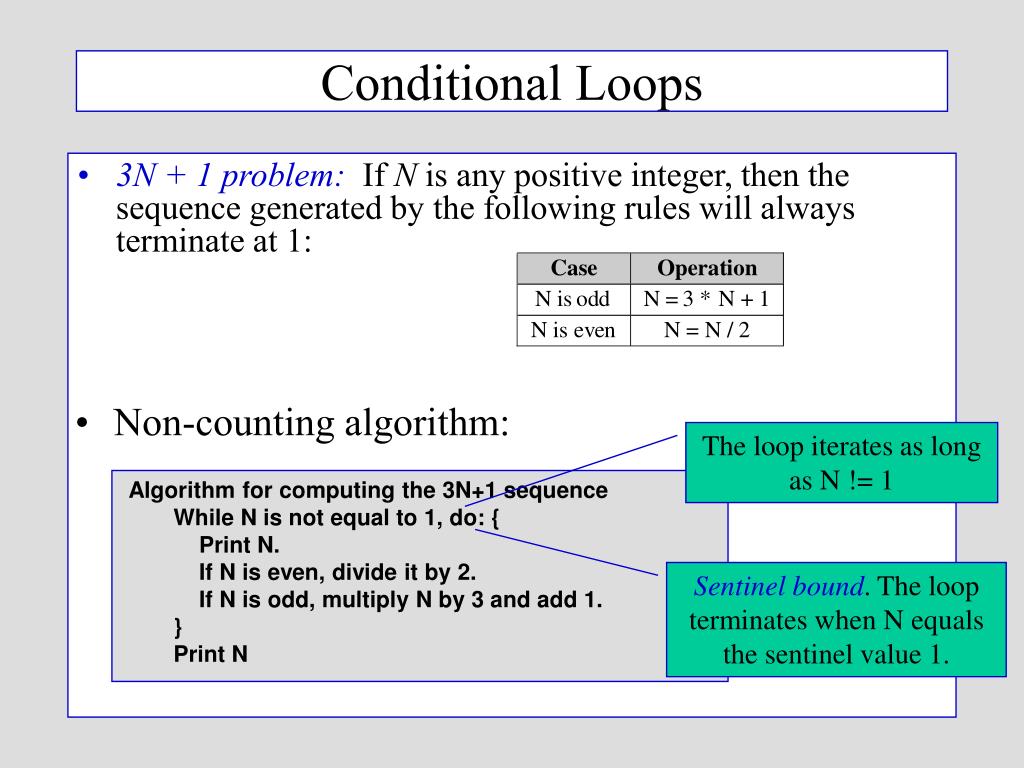
Debugging is a critical skill for any programmer, especially when working with loops and conditionals. These control structures are fundamental to program logic, but they can also be sources of errors. This section provides a practical guide to identifying, understanding, and fixing common issues that arise in loop and conditional statements.
Common Errors in Loops and Conditionals
Understanding common errors helps in proactively preventing them and efficiently resolving issues when they occur. Many errors in loops and conditionals arise from incorrect logic or syntax.
- Off-by-one errors: These errors occur when a loop iterates one time too many or one time too few. This is often due to incorrect use of the loop’s starting or ending conditions (e.g., using `i <= 10` instead of `i < 10`). For example, in a loop designed to iterate through an array, an off-by-one error can cause the loop to attempt to access an element outside the bounds of the array, leading to a crash or unexpected behavior.
- Infinite loops: An infinite loop occurs when the loop’s condition never becomes false, causing the loop to run indefinitely. This can happen due to a logical error in the loop’s condition or if the variables that control the loop are not updated correctly within the loop’s body. For instance, if a loop’s condition depends on a counter that never increments, the loop will never terminate.
- Incorrect conditional logic: Errors in conditional statements can lead to unexpected program flow. This includes using the wrong operators (e.g., using `==` instead of `=` for assignment in some languages, leading to a condition always being true), incorrect boolean logic, or improper nesting of conditional statements.
- Uninitialized variables: Using variables before they are assigned values can lead to unpredictable behavior. This is particularly problematic within loops and conditionals, where the initial state of a variable can significantly affect the program’s execution path.
- Syntax errors: These are errors in the code’s structure, such as missing semicolons, incorrect use of parentheses or brackets, or typos in s. Syntax errors prevent the program from compiling or running correctly.
- Logic errors: These errors occur when the program’s logic does not match the programmer’s intent. The program may run without errors, but it produces incorrect results. This can be caused by mistakes in the order of operations, incorrect calculations, or flaws in the conditional logic.
Strategies for Debugging Loop and Conditional Statements
Effective debugging involves a systematic approach to identify and resolve issues. Here are some strategies:
- Read the error messages: Error messages provide valuable information about the location and nature of the error. Carefully reading and understanding the error messages is the first step in debugging.
- Use print statements (or logging): Inserting `print` statements (or using a logging framework) to display the values of variables at different points in the code can help track the program’s execution and identify where things go wrong.
- Simplify the problem: If the code is complex, try simplifying it by commenting out sections or breaking it down into smaller, more manageable parts. This can help isolate the source of the error.
- Test with different inputs: Testing the code with various inputs, including edge cases, can reveal unexpected behavior and help identify areas where the code fails.
- Rubber duck debugging: Explain the code line by line to an inanimate object (like a rubber duck). The act of explaining the code often helps identify the error.
- Use a debugger: Debuggers are powerful tools that allow you to step through the code line by line, inspect variable values, and examine the program’s execution flow.
Using a Debugger to Step Through a Loop
Debuggers provide an invaluable tool for understanding how a program executes, particularly when dealing with loops and conditionals. The following steps Artikel the general process, which might vary slightly depending on the specific debugger and programming language.
- Set a breakpoint: Identify a line of code where you want the debugger to pause execution. Set a breakpoint on this line. This could be inside the loop, just before the loop, or just after the loop.
- Start the debugger: Run the program in debug mode. The program will pause at the breakpoint.
- Step through the code: Use the debugger’s “step over,” “step into,” and “step out” commands to control the execution flow.
- Step Over: Executes the current line of code and moves to the next line. If the current line contains a function call, the function is executed without stepping into it.
- Step Into: Steps into the current line of code. If the current line contains a function call, the debugger will step into the function.
- Step Out: Executes the remaining lines of the current function and returns to the calling function.
- Inspect variables: While stepping through the code, use the debugger’s variable inspection features to view the values of variables. This allows you to observe how the variables change during each iteration of the loop or based on the conditional statements.
- Examine the call stack: The call stack shows the sequence of function calls that led to the current point in the program. This is useful for understanding the program’s execution path.
- Continue or stop: After examining the code and variable values, you can either continue execution to the next breakpoint or stop the debugger.
Example: Consider a simple loop that calculates the sum of numbers from 1 to 5. Using a debugger, you could set a breakpoint inside the loop, inspect the values of the loop counter (`i`) and the sum variable (`sum`), and observe how they change with each iteration. This helps verify that the loop is working correctly.
Troubleshooting Guide for Common Loop and Conditional Issues
This troubleshooting guide provides solutions for common issues encountered when working with loops and conditionals.
| Issue | Solution |
|---|---|
| Infinite loop |
|
| Off-by-one error |
|
| Incorrect conditional logic |
|
| Unexpected results from calculations within a loop or conditional |
|
| Variable not updated correctly inside the loop or conditional |
|
| Program crashes due to accessing an array out of bounds inside a loop |
|
Best Practices for Writing Efficient Code

Writing efficient code is crucial for creating applications that are fast, responsive, and resource-friendly. When working with loops and conditionals, adopting best practices can significantly improve your code’s performance and maintainability. These practices help to reduce execution time, minimize memory usage, and make your code easier to understand and debug.
Minimizing Operations Inside Loops
To optimize performance, it is important to reduce the number of operations performed within a loop. Every operation inside a loop is executed repeatedly, so minimizing these operations directly translates to faster execution times.
- Pre-calculate values: If a value remains constant within a loop, calculate it outside the loop and use the pre-calculated value inside. This avoids redundant calculations.
- Avoid unnecessary function calls: Function calls, especially those that perform complex operations, can be time-consuming. Call functions only when necessary.
- Use efficient data structures: Choose data structures that support efficient access and modification operations. For example, using a `HashMap` for frequent lookups is often faster than iterating through a `List`.
For example, consider calculating the square root of a number inside a loop. Instead of repeatedly calling a square root function, calculate the square root outside the loop if the number remains constant.
// Inefficient: Square root calculated in each iteration
for (int i = 0; i < 1000; i++)
  double result = Math.sqrt(someConstant); // Repeated calculation
  // ...


// Efficient: Square root calculated once
double sqrtOfConstant = Math.sqrt(someConstant);
for (int i = 0; i < 1000; i++)
  double result = sqrtOfConstant; // Use pre-calculated value
  // ...
Optimizing Conditional Statements
Conditional statements, such as `if-else` blocks, can also be optimized to improve code efficiency.
Careful consideration of the conditions and their order can significantly impact performance.
- Order conditions strategically: Place the most likely conditions at the beginning of an `if-else` chain. This minimizes the number of condition checks required.
- Avoid complex conditions: Simplify complex conditions by breaking them down into smaller, more manageable parts. This can improve readability and performance.
- Use switch statements when appropriate: When dealing with multiple conditions based on a single variable, `switch` statements can often be more efficient than nested `if-else` statements, especially with a large number of cases.
For instance, in a game where a character can have several states, such as `idle`, `running`, and `attacking`, it’s efficient to check the most frequent state first.
// Inefficient: Checks all states sequentially
if (characterState == "idle")
  // ...
 else if (characterState == "running")
  // ...
 else if (characterState == "attacking")
  // ...


// Efficient: Assuming "running" is the most frequent state
if (characterState == "running")
  // ...
 else if (characterState == "idle")
  // ...
 else if (characterState == "attacking")
  // ...
Importance of Code Comments and Documentation
Well-commented and documented code is essential for maintainability, collaboration, and debugging.
Comments explain the purpose of code, making it easier for others (and your future self) to understand and modify it. Documentation provides a comprehensive overview of the code’s functionality.
- Use comments to explain complex logic: Comments should clarify why the code is written the way it is, especially for intricate algorithms or non-obvious code.
- Document functions and classes: Describe the purpose, parameters, and return values of functions and classes.
- Follow a consistent commenting style: Adhere to a consistent style for comments to improve readability.
Consider this example, where a function calculates the factorial of a number. Good comments explain the algorithm used.
/
 * Calculates the factorial of a non-negative integer.
 *
 * @param n The non-negative integer.
 * @return The factorial of n.
 * @throws IllegalArgumentException if n is negative.
 */
public int factorial(int n)
  if (n < 0)
    throw new IllegalArgumentException("Input must be non-negative");


  // Initialize the result to 1
  int result = 1;

  // Multiply result by each number from 1 to n
  for (int i = 1; i <= n; i++)
    result
-= i;


  return result;
Code Example: Practical Scenario
This example demonstrates how to apply best practices in a practical scenario.
The code calculates the total price of items in a shopping cart, applying a discount based on the total price.
// Assume we have an array of item prices
double[] itemPrices =  25.0, 10.0, 50.0, 15.0 ;
double discountRate = 0.0;

// Calculate the total price before discount
double totalPrice = 0.0;
for (double price : itemPrices)
  totalPrice += price;


// Apply discount based on total price
if (totalPrice > 100.0)
  discountRate = 0.1; // 10% discount
 else if (totalPrice > 50.0)
  discountRate = 0.05; // 5% discount


// Calculate the final price after discount
double finalPrice = totalPrice
- (1 - discountRate);

System.out.println("Total Price: $" + totalPrice);
System.out.println("Discount Rate: " + discountRate);
System.out.println("Final Price: $" + finalPrice);
This code is efficient because it:
- Pre-calculates the `totalPrice` before applying the discount.
- Orders the conditional statements based on the most likely discount conditions (higher discounts first).
- Uses clear variable names and comments to improve readability.
Real-World Applications
Loops and conditionals are fundamental building blocks in programming, forming the core logic behind countless applications we interact with daily. Their versatility allows developers to create dynamic, responsive, and efficient software solutions across a wide spectrum of industries. Understanding their practical uses is crucial for any aspiring programmer.
Game Development Applications
Game development heavily relies on loops and conditionals to manage game logic, character behavior, and user interactions. These constructs allow for creating immersive and engaging gameplay experiences.
- Character Movement and Animation: Loops can be used to control the animation of characters, such as walking, running, or jumping. Conditionals determine which animation to play based on the character’s current state (e.g., is the character moving? Is the character on the ground?). For instance, a loop might iterate through a series of frames to animate a character’s walk cycle, while a conditional checks if the player is pressing the “move forward” key.
- Collision Detection: Conditionals are essential for detecting collisions between game objects. They compare the positions and sizes of objects to determine if they are overlapping. When a collision is detected, conditionals trigger specific actions, such as reducing a character’s health or stopping movement. A loop might iterate through a list of all objects in the game to check for collisions with the player’s character.
- AI Behavior: Artificial intelligence in games uses loops and conditionals extensively. Conditionals can define the AI’s decision-making process, such as choosing the best path to reach a target or deciding whether to attack or retreat. Loops can iterate through the AI’s possible actions and evaluate their outcomes.
- Level Generation: Some games use procedural generation to create levels. Loops and conditionals can be employed to generate the layout of the level, placing objects (walls, enemies, power-ups) based on specific rules and conditions. A loop could iterate through grid coordinates, and conditionals could determine whether to place a wall or an empty space based on random number generation or other game logic.
Data Analysis Applications
Data analysis leverages loops and conditionals to process and interpret large datasets, extract meaningful insights, and build predictive models. They are critical for data cleaning, transformation, and analysis.
- Data Cleaning: Loops can iterate through datasets to identify and remove missing values, incorrect entries, or outliers. Conditionals can be used to filter data based on specific criteria. For example, a loop might go through each row of a dataset, and a conditional checks if a particular column’s value is outside a reasonable range, marking it for correction or removal.
- Data Transformation: Loops and conditionals are used to transform data into a usable format. This might involve converting data types, scaling values, or creating new features. A loop could apply a mathematical formula to each value in a column, and a conditional might be used to categorize data based on certain ranges.
- Statistical Analysis: Loops are often used to calculate statistical measures, such as mean, median, and standard deviation. Conditionals can be used to apply different calculations based on the data’s characteristics. For example, a loop might calculate the sum of a column, and a conditional determines whether to calculate the mean or a weighted average based on the presence of missing values.
- Machine Learning: Machine learning algorithms heavily rely on loops and conditionals. Loops are used to iterate through training data, and conditionals are used to make decisions about how to adjust the model’s parameters.
Web Development Applications
Web development uses loops and conditionals to create dynamic and interactive web pages. These constructs are essential for managing user interactions, displaying content, and handling data.
- Dynamic Content Generation: Loops can be used to display content dynamically, such as lists of products on an e-commerce site or blog posts on a website. Conditionals can determine which content to display based on user input or other factors. For example, a loop might iterate through a list of products retrieved from a database, and a conditional checks if the product matches the user’s search query.
- User Authentication and Authorization: Conditionals are used to verify user credentials and determine whether a user is authorized to access certain resources. Loops can be used to iterate through user accounts or roles to manage permissions. For example, a conditional might check if the username and password entered by the user match the information stored in the database.
- Form Validation: Conditionals are essential for validating user input in web forms. They ensure that the entered data meets the required format and constraints. A loop could iterate through all form fields to validate each one, and a conditional checks if the field is filled correctly.
- Handling User Input: Web applications often respond to user input, such as clicks, mouse movements, and keyboard input. Conditionals are used to determine the appropriate action based on the user’s input. A loop could monitor events and a conditional could trigger a specific function based on the event type and the input data.
Software Application Example: E-commerce Website Product Filtering
An e-commerce website uses loops and conditionals to filter products based on user-specified criteria. This feature enables users to find relevant products efficiently.
Description: The software takes user input for filters like price range, brand, and category. A loop iterates through the product database, and a series of conditionals apply the filters. Products that match all criteria are displayed to the user.
- User Input: The user selects filter options (e.g., price range: $50-$100, brand: Nike, category: Shoes).
- Loop through Products: A loop iterates through each product in the database.
- Conditional Checks:
- Price Check: A conditional checks if the product’s price falls within the specified range.
- Brand Check: A conditional checks if the product’s brand matches the selected brand.
- Category Check: A conditional checks if the product’s category matches the selected category.
- Display Matching Products: If a product satisfies all the filter conditions, it is displayed to the user.
Flowchart: E-commerce Product Filtering Logic
Description: The flowchart illustrates the product filtering process, starting with user input and ending with the display of filtered products. The process starts with user input and is followed by a loop that iterates through each product in the database. Inside the loop, conditional statements are used to apply the user-specified filters. Products that satisfy all filters are displayed. The flowchart uses standard symbols for start/end, input/output, process, and decision (conditional).
Image Description:
The flowchart begins with a rounded rectangle labeled “Start”.
Next, a parallelogram shape represents the “User Input: Filter Criteria (Price, Brand, Category)”.
Then, a rectangular box represents the “Loop: For each product in the database”.
Inside the loop, there are three diamond shapes representing the conditional checks:
1. “Is product price within range?”
2. “Does product brand match?”
3. “Does product category match?”
If all conditions are true, a rectangular box “Display product” appears. Otherwise, the process skips to the end of the loop.
Finally, a rounded rectangle labeled “End” concludes the flowchart.
This example demonstrates how loops and conditionals work together to create practical software solutions that users interact with daily.
Advanced Techniques and Considerations
Delving deeper into loops and conditionals reveals advanced techniques that can significantly enhance code efficiency, readability, and flexibility. Understanding these concepts allows developers to tackle more complex problems and optimize their solutions. This section explores advanced aspects like recursion, object-oriented programming applications, and the implementation of design patterns using loops and conditionals.
Recursion
Recursion involves a function calling itself within its own definition. This technique is particularly useful for problems that can be broken down into smaller, self-similar subproblems. A recursive function typically includes a base case, which is a condition that stops the recursion, preventing an infinite loop.For instance, consider calculating the factorial of a number. The factorial of a non-negative integer
- n*, denoted by
- n*!, is the product of all positive integers less than or equal to
n*. We can define it recursively
* Base case: 0! = 1
Recursive step
n! = n \* (n-1)! for n > 0Here’s a Python example:“`pythondef factorial(n): if n == 0: return 1 # Base case else: return n
factorial(n-1) # Recursive step
print(factorial(5)) # Output: 120“`In this code:* The `factorial()` function calls itself with a smaller input (`n-1`) in each recursive step.
The `if n == 0
` condition serves as the base case, returning 1 and stopping the recursion.Recursion is well-suited for tasks like traversing tree structures, navigating file systems, and solving problems like the Tower of Hanoi. However, it’s crucial to ensure the base case is defined correctly to prevent stack overflow errors (due to excessive function calls).
Comparison of Recursion and Iterative Methods
Both recursion and iterative methods (using loops) can solve many of the same problems. However, they differ in their approach and performance characteristics.Here’s a comparison:
- Approach: Recursion breaks down a problem into smaller, self-similar subproblems. Iteration uses loops to repeatedly execute a block of code until a condition is met.
- Readability: Recursion can sometimes make code more concise and easier to understand, especially for problems that naturally lend themselves to recursive solutions. Iteration might be more straightforward for simple tasks.
- Performance: Recursion can be less efficient than iteration due to the overhead of function calls (creating and managing the call stack). Iteration generally has lower overhead. However, compilers can sometimes optimize recursive functions to perform similarly to iterative solutions (tail call optimization).
- Memory Usage: Recursion can consume more memory due to the function call stack. Each recursive call adds a new frame to the stack. Iteration generally uses less memory.
- Stack Overflow: Recursion is prone to stack overflow errors if the recursion depth is too large. Iteration is generally not susceptible to this problem (unless there are extreme loop conditions).
Consider the Fibonacci sequence, where each number is the sum of the two preceding ones (e.g., 0, 1, 1, 2, 3, 5, 8…).Here’s a recursive implementation:“`pythondef fibonacci_recursive(n): if n <= 1: return n else: return fibonacci_recursive(n-1) + fibonacci_recursive(n-2) print(fibonacci_recursive(5)) # Output: 5 ``` And here's an iterative implementation: ```python def fibonacci_iterative(n): a, b = 0, 1 for _ in range(n): a, b = b, a + b return a print(fibonacci_iterative(5)) # Output: 5 ``` The iterative version is generally more efficient for calculating Fibonacci numbers because it avoids the repeated function calls inherent in the recursive approach.
Use of Loops and Conditionals in Object-Oriented Programming
Object-oriented programming (OOP) relies heavily on loops and conditionals to manage object behavior, data manipulation, and program flow. These constructs are fundamental for creating robust and flexible software systems.Consider how loops and conditionals are applied within OOP:
- Iteration through Collections: Loops are frequently used to iterate over collections of objects (e.g., lists, arrays, sets) to process each object individually. This could involve updating object properties, calling object methods, or performing calculations based on object data.
- Conditional Logic in Methods: Conditionals are essential within object methods to control program flow based on object state or input parameters. For example, a method might use an `if` statement to check if an object’s property meets a certain condition before performing an action.
- Data Validation: Loops and conditionals can be used to validate data entered into object properties, ensuring data integrity.
- Event Handling: In event-driven systems, loops and conditionals are used to monitor for events and trigger corresponding actions based on event types and object states.
- Implementing Algorithms: OOP often involves implementing complex algorithms. Loops and conditionals are crucial for implementing the logic within these algorithms, which might involve calculations, comparisons, and iterations over data.
For example, consider a `ShoppingCart` class. It might have a method `calculate_total()` that iterates through a list of `Product` objects (each representing an item in the cart) using a loop and calculates the total cost. Within the loop, a conditional statement could apply a discount if the product is on sale.“`pythonclass Product: def __init__(self, name, price, on_sale=False): self.name = name self.price = price self.on_sale = on_sale def get_price(self): if self.on_sale: return self.price
0.9 # Apply 10% discount
else: return self.priceclass ShoppingCart: def __init__(self): self.items = [] def add_item(self, product): self.items.append(product) def calculate_total(self): total = 0 for item in self.items: total += item.get_price() # Uses conditional from get_price() return total# Example usage:product1 = Product(“Shirt”, 20, True)product2 = Product(“Pants”, 30)cart = ShoppingCart()cart.add_item(product1)cart.add_item(product2)total_cost = cart.calculate_total()print(f”Total cost: $total_cost”) # Output: Total cost: $48.0“`In this example, loops are used to iterate through the items in the shopping cart, and conditionals are used within the `Product` class to determine the price based on whether the product is on sale.
Implementing a Design Pattern with Loops and Conditionals
Design patterns are reusable solutions to commonly occurring software design problems. Loops and conditionals are frequently used to implement the logic within these patterns.Let’s consider the “Strategy” design pattern. This pattern defines a family of algorithms, encapsulates each one, and makes them interchangeable. It allows an algorithm’s behavior to be selected at runtime.Here’s how loops and conditionals can be used to implement the Strategy pattern:
- Context Class: This class maintains a reference to a strategy object and delegates the algorithm execution to it. Loops and conditionals might be used within the context class to select the appropriate strategy based on certain conditions (e.g., user input or system state).
- Strategy Interface: This defines a common interface for all concrete strategies. The interface typically includes a method for executing the algorithm.
- Concrete Strategies: These classes implement the strategy interface and provide specific algorithm implementations. These implementations often utilize loops and conditionals to perform their tasks.
Example (Python):“`python# Strategy Interfaceclass PaymentStrategy: def pay(self, amount): raise NotImplementedError(“Subclass must implement abstract method”)# Concrete Strategiesclass CreditCardPayment(PaymentStrategy): def __init__(self, card_number, expiry_date, cvv): self.card_number = card_number self.expiry_date = expiry_date self.cvv = cvv def pay(self, amount): # Simulate credit card payment process using conditionals.
if len(self.card_number) != 16: return “Invalid card number.” if int(self.expiry_date[:2]) > 12: return “Invalid expiry date.” if amount <= 0: return "Invalid amount" print(f"Paid $amount with credit card ending in self.card_number[-4:]") return "Payment successful" class PayPalPayment(PaymentStrategy): def __init__(self, email): self.email = email def pay(self, amount): # Simulate PayPal payment process using conditionals. if "@" not in self.email: return "Invalid email address." if amount <= 0: return "Invalid amount" print(f"Paid $amount via PayPal with email: self.email") return "Payment successful" # Context class ShoppingCart: def __init__(self, payment_strategy=None): self.payment_strategy = payment_strategy self.total_cost = 0 def set_payment_strategy(self, payment_strategy): self.payment_strategy = payment_strategy def add_item(self, price): self.total_cost += price def checkout(self): if self.payment_strategy is None: return "Please select a payment method." payment_result = self.payment_strategy.pay(self.total_cost) print(payment_result) return payment_result # Example usage: cart = ShoppingCart() cart.add_item(50) cart.add_item(25) # Using credit card payment credit_card = CreditCardPayment("1234567890123456", "12/25", "123") cart.set_payment_strategy(credit_card) cart.checkout() # Using PayPal payment paypal = PayPalPayment("[email protected]") cart.set_payment_strategy(paypal) cart.checkout() ``` In this example: * The `CreditCardPayment` and `PayPalPayment` classes are concrete strategies. Their `pay()` methods use conditionals to validate payment details (e.g., card number format, email address). - The `ShoppingCart` class is the context. The `checkout()` method calls the `pay()` method of the selected strategy. - The choice of strategy (credit card or PayPal) is determined by the user, but could also be controlled by other conditions, for example, based on a loop that iterates through available payment options and allows the user to select one. This example illustrates how loops and conditionals are integrated within the concrete strategies to implement the specific payment logic, while the Strategy pattern promotes flexibility and maintainability.
Outcome Summary
In conclusion, mastering loops and conditionals is paramount for any programmer.
We’ve traversed the landscape of loop types, conditional statements, optimization strategies, and real-world applications. By applying the principles discussed, you can write more efficient, readable, and maintainable code. Embrace these techniques, and you’ll be well-equipped to tackle any programming challenge that comes your way. Happy coding!