Debugging code can be a frustrating experience, often leading to long hours staring at a screen, battling cryptic error messages, and the overwhelming feeling of being stuck. However, debugging doesn’t have to be a torturous process. This guide will provide you with the tools, techniques, and mindset needed to navigate the challenges of debugging, turning frustration into a learning opportunity, and helping you become a more confident and efficient developer.
We’ll explore the fundamental steps of debugging, from understanding common error types and creating reproducible bugs, to leveraging essential tools like debuggers and logging statements. You’ll learn how to identify the root cause of errors, maintain a calm and focused mindset, collaborate effectively with others, prevent future errors, and even tackle advanced debugging strategies. Get ready to transform your approach to debugging and conquer those coding challenges with ease.
Understanding the Debugging Process
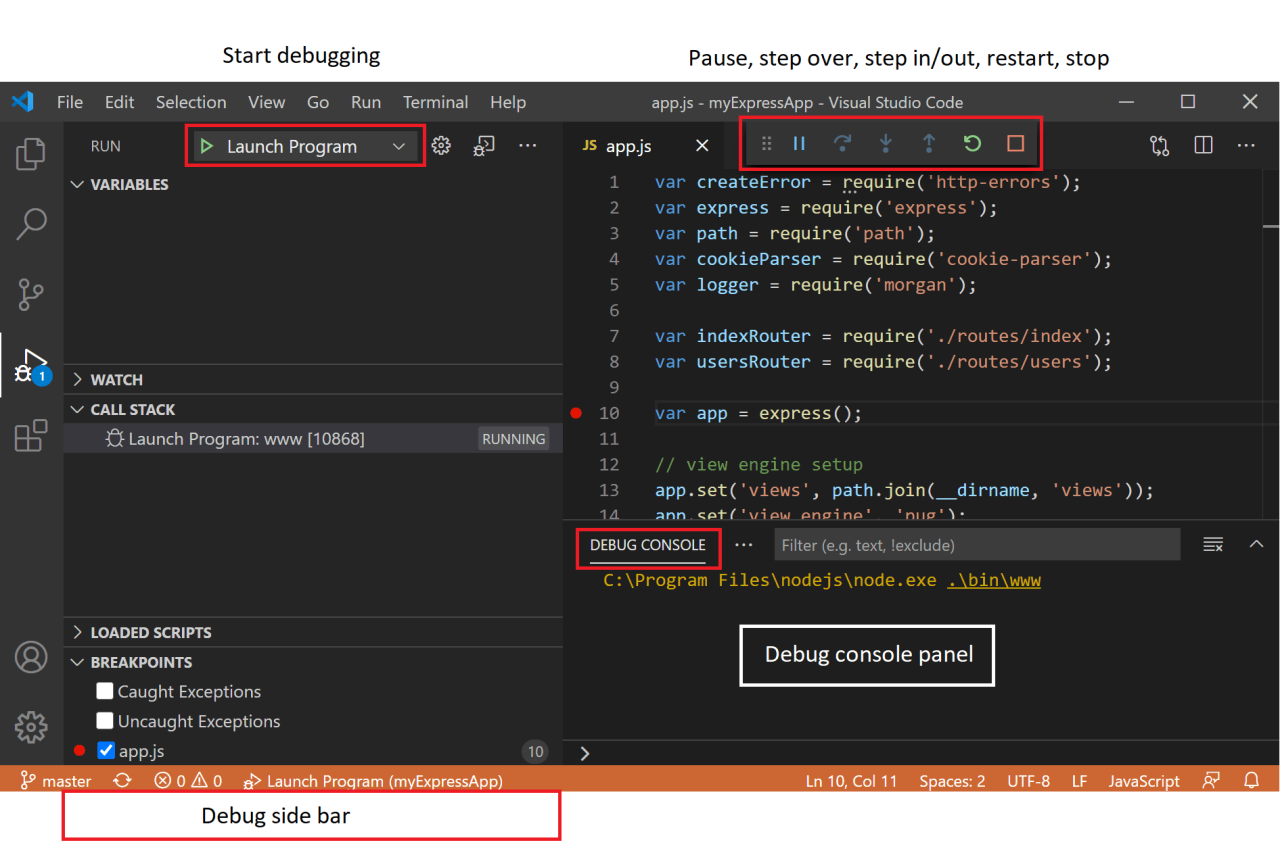
Debugging is an essential skill for any programmer. It’s the process of identifying and resolving errors, or “bugs,” in software. This process can seem daunting at first, but with a systematic approach, it becomes manageable and even rewarding. Understanding the steps involved, common error types, the importance of reproducible bugs, and the role of documentation forms the foundation for effective debugging.
The Fundamental Steps of Debugging
The debugging process typically involves a series of steps, which are iterative and may need to be revisited as new information emerges. This structured approach ensures a thorough investigation and efficient resolution of the problem.
- Identifying the Problem: This is the crucial first step. It involves recognizing that something isn’t working as expected. This might manifest as a program crashing, producing incorrect output, or behaving unexpectedly. Carefully observe the symptoms and gather as much information as possible. This includes noting the specific actions that trigger the issue, the environment in which it occurs (operating system, browser, etc.), and any error messages displayed.
- Reproducing the Bug: Once the problem is identified, the next step is to reproduce it consistently. This involves replicating the conditions that cause the error. A reproducible bug is far easier to diagnose and fix than one that appears randomly.
- Isolating the Problem: After reproducing the bug, the goal is to pinpoint the exact location in the code where the error originates. This can involve using debugging tools like debuggers or strategically inserting print statements or logging to track the program’s execution flow. The process of eliminating potential causes is vital here.
- Examining the Code: With the problem isolated, carefully examine the relevant code sections. Understand the logic, the data flow, and the expected behavior. Look for potential errors, such as incorrect calculations, improper use of variables, or flawed conditional statements.
- Implementing a Solution: Once the root cause is identified, implement a fix. This could involve correcting a typo, adjusting a calculation, modifying the program’s logic, or refactoring the code. Make sure the fix addresses the underlying issue and doesn’t introduce new problems.
- Testing the Solution: After implementing a fix, thoroughly test the solution to ensure it resolves the bug and doesn’t cause any regressions (new bugs). This should involve running the program with various inputs, including the input that originally triggered the bug.
Common Types of Errors in Code
Understanding the different types of errors programmers encounter is key to effective debugging. Each type requires a different approach to identify and resolve.
- Syntax Errors: These are the most basic type of error and are often caught by the compiler or interpreter during the code’s initial processing. They result from violations of the programming language’s grammar rules, such as missing semicolons, misspelled s, or incorrect use of parentheses. For example, in Python, a missing colon at the end of an `if` statement will result in a syntax error.
- Runtime Errors: These errors occur during the execution of the program. They often arise from unexpected conditions, such as attempting to divide by zero, accessing an array element outside of its bounds, or trying to use a variable that hasn’t been initialized. For instance, a `NullPointerException` in Java is a common runtime error that occurs when attempting to access a member of a null object.
- Logical Errors: These are the most challenging type of error to find. They don’t prevent the program from running, but they cause it to produce incorrect or unexpected results. They stem from flaws in the program’s logic or algorithm. Identifying logical errors requires a deep understanding of the code’s intended behavior and often involves carefully tracing the program’s execution. A common example is a calculation that produces the wrong answer due to an incorrect formula.
The Importance of Reproducible Bugs
Reproducible bugs are the cornerstone of effective debugging. Being able to consistently recreate the problem allows developers to understand the issue and test their fixes.
Creating reproducible bugs often involves documenting the exact steps to reproduce the error, including the input data, the environment, and the expected output. This documentation is invaluable for both the developer and anyone else who might be involved in fixing the issue. For instance, consider a bug report for a web application. A well-written report will include the browser used, the operating system, the URL of the page where the bug occurs, the steps to reproduce the error (e.g., “Click on ‘Login’, enter username ‘test’, enter password ‘password’, then click ‘Submit'”), and the expected vs.
actual results.
Reproducibility is closely tied to the concept of test-driven development (TDD). In TDD, developers write tests
-before* they write the code. These tests define the expected behavior of the code and serve as a means to reproduce bugs. When a bug is found, a test is written to reproduce it, and the code is then written to pass that test.
This ensures that the bug is fixed and that the fix doesn’t introduce new problems.
The Role of Documentation and Comments in Debugging
Well-written documentation and comments play a vital role in debugging. They provide context, explain the code’s purpose, and help developers understand the program’s logic.
- Documentation: This includes external documentation like user manuals, API documentation, and design documents. Good documentation provides context for the code, describing the overall architecture, the purpose of different modules, and the expected behavior of the system. This is particularly useful when debugging unfamiliar code or when working on a large project with multiple developers.
- Comments: Comments are inline explanations within the code. They explain the purpose of specific code sections, the meaning of variables, and the rationale behind certain design choices. Clear and concise comments make it easier to understand the code’s logic, especially when revisiting the code after a period of time or when collaborating with others. For example, a comment might explain the units of a variable, the expected range of a value, or the reason for a specific calculation.
The absence of documentation and comments can significantly hinder the debugging process, as developers may spend considerable time trying to understand the code’s functionality and intent. Properly documented code reduces the time spent understanding the code, making debugging more efficient and less frustrating.
Essential Tools and Techniques
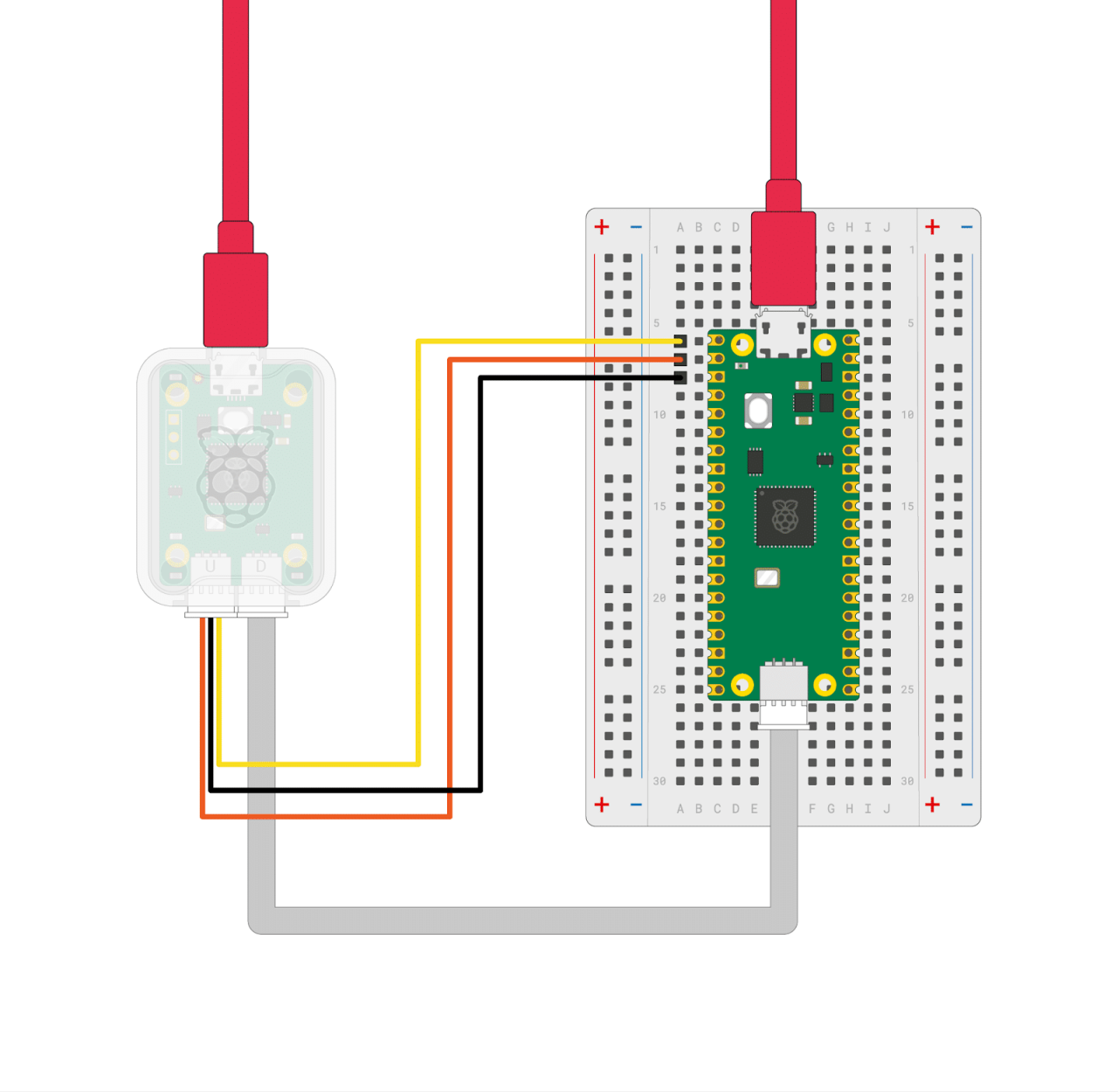
Debugging efficiently requires a strategic approach, and the right tools and techniques are crucial for success. This section delves into the essential methods that will transform your debugging experience from a frustrating guessing game to a methodical process of understanding and resolving code issues. We will explore debuggers, logging, and best practices to equip you with the skills to tackle even the most complex bugs with confidence.
Using a Debugger for Effective Code Examination
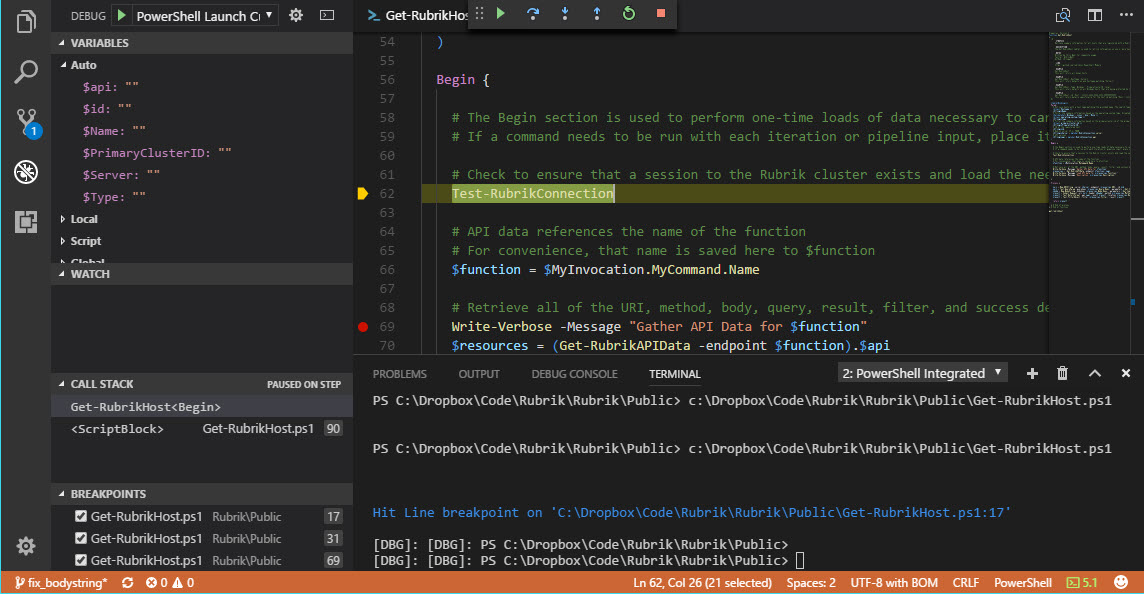
Debuggers are indispensable tools for stepping through code execution and understanding its behavior. They allow you to pause execution, inspect variables, and examine the call stack, providing valuable insights into the state of your program.Using a debugger effectively involves mastering several key techniques:
- Breakpoints: Breakpoints are specific points in your code where execution will pause. Setting a breakpoint allows you to halt the program at a particular line, giving you the opportunity to examine the surrounding code and variables. This is particularly useful when you suspect an issue in a specific function or section of code.
- Stepping (Step Into, Step Over, Step Out): Stepping controls how you navigate through the code.
- Step Into: Executes the current line and, if it’s a function call, steps into that function.
- Step Over: Executes the current line, including any function calls, without stepping into them.
- Step Out: Executes the remaining lines of the current function and returns to the calling function.
These options allow you to control the granularity of your debugging, focusing on specific functions or skipping over code you know is working correctly.
- Variable Inspection: Debuggers allow you to inspect the values of variables at any point during execution. This is crucial for understanding the state of your program and identifying incorrect values or unexpected behavior. You can often view variables in a dedicated panel, and many debuggers also support watching specific variables, which will update their values as you step through the code.
- Call Stack Examination: The call stack is a record of all the functions that are currently active, and the order in which they were called. Examining the call stack helps you understand the path of execution leading up to the current breakpoint, allowing you to trace the flow of your program and identify the source of the issue.
By mastering these techniques, you can use a debugger to systematically analyze your code, understand its behavior, and pinpoint the root cause of errors.
Comparing Debugging Tools
The availability and features of debugging tools vary significantly depending on the programming language you are using. Choosing the right tool for the job can greatly impact your debugging efficiency.The following table compares some popular debugging tools across different languages, highlighting their key features and costs.
| Tool Name | Language Support | Features | Cost |
|---|---|---|---|
| GDB (GNU Debugger) | C, C++, Objective-C, Fortran, Ada, Go | Breakpoints, stepping, variable inspection, call stack, remote debugging, core dump analysis | Free (Open Source) |
| Visual Studio Debugger | C#, C++, Visual Basic, JavaScript, Python (with extensions) | Breakpoints, stepping, variable inspection, call stack, memory analysis, code analysis, integrated testing | Commercial (with a free Community edition) |
| IntelliJ IDEA Debugger | Java, Kotlin, Groovy, Scala, JavaScript, TypeScript, Python (with plugins) | Breakpoints, stepping, variable inspection, call stack, expression evaluation, remote debugging, code completion | Commercial (with a free Community edition) |
| Chrome DevTools | JavaScript, HTML, CSS | Breakpoints, stepping, variable inspection, call stack, network analysis, performance profiling, console | Free (Built-in to Chrome browser) |
This table offers a snapshot of the landscape of debugging tools. The best choice for you will depend on your specific programming language, project requirements, and budget. For example, if you’re working with C++, GDB is a powerful and free option. If you’re working on a .NET project, the Visual Studio debugger provides a rich set of features. For web development, Chrome DevTools offers a comprehensive debugging environment built directly into the browser.
Using Logging and Print Statements
Logging and print statements are essential for tracking code execution and identifying issues. They allow you to insert messages into your code that will be displayed during runtime, providing valuable insights into the program’s behavior.Logging and print statements serve several key purposes:
- Tracking Code Execution: By strategically placing print statements or log messages throughout your code, you can track the flow of execution and understand which parts of the code are being executed and in what order. This is particularly useful for complex programs with multiple functions and control flow paths.
- Inspecting Variable Values: Print statements can be used to display the values of variables at various points in the code. This helps you monitor the state of your program and identify any unexpected changes or incorrect values.
- Identifying Errors: When an error occurs, print statements can help you pinpoint the location of the error and understand the circumstances that led to it. For example, you can print the values of variables just before a function call to see if the inputs are valid.
- Debugging in Production Environments: While debuggers are typically used in development environments, logging can be used in production environments to track errors and gather information about program behavior without interrupting the execution.
The choice between print statements and logging libraries often depends on the complexity of your project and the level of detail you require. Print statements are simple and easy to use, while logging libraries offer more advanced features such as different log levels (e.g., debug, info, warning, error), log formatting, and the ability to write logs to files or other destinations.Here is an example of how you might use print statements in Python:“`pythondef calculate_sum(a, b): print(f”Calculating sum of a and b”) # Example of print statement for tracking result = a + b print(f”Result: result”) # Example of print statement for variable inspection return resultsum_result = calculate_sum(5, 3)print(f”Final sum: sum_result”)“`In this example, the print statements provide information about the values of the variables and the flow of execution, making it easier to understand what’s happening within the function.
Best Practices for Writing Effective Debugging Code
Writing code with debugging in mind can significantly improve your ability to identify and fix errors. This involves incorporating techniques like assertions and defensive programming into your code.Here are some best practices for writing effective debugging code:
- Use Assertions: Assertions are statements that check whether a condition is true during the execution of your program. If the condition is false, the assertion will fail, and the program will typically terminate (or throw an exception), providing valuable information about the error.
Assertions are a crucial tool for catching errors early in the development process.
- Implement Defensive Programming: Defensive programming involves writing code that anticipates and handles potential errors gracefully. This includes:
- Input Validation: Always validate user inputs and data from external sources to ensure that they meet your program’s requirements.
- Error Handling: Implement proper error handling mechanisms, such as `try-except` blocks (in Python) or `try-catch` blocks (in many other languages), to catch and handle exceptions.
- Null Checks: Check for null or `None` values before dereferencing pointers or accessing object members.
- Boundary Checks: Ensure that array indices and loop counters are within the valid range.
- Write Clear and Concise Code: Well-written code is easier to understand and debug. Use meaningful variable names, write comments to explain complex logic, and break down large functions into smaller, more manageable units.
- Test Frequently: Write unit tests and integration tests to verify that your code is working correctly. Testing frequently helps you catch errors early and reduces the amount of time you spend debugging.
- Use Version Control: Version control systems (like Git) allow you to track changes to your code, revert to previous versions, and collaborate with others. This is essential for managing code changes and debugging.
- Document Your Code: Well-documented code is easier to debug and maintain. Use comments to explain the purpose of functions, classes, and complex logic.
By following these best practices, you can create code that is more robust, easier to debug, and less prone to errors. This will save you time and frustration in the long run.
Identifying the Root Cause
Pinpointing the source of a bug is the detective work of debugging. It’s about systematically eliminating possibilities until you find the culprit. This section provides strategies and techniques to help you isolate the root cause of errors in your code, saving you time and frustration.
Isolating the Source of an Error Using Binary Search
Binary search, adapted from searching sorted data structures, is a powerful technique for debugging. It helps you quickly narrow down the section of code responsible for a bug by repeatedly dividing the problem space in half. This method is particularly effective when dealing with a large codebase or complex logic.Here’s how to apply binary search for debugging:
- Identify a Range: First, identify a section of code where the bugmight* be located. This could be between two known points in your program’s execution, like the beginning and end of a function, or between two specific lines of code.
- Insert a Checkpoint: Insert a checkpoint (e.g., a print statement, a logging message, or a breakpoint in your debugger) roughly in the middle of your identified range. The checkpoint should provide information about the program’s state at that point (e.g., variable values, function calls).
- Test and Observe: Run your code and observe the output.
- If the bug appears
-before* the checkpoint, the problem lies in the first half of your range. Remove the checkpoint and repeat the process on the first half. - If the bug appears
-after* the checkpoint, the problem lies in the second half of your range. Move the checkpoint to the middle of the second half and repeat. - If the bug appears
-at* the checkpoint, the issue is likely very close to the checkpoint itself. Inspect the code surrounding the checkpoint closely.
- If the bug appears
- Repeat: Continue dividing the relevant section in half and testing until you’ve isolated the problematic code to a very small area.
Example: Suppose you have a function that calculates the sum of a list of numbers. The function seems to be producing an incorrect result. You have 100 lines of code within this function.
- You insert a checkpoint at line 50.
- You run the function. If the incorrect sum is displayed
- before* the checkpoint (before line 50), the bug is somewhere in lines 1-50. If the incorrect sum is displayed
- after* the checkpoint (after line 50), the bug is somewhere in lines 51-100.
- You repeat this process, narrowing down the problematic code to smaller and smaller sections, until you find the specific line or lines causing the error.
This approach significantly reduces the amount of code you need to examine, making debugging much more efficient.
Analyzing Error Messages and Stack Traces
Error messages and stack traces are invaluable clues to understanding and resolving bugs. They provide critical information about what went wrong and where. Learning to decipher these messages is a fundamental debugging skill.Here’s a guide to analyzing error messages and stack traces:
- Understand the Error Message: The error message itself often provides a description of the problem. Read it carefully. Common errors include:
TypeError: Indicates an operation or function was applied to an object of the wrong type.ValueError: Indicates a function received an argument of the correct type but an inappropriate value.IndexError: Indicates an attempt to access an element of a sequence (e.g., a list) using an invalid index.NameError: Indicates a variable or function name was not found.SyntaxError: Indicates an error in the code’s syntax (e.g., a missing parenthesis or incorrect indentation).
- Examine the Stack Trace: A stack trace shows the sequence of function calls that led to the error. It’s a roadmap of your program’s execution.
- The stack trace typically lists the function calls, starting from the most recent (where the error occurred) and going back to the initial call.
- Each line in the stack trace usually includes the file name, line number, and function name where the call occurred.
- The
-last* line of the stack trace usually indicates the exact location of the error.
- Use the Stack Trace to Trace the Path: Work your way up the stack trace, examining the code at each function call to understand how the program arrived at the error. This can reveal the sequence of events that led to the bug.
- Look for Hints: Error messages sometimes provide specific hints about the cause of the problem. For example, an error message might suggest the incorrect data type or a missing argument.
Example: Consider a Python program that calculates the average of a list of numbers. The program throws a `TypeError: unsupported operand type(s) for +: ‘int’ and ‘str’`.
- The error message indicates the program is trying to add an integer to a string, which is not allowed in Python.
- The stack trace will show the sequence of function calls, pinpointing the line of code where the addition operation occurred.
- By examining the code at that line, you might discover that you’re trying to add an integer from the list to an element that is being read as a string.
This analysis helps you quickly identify that you are trying to sum a list that may contain a string.
Identifying and Avoiding Common Debugging Pitfalls
Debugging can be a challenging process, and several common pitfalls can lead to wasted time and frustration. Being aware of these pitfalls can significantly improve your debugging efficiency.Here are some common debugging pitfalls and strategies to avoid them:
- Making Assumptions: Avoid assuming you know the source of the problem. Instead, verify your assumptions with evidence.
- Strategy: Start with the simplest possible explanation. Use print statements, logging, or a debugger to confirm or disprove your assumptions.
- Focusing on the Wrong Area: It’s easy to get tunnel vision and focus on the code you
think* is the problem, even if it’s not.
- Strategy: Systematically analyze the error message and stack trace to identify the actual location of the bug. Use binary search to narrow down the search area.
- Ignoring Error Messages: Don’t dismiss error messages or warnings. They often provide valuable clues.
- Strategy: Always read the error message carefully. Pay attention to the specific error type, the file name, and the line number.
- Not Reproducing the Bug: If you can’t reliably reproduce the bug, it’s difficult to fix it.
- Strategy: Try to identify the specific steps that trigger the bug. Create a minimal, reproducible example that demonstrates the problem.
- Premature Optimization: Avoid spending time optimizing code before you’ve fixed the bugs.
- Strategy: Focus on getting the code working correctly first. Then, if performance is an issue, use profiling tools to identify bottlenecks.
By being mindful of these pitfalls and adopting these strategies, you can significantly improve your debugging skills and reduce the time it takes to fix bugs.
Using Code Profiling Tools to Identify Performance Bottlenecks
Code profiling tools are essential for identifying performance bottlenecks in your code. They provide detailed information about how your program spends its time, allowing you to pinpoint areas for optimization.Here’s how to use code profiling tools effectively:
- Choose the Right Tool: Different programming languages have different profiling tools. Common examples include:
- Python: `cProfile` (built-in) and `line_profiler` (for line-by-line profiling).
- Java: Java VisualVM (GUI tool), JProfiler (commercial tool).
- C++: gprof (GNU profiler), Valgrind (for memory and performance analysis).
- JavaScript: Browser developer tools (e.g., Chrome DevTools) and Node.js profiling tools.
- Profile Your Code: Run your code through the profiler. The profiler will collect data on various aspects of your program’s execution, such as:
- Function call counts: How many times each function was called.
- Execution time: How much time each function spent executing.
- CPU usage: How much CPU time each function consumed.
- Memory allocation: How much memory each function allocated.
- Analyze the Results: The profiler generates a report that summarizes the profiling data. Analyze the report to identify the functions that are consuming the most time or resources.
- Look for functions with high execution times or call counts. These are potential bottlenecks.
- Identify areas where a large amount of memory is being allocated.
- Optimize the Bottlenecks: Once you’ve identified the bottlenecks, focus your optimization efforts on those areas.
- Consider algorithmic improvements (e.g., using a more efficient algorithm).
- Optimize data structures (e.g., choosing a more efficient data structure for a specific task).
- Reduce the number of function calls.
- Optimize memory allocation and deallocation.
- Re-profile: After making changes, re-profile your code to ensure that your optimizations have improved performance.
Example: Suppose you’re developing a Python program that processes a large dataset. You suspect the program is slow.
- You use the `cProfile` module to profile your code.
- The profiling report shows that a specific function, `process_data()`, is consuming 80% of the execution time.
- You analyze the `process_data()` function and discover that it’s performing a nested loop that iterates over the dataset multiple times.
- You optimize the `process_data()` function by using a more efficient algorithm (e.g., using NumPy for vectorized operations).
- You re-profile the code and find that the execution time has significantly decreased.
By using profiling tools, you can identify performance bottlenecks and optimize your code for maximum efficiency.
Maintaining a Calm and Focused Mindset
Debugging can be a challenging process, often leading to frustration and stress. However, maintaining a calm and focused mindset is crucial for effective problem-solving. This section provides strategies and techniques to navigate the emotional and cognitive aspects of debugging, ultimately leading to more efficient and less stressful coding experiences.
Managing Frustration and Stress
The debugging process can be filled with setbacks and unexpected behavior, leading to feelings of frustration. Recognizing these emotions and implementing coping mechanisms is vital.
- Acknowledge and Accept Frustration: It is perfectly normal to feel frustrated when encountering bugs. Acknowledge these feelings rather than suppressing them. This acceptance is the first step toward managing the emotion.
- Practice Deep Breathing: When feeling overwhelmed, take slow, deep breaths. Inhale deeply through your nose, hold for a few seconds, and exhale slowly through your mouth. This technique helps calm the nervous system.
- Use Positive Self-Talk: Replace negative thoughts with positive affirmations. Instead of thinking, “I’m never going to figure this out,” try, “I can solve this, one step at a time.”
- Break Down the Problem: Large, complex problems can feel overwhelming. Break the debugging task into smaller, manageable steps. Focus on one specific area or function at a time.
- Celebrate Small Victories: Acknowledge and celebrate progress, no matter how small. This reinforces a sense of accomplishment and keeps motivation high. For example, fixing a minor typo or successfully executing a test case can be a cause for celebration.
- Limit Multitasking: Avoid trying to debug multiple issues simultaneously. Focus on one bug at a time to improve concentration and reduce cognitive overload.
Taking Breaks and Stepping Away
Sometimes, the best solution is to step away from the problem. Breaks allow the mind to rest and can provide fresh perspectives.
- Regular Breaks: Implement regular breaks, such as the Pomodoro Technique (working for 25 minutes, then taking a 5-minute break). This helps prevent burnout and maintains focus.
- Physical Activity: Stand up, stretch, or take a short walk. Physical activity increases blood flow to the brain, which can improve cognitive function.
- Change of Environment: If possible, move to a different location. A change of scenery can help reset the mind and provide a new perspective.
- Engage in Non-Coding Activities: Step away from the computer entirely. Read a book, listen to music, or engage in a hobby to distract the mind from the problem.
- Sleep: When facing a particularly difficult bug, consider getting a good night’s sleep. Sometimes, the solution comes after a period of rest, allowing the subconscious to work on the problem.
- Time Limit: Set a time limit for debugging. If you’ve spent a certain amount of time without making progress, take a break or revisit the problem later.
Improving Focus and Concentration
Debugging demands intense concentration. Various techniques can enhance focus and minimize distractions.
- Minimize Distractions: Close unnecessary tabs, silence notifications, and inform others that you need uninterrupted time.
- Use Noise-Canceling Headphones: Block out external noise that can interfere with concentration.
- Create a Dedicated Workspace: Designate a specific area for coding and debugging. This helps establish a mental association with focused work.
- Use Focus-Enhancing Tools: Consider using website blockers or productivity apps to limit access to distracting websites and applications.
- Prioritize Tasks: Identify the most critical debugging tasks and focus on those first.
- Proper Hydration and Nutrition: Stay hydrated and eat regular, healthy meals. Dehydration and low blood sugar can impair cognitive function.
- Regular Exercise: Regular physical exercise has been shown to improve cognitive function, including focus and concentration.
Approaching Debugging with a Methodical and Patient Attitude
A methodical and patient approach is essential for successful debugging. Rushing the process often leads to more errors and wasted time.
- Plan Your Approach: Before starting, Artikel the steps you’ll take to debug the code. This might include using debugging tools, reviewing logs, and running tests.
- Review the Code: Read the code carefully, paying attention to potential problem areas. Understand the logic and control flow.
- Test Frequently: Run tests frequently to identify where the error occurs.
- Use Debugging Tools Effectively: Utilize the debugger to step through the code line by line, inspect variables, and understand the program’s behavior.
- Document Your Findings: Keep track of the steps you’ve taken, the errors you’ve found, and the solutions you’ve implemented. This documentation is invaluable for future debugging efforts.
- Be Patient: Debugging can take time. Avoid rushing the process.
- Learn from Mistakes: Every bug is an opportunity to learn. Analyze the errors and understand how to prevent them in the future.
- Seek Help When Needed: Don’t hesitate to ask for help from colleagues, online forums, or documentation if you’re stuck.
Collaboration and Seeking Help
Debugging is often a team sport. While you can and should strive to solve problems independently, there will inevitably be times when you need to collaborate with others or seek external help. Knowing how to effectively communicate your issue and leverage the resources available to you can significantly accelerate the debugging process and prevent frustration.
Communicating Bugs Effectively
Clearly and concisely communicating a bug is crucial for getting help quickly. This involves more than just stating that “it doesn’t work.” It requires providing sufficient context, steps to reproduce the issue, and what you’ve already tried.
- Provide a Clear Description: Start with a brief, descriptive summary of the bug. Instead of “The program crashes,” try “The application crashes when clicking the ‘Submit’ button after entering invalid data.”
- Include Steps to Reproduce: Detail the exact steps someone else can take to replicate the bug. This is arguably the most critical piece of information. For example:
- Open the application.
- Navigate to the ‘Settings’ page.
- Enter a non-numeric value in the ‘Port Number’ field.
- Click the ‘Save’ button.
- Describe Expected vs. Actual Behavior: Clearly state what
-should* happen and what
-actually* happens. This helps pinpoint the discrepancy. For instance: “Expected: The application should display an error message indicating an invalid port number. Actual: The application crashes with a NullPointerException.” - Specify the Environment: Include relevant information about your development environment, such as the operating system, programming language, version of the IDE, and any relevant libraries or frameworks.
- Share Relevant Code Snippets: Provide snippets of code that are directly related to the bug. Make sure to format the code for readability (using indentation and highlighting). Avoid sharing the entire codebase unless absolutely necessary.
- Document Attempts at Resolution: List the troubleshooting steps you’ve already taken and the results. This prevents others from suggesting solutions you’ve already tried and demonstrates your effort.
- Use Screenshots and Videos: Visual aids can be incredibly helpful. A screenshot showing the error message or a short video demonstrating the bug can clarify the issue.
Utilizing Online Resources for Debugging Assistance
Online resources offer a wealth of information and support for debugging. From forums to Q&A sites, these platforms can provide solutions, insights, and alternative perspectives. Effective use of these resources can save significant time and effort.
- Choose the Right Platform: Different platforms cater to different needs. Stack Overflow is excellent for specific technical questions, while forums like Reddit’s r/programming can offer broader discussions.
- Search Before Posting: Before asking a question, thoroughly search the platform for existing answers. Often, the solution to your problem has already been addressed.
- Craft a Clear and Specific Question: Frame your question precisely. Avoid vague questions like “My code doesn’t work.” Instead, ask, “Why am I getting a NullPointerException when calling this method with these arguments?”
- Provide Context: Include the same information you would share when communicating a bug to a colleague (steps to reproduce, environment details, etc.).
- Format Your Code Properly: Use code formatting tools or the platform’s built-in formatting options to make your code readable.
- Be Patient and Respectful: Responses may take time. Be patient and respectful of the people helping you. Thank those who provide helpful answers.
- Follow Up: If you find a solution, share it with the community. This helps others who may encounter the same problem. If you receive an answer that solves your problem, accept the answer.
Creating a Minimal, Reproducible Example
A minimal, reproducible example (MRE) is a crucial tool for getting effective help. It is a simplified version of your code that isolates the bug, making it easier for others to understand and debug. Creating an MRE demonstrates that you have put effort into isolating the problem.
- Identify the Core Issue: Pinpoint the exact part of your code that’s causing the bug.
- Isolate the Relevant Code: Remove all unnecessary code. The goal is to create the smallest possible program that still exhibits the bug.
- Create a Self-Contained Example: Ensure the example can be run independently. This means including all necessary imports, dependencies, and setup code.
- Provide Clear Instructions: Include clear instructions on how to run the example and reproduce the bug.
- Test the Example: Before sharing the MRE, make sure it actually reproduces the bug.
For instance, consider a scenario where a program is experiencing a `NullPointerException`. Instead of sharing the entire application, the MRE might consist of:
  public class NullPointerExceptionExample
      public static void main(String[] args)
          String myString = null;
          System.out.println(myString.length()); // This line will cause the NullPointerException
This MRE clearly demonstrates the bug and is easy for others to understand and debug. The provided code is a complete and self-contained Java program. It declares a String variable, `myString`, and immediately sets its value to `null`. Then, it attempts to call the `length()` method on `myString`. Since `myString` is `null`, this attempt results in a `NullPointerException`.
The example includes all necessary components: the class definition, the `main` method, and the problematic line of code. The instructions are implicit: compile and run the code. The expected outcome is a `NullPointerException`.
Navigating Code Reviews for Collaborative Issue Resolution
Code reviews are a valuable opportunity for collaborative debugging and improvement. Engaging constructively in the code review process can lead to better code quality and a deeper understanding of the codebase.
When reviewing code, focus on understanding the intent and logic, not just the syntax. Provide constructive feedback, focusing on clarity, correctness, and maintainability. Ask clarifying questions instead of making accusatory statements. Be open to feedback on your own code. Code reviews are a learning opportunity for everyone involved.
Preventing Future Errors
Avoiding future errors is just as important as fixing current ones. By proactively addressing potential issues, you save time, reduce frustration, and improve the overall quality of your code. This involves adopting a mindset of preventative maintenance, focusing on writing code that is less prone to bugs from the start.
Writing Clean and Well-Documented Code
Clean code is easier to understand, maintain, and debug. Well-documented code provides context and explains the “why” behind your decisions. Both significantly reduce the likelihood of future errors.
“Clean code always looks like it was written by someone who cares.” – Robert C. Martin (Uncle Bob)
Writing clean code involves several key practices:
- Consistent Formatting: Use a consistent style for indentation, spacing, and line breaks. This makes the code visually organized and easier to follow. Many IDEs (Integrated Development Environments) offer automatic formatting tools to enforce these standards.
- Meaningful Names: Choose descriptive names for variables, functions, and classes. Avoid abbreviations or generic names that don’t convey the purpose of the code. For example, use `calculateTotalAmount()` instead of `calc()`.
- Small Functions and Classes: Break down complex tasks into smaller, manageable functions and classes. Each function should ideally perform a single, well-defined task. This modularity simplifies testing and debugging.
- Avoid Code Duplication: Refactor repeated code into reusable functions or classes. This reduces the risk of inconsistencies and makes it easier to update logic in one place.
- Comments: Write clear and concise comments to explain the purpose of code blocks, complex algorithms, and non-obvious logic. Document the “why” behind the code, not just the “what.”
Well-documented code includes:
- Function/Method Docstrings: Use docstrings (documentation strings) to describe what a function or method does, what parameters it takes, and what it returns. Most programming languages support docstrings, which can be automatically processed to generate documentation.
- Class Docstrings: Describe the purpose of a class and its key responsibilities.
- Inline Comments: Use comments within the code to explain complex logic or non-obvious steps.
For example, a Python docstring might look like this:
“`python
def calculate_area(length: float, width: float) -> float:
“””
Calculates the area of a rectangle.
Args:
length: The length of the rectangle.
width: The width of the rectangle.
Returns:
The area of the rectangle.
“””
area = length
– width
return area
“`
Coding Standards and Best Practices
Adhering to coding standards and best practices helps prevent common bugs and promotes code consistency. These standards provide a framework for writing maintainable and reliable code.
Adopting coding standards and best practices leads to several benefits:
- Improved Readability: Consistent formatting and style make code easier to understand.
- Reduced Errors: Following best practices minimizes common mistakes.
- Enhanced Maintainability: Standardized code is easier to modify and update.
- Increased Collaboration: Standards facilitate teamwork and code sharing.
Here’s a list of general coding standards and best practices:
- Use a Style Guide: Follow a style guide specific to your programming language (e.g., PEP 8 for Python, Google Java Style Guide for Java). These guides provide detailed rules for formatting, naming conventions, and code structure.
- Error Handling: Implement robust error handling mechanisms to gracefully handle unexpected situations. Use try-except blocks (or similar constructs in other languages) to catch exceptions and prevent program crashes. Log errors for debugging purposes.
- Input Validation: Validate user input to prevent unexpected behavior or security vulnerabilities. Check the type, format, and range of input data.
- Resource Management: Properly manage resources like files, network connections, and database connections. Ensure resources are closed or released to prevent leaks.
- Security Best Practices: Follow security best practices to protect against common vulnerabilities like SQL injection, cross-site scripting (XSS), and cross-site request forgery (CSRF). Sanitize user input and avoid storing sensitive data in plain text.
- Code Reviews: Conduct code reviews to catch errors, improve code quality, and share knowledge. Have another developer review your code before merging it into the main codebase.
- Version Control: Use a version control system (e.g., Git) to track changes, collaborate with others, and revert to previous versions if necessary.
Incorporating Unit Testing into Your Development Workflow
Unit testing involves writing small, isolated tests to verify individual units of code (e.g., functions, methods, classes). Unit tests help catch errors early in the development cycle, making them easier and cheaper to fix.
Integrating unit tests into your workflow involves several steps:
- Write Tests First (Test-Driven Development – TDD): A common practice is to write the tests before writing the code itself. This helps you clarify the requirements and design your code to be testable.
- Choose a Testing Framework: Select a testing framework appropriate for your programming language (e.g., pytest for Python, JUnit for Java, Jest for JavaScript).
- Write Comprehensive Tests: Create tests that cover various scenarios, including positive and negative test cases, edge cases, and boundary conditions.
- Automate Testing: Integrate unit tests into your build process or continuous integration (CI) pipeline. This ensures that tests are run automatically whenever code changes are made.
- Analyze Test Results: Review the results of your tests to identify and fix any failing tests. Pay attention to test coverage to ensure that all parts of your code are being tested.
Here’s an example of a simple unit test in Python using the `pytest` framework:
“`python
# file: test_calculator.py
import pytest
from calculator import add
def test_add():
assert add(2, 3) == 5
assert add(-1, 1) == 0
assert add(0, 0) == 0
“`
“`python
# file: calculator.py
def add(x, y):
return x + y
“`
To run the tests, you would typically use a command like `pytest test_calculator.py` in your terminal. The output would indicate whether the tests passed or failed.
Using Static Analysis Tools
Static analysis tools examine code without executing it, identifying potential problems such as bugs, code style violations, and security vulnerabilities. They can help catch errors early in the development process, before runtime.
Static analysis tools provide several benefits:
- Early Error Detection: Identify potential bugs and vulnerabilities before runtime.
- Code Quality Improvement: Enforce coding standards and best practices.
- Increased Productivity: Automate code reviews and reduce the time spent on manual inspection.
- Security Enhancement: Detect security vulnerabilities like SQL injection and cross-site scripting (XSS).
Here are some popular static analysis tools:
- Linters: Linters enforce coding style and identify potential issues like unused variables, syntax errors, and code complexity. Examples include:
- Python: Flake8, pylint
- JavaScript: ESLint, JSHint
- Java: Checkstyle, PMD
- Code Analyzers: Code analyzers provide more in-depth analysis, detecting potential bugs, security vulnerabilities, and code smells. Examples include:
- Python: Pyre, MyPy
- Java: SonarQube, FindBugs
- C/C++: Clang Static Analyzer, Coverity
- Security Scanners: Security scanners focus on identifying security vulnerabilities. Examples include:
- OWASP ZAP (for web applications)
- SonarQube (with security plugins)
Static analysis tools are often integrated into IDEs or build systems. They can automatically check your code for issues as you write it, or as part of your build process. For example, in a Python project, you might configure `flake8` to run automatically when you save your files in your IDE. When you run `flake8` in the terminal, it provides output like this:
“`
my_file.py:1:1: F401 ‘os’ imported but unused
my_file.py:5:1: W291 trailing whitespace
“`
This output indicates that the code has an unused import (`os`) and trailing whitespace, helping the developer to identify and fix these issues before runtime.
Advanced Debugging Strategies
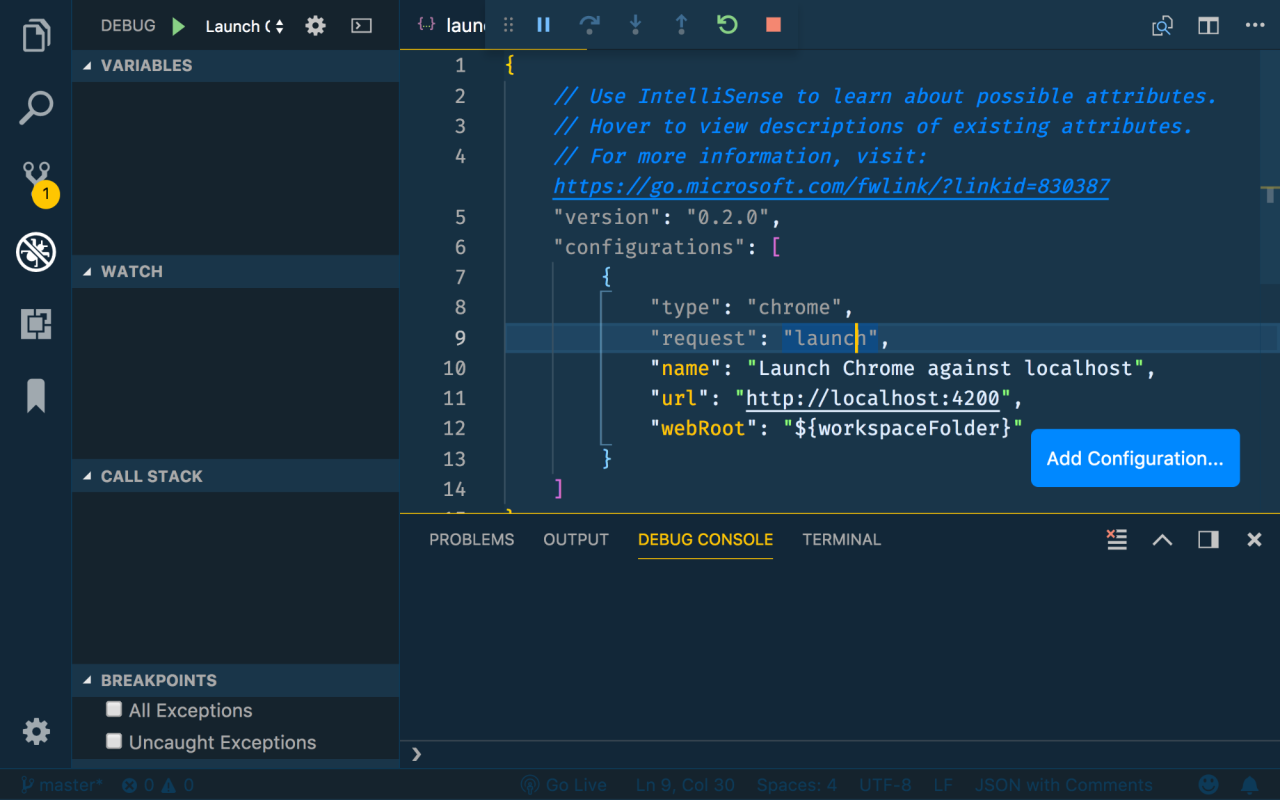
Debugging becomes significantly more complex as applications grow in scale and intricacy. This section delves into advanced techniques designed to tackle the challenges presented by multithreaded programs, memory-related issues, distributed systems, and large codebases. Mastery of these strategies is essential for any developer seeking to efficiently diagnose and resolve intricate software problems.
Debugging Multithreaded and Concurrent Applications
Multithreaded and concurrent applications introduce unique debugging challenges due to the unpredictable nature of thread execution and potential race conditions. Effective debugging in these environments requires specialized tools and a deep understanding of concurrency concepts.
- Thread Synchronization Issues: Debugging thread synchronization problems, such as deadlocks and race conditions, often requires the use of debugging tools that can visualize thread states and execution paths. Tools like debuggers that support thread-aware stepping (e.g., GDB with the `thread apply all bt` command) are invaluable. You can inspect thread stacks to understand where each thread is blocked and why. For example, in a scenario where two threads are deadlocked, each waiting for a resource held by the other, the debugger will reveal that both threads are stuck in a circular dependency.
- Data Races: Data races, where multiple threads access and modify shared data concurrently without proper synchronization, can lead to unpredictable behavior. Utilize tools like thread sanitizers (e.g., `ThreadSanitizer` in clang/gcc) that detect data races at runtime. These tools instrument the code to track memory accesses and identify conflicting accesses from different threads. The output typically pinpoints the line of code where the race occurs and provides a detailed trace of the conflicting memory operations.
- Non-Deterministic Behavior: Concurrency introduces non-determinism, making it difficult to reproduce bugs consistently. Techniques to manage this include:
- Thread-safe Logging: Implement thread-safe logging to capture thread-specific information and execution sequences.
- Deterministic Testing: Strive to make tests deterministic by controlling thread scheduling or using mock objects.
- Reproducible Builds: Ensure reproducible builds to facilitate the isolation and reproduction of concurrency-related bugs.
- Debugging Tools: Leverage specialized debugging tools designed for concurrent applications.
- Thread Debuggers: Use debuggers that allow you to inspect the state of individual threads, set breakpoints in specific threads, and step through their execution.
- Performance Profilers: Employ performance profilers to identify bottlenecks in multithreaded applications. These profilers can provide insights into thread contention and synchronization overhead.
Debugging Memory Leaks and Other Memory-Related Issues
Memory leaks and other memory-related issues can severely degrade application performance and stability. Thoroughly debugging these problems requires the use of specialized tools and techniques.
- Memory Leak Detection: Memory leaks occur when dynamically allocated memory is no longer referenced but not deallocated.
- Use Memory Debuggers: Tools like Valgrind (Linux) or the Memory Diagnostic tools in Visual Studio (Windows) are invaluable. They track memory allocations and deallocations, identifying memory that is allocated but never freed. For instance, Valgrind can pinpoint the exact line of code where a memory block was allocated and never released, along with the call stack that led to the allocation.
- Code Review and Static Analysis: Conduct code reviews and utilize static analysis tools to identify potential memory leak sources, such as missing `free()` calls in C/C++ or unclosed streams.
- Heap Analysis: Analyze the heap to identify growing memory consumption patterns. This can be done using memory profiling tools that provide information about the types of objects being allocated and their sizes.
- Dangling Pointers and Use-After-Free Errors: These errors occur when a program attempts to access memory that has already been deallocated or uses a pointer that no longer points to valid memory.
- Address Sanitizer (ASan): ASan detects memory errors like use-after-free, heap-buffer-overflows, and stack-buffer-overflows. It instruments the code to track memory accesses and identify invalid memory accesses at runtime.
- Valgrind’s Memcheck: While primarily known for leak detection, Valgrind’s Memcheck also identifies use-of-uninitialized memory, reads from freed memory, and other memory errors.
- Careful Pointer Management: Employ careful pointer management practices, such as setting pointers to `NULL` after deallocation and avoiding the use of raw pointers where possible (use smart pointers in C++).
- Memory Profiling: Memory profiling tools help understand memory usage patterns.
- Track Allocations and Deallocations: Use profiling tools to track the number of allocations and deallocations, the size of allocated blocks, and the call stacks of allocation and deallocation functions.
- Identify Memory Consumption Trends: Monitor memory usage over time to identify patterns of memory growth or unexpected memory consumption.
Debugging Code in a Distributed Environment
Debugging distributed systems presents unique challenges due to the complexity of inter-process communication, network latency, and potential failures in individual components. Effective debugging in this environment requires a combination of logging, tracing, and specialized debugging tools.
- Distributed Logging and Tracing: Implement a robust logging and tracing system that aggregates logs from all components of the distributed system.
- Centralized Logging: Use a centralized logging system (e.g., ELK Stack, Splunk) to collect and analyze logs from all services. Each log entry should include a unique trace ID to correlate events across different services.
- Distributed Tracing: Implement distributed tracing using tools like Jaeger or Zipkin to track the flow of requests across services. These tools provide a visual representation of the call graph and allow you to identify performance bottlenecks and errors in individual services.
- Structured Logging: Use structured logging (e.g., JSON format) to make logs easier to parse and analyze. Include relevant context information, such as request IDs, user IDs, and timestamps, in each log entry.
- Remote Debugging: Enable remote debugging to connect to and debug processes running on remote machines.
- Debuggers: Use debuggers like GDB or IDE-integrated debuggers that support remote debugging.
- Secure Connections: Establish secure connections (e.g., SSH tunnels) to remotely debug processes.
- Service Monitoring and Health Checks: Implement service monitoring and health checks to detect and diagnose issues in the distributed system.
- Health Checks: Implement health check endpoints that expose the health status of each service.
- Monitoring Tools: Use monitoring tools (e.g., Prometheus, Grafana) to monitor service metrics, such as request latency, error rates, and resource utilization.
- Reproducing Issues: Reproducing issues in a distributed environment can be challenging due to the non-deterministic nature of the system.
- Test Environments: Create a test environment that closely mimics the production environment.
- Load Testing: Perform load testing to simulate production traffic and expose potential issues.
- Chaos Engineering: Introduce controlled failures (e.g., service outages, network delays) to test the resilience of the system.
Tips for Debugging Complex and Large Codebases
Debugging large and complex codebases can be a daunting task. A systematic approach, coupled with the right tools and techniques, is crucial for success.
- Understand the Codebase: Before attempting to debug, invest time in understanding the codebase.
- Code Reviews: Participate in code reviews to learn about the codebase and identify potential issues.
- Documentation: Read the documentation, including API documentation, design documents, and architecture diagrams.
- Code Exploration: Explore the code using an IDE with features like code navigation, cross-referencing, and call graph visualization.
- Isolate the Problem: Narrow down the scope of the problem by isolating the specific code that is causing the issue.
- Divide and Conquer: Break down the problem into smaller, more manageable parts.
- Binary Search: Use a binary search approach to identify the code section where the bug is located.
- Comment Out Code: Temporarily comment out sections of code to see if the problem disappears.
- Use a Debugger Effectively: Utilize the debugger to step through the code and inspect variables.
- Set Breakpoints: Set breakpoints at strategic locations in the code to pause execution and inspect the state of the program.
- Step Through Code: Step through the code line by line to understand the execution flow and identify the source of the bug.
- Inspect Variables: Inspect the values of variables to see if they are what you expect.
- Leverage Logging and Tracing: Implement a robust logging and tracing system to gather information about the program’s execution.
- Logging Statements: Insert logging statements at key points in the code to track the execution flow and the values of variables.
- Tracing: Use tracing to track the flow of execution through different functions and modules.
- Version Control and Testing: Use version control and testing to manage the codebase and ensure that changes do not introduce new bugs.
- Version Control: Use a version control system (e.g., Git) to track changes to the codebase and revert to previous versions if necessary.
- Unit Tests: Write unit tests to test individual components of the code.
- Integration Tests: Write integration tests to test the interaction between different components.
- Seek Help: Don’t hesitate to ask for help from colleagues or online communities.
- Pair Programming: Pair program with a colleague to get a fresh perspective on the problem.
- Code Reviews: Ask for code reviews to get feedback on your code and identify potential issues.
- Online Forums: Post questions on online forums (e.g., Stack Overflow) to get help from experienced developers.
Outcome Summary
In conclusion, mastering the art of debugging goes beyond just fixing errors; it’s about cultivating a methodical approach, embracing collaboration, and fostering a resilient mindset. By understanding the debugging process, utilizing effective tools and techniques, and adopting strategies for managing stress and preventing future issues, you can transform debugging from a source of frustration into an opportunity for growth and learning.
Embrace the challenge, stay patient, and remember that every bug fixed is a step towards becoming a more skilled and confident developer.