Embarking on a programming journey requires more than just coding skills; it demands the right tools. Selecting the perfect laptop can significantly impact your productivity, comfort, and overall coding experience. This guide will equip you with the knowledge to navigate the vast landscape of laptop specifications, ensuring you choose a machine that aligns perfectly with your programming needs and budget.
From understanding the nuances of front-end versus back-end development to deciphering the importance of CPU cores and RAM, we’ll break down the essential factors. You’ll learn how to assess display quality, keyboard ergonomics, battery life, and operating system choices. Plus, we’ll explore valuable tips on setting a budget, identifying reputable brands, and future-proofing your investment, guaranteeing you make an informed decision.
Understanding Programming Needs
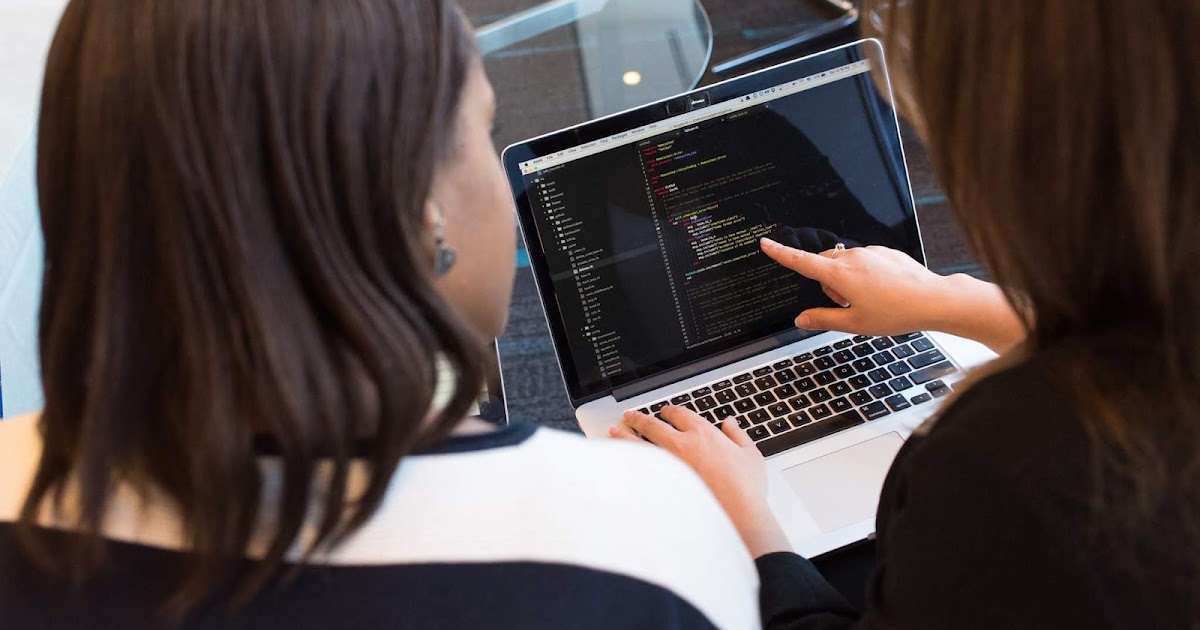
Choosing the right laptop for programming is significantly influenced by the type of programming you intend to do. Different programming specializations demand varying levels of processing power, memory, and storage. Understanding these differences is crucial to making an informed decision that aligns with your specific needs and future aspirations in the field.
Front-End, Back-End, and Full-Stack Development
The type of development work heavily influences the laptop specifications required. Each specialization places different demands on a laptop’s resources.Front-end development focuses on the user interface and user experience of a website or application. This often involves working with HTML, CSS, and JavaScript.
- Laptop Requirements: Generally, front-end development is less resource-intensive than back-end development. However, a good amount of RAM (8GB or more) is recommended for running multiple browser tabs, code editors, and potentially design tools like Figma or Adobe XD. A fast SSD is beneficial for quick loading times.
- Examples: A front-end developer might use their laptop to build the layout and interactive elements of a website, ensuring it looks and functions correctly on different devices.
Back-end development deals with the server-side logic, databases, and APIs that power the application. This often involves languages like Python, Java, Ruby, and PHP.
- Laptop Requirements: Back-end development often requires more processing power and RAM to handle complex computations and database interactions. A powerful CPU (Intel Core i5 or AMD Ryzen 5 or better) and at least 16GB of RAM are recommended. An SSD is essential for fast read/write speeds.
- Examples: A back-end developer might work on the server-side code that processes user data, handles authentication, and manages the application’s logic.
Full-stack development encompasses both front-end and back-end development. Full-stack developers need to be proficient in both areas.
- Laptop Requirements: Full-stack development requires a laptop that can handle both front-end and back-end tasks. This means a balance of processing power, RAM, and storage is crucial. A powerful CPU (Intel Core i7 or AMD Ryzen 7 or better), 16GB or more of RAM, and a fast SSD are highly recommended.
- Examples: A full-stack developer might be responsible for building the entire application, from the user interface to the server-side logic and database management.
Processing Power for Different Programming Languages
The programming language you choose will significantly influence the demands placed on your laptop’s processing power. Different languages have varying computational requirements.Python is a versatile language often used for data science, machine learning, and web development.
- Processing Power: Python is generally less demanding than compiled languages like C++ or Java. However, for data science and machine learning projects, a powerful CPU and a good amount of RAM (16GB or more) are recommended. An SSD is beneficial for faster data loading.
- Example: Running complex data analysis scripts or training machine learning models in Python can consume significant CPU and RAM resources.
Java is a widely used language for enterprise applications and Android development.
- Processing Power: Java is known for its resource-intensive nature, particularly during compilation and runtime. A multi-core CPU (Intel Core i5 or AMD Ryzen 5 or better) and a minimum of 16GB of RAM are highly recommended. An SSD is crucial for faster compilation times.
- Example: Compiling and running large Java projects, such as Android applications, can put a strain on the laptop’s processing power and memory.
C++ is a powerful language often used for game development, operating systems, and high-performance applications.
- Processing Power: C++ is a demanding language that requires significant processing power, especially during compilation. A powerful CPU (Intel Core i7 or AMD Ryzen 7 or better), a large amount of RAM (at least 16GB, preferably 32GB), and a fast SSD are essential.
- Example: Compiling and running complex game engines or high-performance applications written in C++ can heavily utilize the laptop’s CPU and RAM.
Identifying Software and Its Impact
The software you use as a programmer significantly impacts the laptop specifications you need. Different IDEs, compilers, and other tools have varying system requirements.The Integrated Development Environment (IDE) is a software application that provides comprehensive facilities to programmers for software development. Examples include VS Code, IntelliJ IDEA, and Eclipse.
- IDE Considerations: The choice of IDE can impact your laptop requirements. Some IDEs, like IntelliJ IDEA, are known for being resource-intensive. The more complex the IDE, the more RAM and processing power you’ll likely need.
- Example: A developer using IntelliJ IDEA for Java development will need a laptop with sufficient RAM (16GB or more) and a powerful CPU to ensure smooth performance, especially when working on large projects.
Compilers translate source code written in a programming language into machine code that a computer can execute. Different compilers have different system requirements.
- Compiler Considerations: Compilers, especially for languages like C++ and Java, can be CPU-intensive. Faster compilation times can be achieved with a more powerful CPU and a fast SSD.
- Example: A programmer using the GCC compiler for C++ will benefit from a laptop with a powerful CPU and a fast SSD to reduce compilation times, especially when working on large projects.
Other software tools, such as version control systems (Git), database management systems (MySQL, PostgreSQL), and containerization tools (Docker), can also impact laptop requirements.
- Additional Software: Consider the system requirements of all the software you plan to use. Running multiple resource-intensive applications simultaneously can strain your laptop’s resources.
- Example: A developer using Docker to containerize applications will need a laptop with sufficient RAM (at least 8GB, preferably 16GB or more) to run multiple containers concurrently.
Core Laptop Specifications
Choosing the right laptop for programming involves understanding the impact of its core components. The Central Processing Unit (CPU), Random Access Memory (RAM), and storage options significantly influence your development workflow, from compiling code to running applications and managing data. Optimizing these specifications can dramatically improve your productivity and overall programming experience.
CPU: Cores and Clock Speed
The CPU, or the “brain” of your laptop, directly affects how quickly your code compiles, runs, and how efficiently your system handles multiple tasks. Two key specifications to consider are the number of cores and the clock speed.The number of CPU cores refers to the individual processing units within the CPU. More cores generally allow for better multitasking and parallel processing.
This is especially beneficial for programming tasks.* Code Compilation: Compiling large projects, particularly those written in languages like C++ or Java, can be time-consuming. A CPU with more cores can significantly reduce compilation time by distributing the workload across multiple cores. For example, a project that takes 10 minutes to compile on a dual-core CPU might compile in 5 minutes or less on a quad-core CPU, and potentially even faster on an eight-core CPU.
Running Virtual Machines (VMs)
Running multiple VMs, each potentially requiring significant processing power, benefits from a CPU with more cores. Each VM can be assigned to use a certain number of cores, allowing them to run simultaneously without significantly impacting performance.
Parallel Processing
Many programming tasks can be parallelized, meaning they can be broken down into smaller tasks that can be executed concurrently. Multicore CPUs excel at handling parallel tasks, leading to faster execution times for computationally intensive applications, such as data analysis or machine learning model training.Clock speed, measured in gigahertz (GHz), represents the speed at which a CPU executes instructions.
A higher clock speed generally means faster processing. However, the impact of clock speed depends on the type of workload.* Single-threaded Applications: For applications that primarily utilize a single core, clock speed is more critical. Code editors, IDEs, and some older applications may benefit more from a higher clock speed.
Overall System Responsiveness
A higher clock speed contributes to a more responsive system, leading to quicker loading times and smoother performance when switching between applications.
It’s important to note that while clock speed is important, the overall performance is also influenced by the CPU’s architecture (e.g., Intel Core i7 vs. Intel Core i5). Newer architectures often provide better performance per clock cycle, so a CPU with a lower clock speed but a newer architecture can sometimes outperform a CPU with a higher clock speed but an older architecture.
RAM: Optimal Memory for Programming
RAM, or Random Access Memory, acts as the short-term memory for your laptop, holding the data and instructions that the CPU is actively using. Sufficient RAM is crucial for smooth programming workflows.The optimal amount of RAM depends on the type of programming you do and the applications you use.* 8GB of RAM: This is the minimum recommended for most programming tasks.
It’s sufficient for basic coding, using a single IDE, running a web browser with a few tabs, and running simple applications. However, it may struggle with more demanding tasks.
16GB of RAM
This is the sweet spot for most programmers. It allows for comfortable multitasking, running multiple IDEs, having several browser tabs open, and running more complex applications. It’s also suitable for running a single virtual machine.
32GB of RAM or more
This is recommended for programmers who frequently work with large datasets, run multiple virtual machines simultaneously, or use memory-intensive applications like video editing software alongside their coding. This amount of RAM ensures that the system doesn’t bottleneck on memory resources.
For example, if you’re working with a large dataset in Python using libraries like Pandas, you’ll need enough RAM to load and manipulate the data efficiently. Running multiple VMs, such as one for a development server, one for a database server, and one for testing, also requires a significant amount of RAM.
Storage Options: SSD vs. HDD vs. NVMe
The storage device stores your operating system, applications, and files. The speed of your storage device significantly affects the boot time of your laptop, the speed at which applications load, and the speed at which you can access and save your files. Different storage technologies offer varying levels of performance and cost.Here’s a comparison of the main storage options:
| Storage Type | Advantages | Disadvantages | Best Use Cases for Programming |
|---|---|---|---|
| Solid State Drive (SSD) |
|
|
|
| Hard Disk Drive (HDD) |
|
|
|
| NVMe SSD |
|
|
|
The difference in performance between an HDD and an SSD is often immediately noticeable. An SSD can boot your operating system in seconds, while an HDD might take a minute or more. The speed of NVMe drives is even more pronounced, providing a near-instantaneous experience for many tasks. Consider the trade-offs between performance, cost, and storage capacity when choosing a storage solution. A common and effective configuration is to use an NVMe SSD for the operating system and applications, and a larger HDD or SATA SSD for data storage.
Display and Graphics Considerations

Choosing the right laptop display and graphics setup is crucial for a programmer’s productivity and the quality of their work. A good display minimizes eye strain and provides a clear view of code, while a capable graphics card is essential for certain programming tasks. This section will delve into the critical aspects of display resolution, size, color accuracy, and the role of the GPU.
Screen Resolution and Size for Coding
The screen resolution and size significantly impact the coding experience. A higher resolution allows more code to be displayed on the screen simultaneously, reducing the need for scrolling and improving efficiency. Larger screens also provide more comfortable viewing, particularly for extended coding sessions.
- Resolution Benefits: Higher resolutions, such as 1920×1080 (Full HD) or higher (QHD, 4K), allow for more code to be visible at once. This is especially helpful when working with complex projects or multiple files simultaneously. For example, a developer working on a large web application can see more lines of code and debug more effectively on a higher-resolution display.
- Size and Productivity: Larger screen sizes (15 inches and above) are often preferred for coding because they provide a more immersive and less straining experience. The increased real estate allows for comfortable viewing of code, documentation, and other windows. A 17-inch laptop, for instance, can comfortably accommodate multiple windows, such as a code editor, a browser for documentation, and a terminal, without significant overlap.
- Examples of Beneficial Scenarios:
- Large Projects: Developers working on projects with numerous files and complex structures benefit greatly from larger screens and higher resolutions. They can navigate through code more easily and identify errors more quickly.
- Multitasking: Programmers who frequently work with multiple applications simultaneously, such as an IDE, a browser, and a debugger, find larger screens essential for efficient multitasking.
- Remote Work: For remote workers, a larger screen can mimic the experience of using a desktop setup, enhancing productivity and reducing eye strain.
Color Accuracy and Display Quality for Graphic Design and Data Visualization
Color accuracy and overall display quality are paramount for programmers involved in graphic design or data visualization. These tasks require a display that accurately represents colors and provides a clear and detailed image.
- Color Accuracy Importance: Accurate color representation is vital for graphic designers, as it ensures that the colors displayed on the screen match the final product. A display with a high color gamut coverage, such as 100% sRGB or Adobe RGB, is essential for this.
- Display Quality Significance: Display quality encompasses several factors, including contrast ratio, brightness, and viewing angles. A display with a high contrast ratio provides deeper blacks and brighter whites, enhancing the visual experience. Wide viewing angles ensure that colors and details remain consistent, even when viewing the screen from different positions.
- Applications in Programming:
- Graphic Design: Programmers who design user interfaces (UI) or work on image editing software require accurate color representation.
- Data Visualization: Data scientists and analysts who create charts and graphs rely on accurate color representation to effectively communicate data insights. A display that can accurately show the nuances of a color gradient is essential.
Role of a Dedicated Graphics Card (GPU) for Specific Programming Applications
A dedicated graphics card (GPU) is not always necessary for programming, but it becomes essential for specific applications that demand significant graphical processing power.
- Machine Learning: Machine learning tasks, particularly training large models, often require a powerful GPU. GPUs are designed for parallel processing, which significantly accelerates the computation-intensive tasks involved in machine learning. Frameworks like TensorFlow and PyTorch are optimized to utilize GPUs. For example, training a deep learning model on a dataset with millions of data points can take hours or days on a CPU, but only minutes or hours on a high-end GPU.
- Game Development: Game development involves rendering complex 3D graphics, which requires a dedicated GPU. A powerful GPU is essential for creating visually appealing games and ensuring smooth gameplay. Developers use specialized tools and engines that leverage the GPU’s capabilities.
- Other Applications:
- Video Editing: Video editing software utilizes GPUs for real-time rendering and processing of video footage.
- 3D Modeling: 3D modeling software relies on GPUs to render complex 3D scenes and models.
Keyboard and Ergonomics
The keyboard is the primary interface for a programmer, making it a crucial element in laptop selection. Spending hours typing code can lead to discomfort and potential injuries if the keyboard isn’t up to par. Ergonomics play a significant role in preventing these issues, allowing for comfortable and efficient coding sessions.
Keyboard Feel and Layout
The feel and layout of a keyboard significantly impact a programmer’s productivity and comfort. Different keyboard technologies offer distinct typing experiences.The feel of a keyboard is subjective, but generally, programmers prefer keyboards that provide clear tactile feedback. This allows for accurate typing without needing to constantly look at the keys. The layout also matters; a familiar and efficient layout minimizes errors and boosts typing speed.* Mechanical Keyboards: Mechanical keyboards use individual switches for each key, offering a distinct tactile feel and often a satisfying “click” sound.
They are generally more durable and can withstand heavy use. They are also often customizable, allowing users to swap out keycaps and switches. Several switch types exist, such as Cherry MX, each with its own characteristics regarding actuation force and travel distance. For example, Cherry MX Brown switches are often favored for programming due to their tactile bump without being too loud.* Membrane Keyboards: Membrane keyboards use a pressure pad under the keys.
They are typically quieter and more affordable than mechanical keyboards. However, they often lack the same tactile feedback and can feel “mushy” to some users. This can potentially lead to more typing errors over extended periods.Choosing between mechanical and membrane keyboards often depends on personal preference and budget. Programmers who value tactile feedback, durability, and customization typically lean toward mechanical keyboards.
Those prioritizing affordability and quietness might opt for membrane keyboards.
Ergonomics for Programming
Good ergonomics are vital to prevent repetitive strain injuries (RSIs) like carpal tunnel syndrome. These injuries can significantly impact a programmer’s ability to work. Selecting a laptop with ergonomic considerations in mind is, therefore, essential.Ergonomic features contribute to a more comfortable and healthy programming experience. This includes the keyboard layout, the ability to adjust the screen’s position, and the overall design of the laptop.* Keyboard Features for Programming: A good programming laptop’s keyboard should have several features to enhance comfort and productivity.
Sufficient Key Travel
Keys should have enough travel distance to provide clear tactile feedback, preventing bottoming out and reducing strain.
Comfortable Key Spacing
Proper spacing between keys helps prevent accidental key presses and promotes accurate typing.
Well-Placed Function Keys
Function keys should be easily accessible for common tasks like volume control, brightness adjustment, and media playback.
Dedicated Navigation Keys
Dedicated arrow keys, page up/down, home, and end keys are essential for navigating code efficiently.
Num Pad (Optional)
A numeric keypad can be helpful for data entry, but it can also widen the keyboard layout, which some users find less ergonomic.
Backlighting
Backlit keys are beneficial for coding in low-light environments, improving visibility and reducing eye strain.
Ergonomic Shape
Consider keyboards with a slight curve or split design to promote a more natural hand and wrist position.* Laptop Design Considerations:
Adjustable Screen Hinge
Allows for tilting the screen to an optimal viewing angle.
Sufficient Palm Rest
Provides a comfortable place to rest the wrists while typing.
Thin Bezel
Maximizes screen real estate while keeping the overall size compact.
External Peripherals (Optional)
For prolonged use, consider connecting an external keyboard, mouse, and monitor to create a more ergonomic workstation. This is especially important for desktop replacement laptops.
Laptop Stand
Raising the laptop with a stand can improve the viewing angle and reduce neck strain.By carefully considering keyboard feel, layout, and ergonomic features, programmers can choose a laptop that supports a comfortable and productive coding experience, minimizing the risk of RSIs and maximizing long-term productivity.
Battery Life and Portability
Choosing the right laptop for programming involves balancing various factors, and battery life and portability are crucial considerations. A programmer’s workflow often demands flexibility, whether coding in a coffee shop, on a train, or simply moving between different rooms in a home. The ability to work untethered from a power outlet significantly enhances productivity and convenience. Understanding the trade-offs between battery life, performance, and the physical characteristics of a laptop is essential for making an informed decision.
Balancing Battery Life and Performance
The primary trade-off is between battery life and the performance capabilities of a laptop. High-performance components, such as powerful CPUs and dedicated GPUs, consume more power, leading to shorter battery life. Conversely, laptops with energy-efficient components may offer extended battery life but could compromise on performance, particularly when running resource-intensive tasks like compiling large projects or running virtual machines.Consider these points:
- CPU Choice: Processors designed for ultra-portables (e.g., Intel’s U-series or AMD’s Ryzen U-series) prioritize power efficiency over raw performance. They offer excellent battery life but might be slower than high-performance (e.g., Intel’s H-series or AMD’s Ryzen H-series) processors.
- GPU Impact: A dedicated graphics card (GPU) consumes significantly more power than an integrated GPU. If your programming tasks don’t require heavy graphics processing (e.g., game development, machine learning), opting for a laptop with integrated graphics will extend battery life.
- RAM and Storage: While not directly impacting battery life as dramatically as the CPU or GPU, sufficient RAM (at least 16GB is recommended for modern programming) and fast storage (SSD) contribute to overall system responsiveness, allowing you to complete tasks more efficiently and potentially reduce the time the laptop needs to be powered on.
- Display Brightness: A brighter display consumes more power. Reducing the screen brightness can significantly extend battery life, especially when working in a well-lit environment.
- Operating System and Software: The operating system and background processes can impact battery consumption. Ensure the OS is optimized for power efficiency and close unnecessary applications. Consider using battery-saving modes when unplugged.
Balancing battery life and performance requires assessing your typical programming workload. If you primarily work on web development or general coding tasks, a laptop with a focus on battery life might be sufficient. For more demanding tasks, you may need to prioritize performance and accept a shorter battery life, or consider carrying a power adapter.
Weight, Size, and Portability for Programming Environments
The weight and size of a laptop directly influence its portability. A larger, heavier laptop is less convenient to carry around, especially for extended periods. A more portable laptop allows you to work from various locations without being tethered to a desk.Factors affecting portability include:
- Screen Size: Laptops come in various screen sizes, from compact 11-inch models to larger 17-inch models. Smaller screen sizes are generally lighter and more portable but may offer less screen real estate for coding. Larger screens provide more workspace but are less portable.
- Weight: The weight of a laptop is a critical factor. Ultraportable laptops can weigh as little as 2-3 pounds, while gaming laptops can weigh upwards of 6-8 pounds.
- Thickness: Thinner laptops are generally more portable and easier to slip into a bag.
- Build Materials: Laptops made from lightweight materials like carbon fiber or magnesium alloys are often more expensive but significantly lighter than those made from aluminum or plastic.
The suitability of a laptop for different programming environments depends on its portability:
- Working on the Go: For programmers who frequently work in cafes, libraries, or on public transport, a lightweight and compact laptop is essential. A 13-inch or 14-inch laptop, weighing less than 4 pounds, would be ideal.
- Home Office/Desk-Bound: If the laptop primarily stays at a desk, portability is less of a concern. A larger screen size (15-inch or 17-inch) might be preferred for better multitasking and screen real estate.
- Hybrid Work: For programmers who work both at home and on the go, a balance is needed. A 14-inch or 15-inch laptop with a reasonable weight (around 3-4 pounds) and good battery life would be a good compromise.
Laptop Examples: Good Battery Life and Portability
The following table provides examples of laptops that offer a good balance of battery life and portability, categorized by screen size. The data is based on typical usage scenarios and is subject to change based on individual configurations and usage patterns. The battery life estimates are approximate and can vary.
| Screen Size | Laptop Model (Example) | Approximate Battery Life (Hours) | Key Features |
|---|---|---|---|
| 13-inch | Apple MacBook Air M2 | Up to 18 hours (web browsing) | Lightweight design, excellent performance, good keyboard, long battery life, macOS ecosystem. |
| 14-inch | Lenovo ThinkPad X1 Carbon Gen 11 | Up to 15 hours (mixed usage) | Durable build, excellent keyboard, good performance, long battery life, business-oriented features. |
| 15-inch | Dell XPS 15 | Up to 12 hours (general use) | Powerful performance, excellent display, premium design, good battery life, suitable for demanding tasks. |
| 16-inch | Apple MacBook Pro 16-inch (M2 Pro/Max) | Up to 17 hours (video playback) | High-end performance, stunning display, excellent battery life, macOS ecosystem, ideal for professional use. |
Operating System Choice
Choosing the right operating system (OS) is a pivotal decision when selecting a laptop for programming. The OS forms the foundation upon which your development environment is built, influencing everything from software compatibility and developer tools to the overall user experience. Each OS—Windows, macOS, and Linux—offers a distinct set of advantages and disadvantages, catering to different programming needs and preferences.
Understanding these differences is crucial for making an informed choice that aligns with your specific programming goals and workflow.
Windows, macOS, and Linux Comparison
The three major operating systems, Windows, macOS, and Linux, each have unique characteristics that impact their suitability for programming. Here’s a detailed comparison:Windows:Windows is the most widely used OS globally, known for its broad software compatibility and user-friendly interface.
- Pros:
- Software Compatibility: Extensive software support, including a vast library of development tools and IDEs. Windows is generally the first platform to receive new software releases.
- Hardware Compatibility: Wide range of hardware options and configurations are available, offering flexibility in choosing a laptop.
- User-Friendly Interface: Intuitive interface, making it easy for beginners to navigate and learn.
- Gaming: Excellent gaming support, which can be a bonus if you also enjoy gaming.
- Cons:
- Cost: Windows licenses are typically more expensive than macOS (which comes pre-installed on Apple hardware) and Linux (which is open-source).
- Resource Intensive: Windows can be more resource-intensive than other operating systems, potentially impacting performance on lower-end hardware.
- Security: Historically, Windows has been more susceptible to malware and viruses, although security has significantly improved in recent years.
macOS:macOS is known for its sleek design, stability, and strong developer-friendly features. It runs exclusively on Apple hardware.
- Pros:
- User Experience: Excellent user experience with a polished interface and seamless integration of hardware and software.
- Unix-Based: Based on Unix, providing a robust command-line environment, essential for many programming tasks.
- Developer Tools: Excellent support for development tools, including Xcode, Apple’s integrated development environment (IDE) for iOS and macOS development.
- Stability: Known for its stability and reliability.
- Cons:
- Hardware Limitation: Limited hardware options, as macOS runs only on Apple products.
- Cost: Apple hardware is generally more expensive than Windows laptops.
- Software Compatibility: While most popular software is available, some specialized or niche applications may not have macOS versions.
Linux:Linux is an open-source operating system, offering a high degree of flexibility and customization. There are numerous distributions (distros) of Linux, such as Ubuntu, Fedora, and Debian, each with its own characteristics.
- Pros:
- Open Source: Free and open-source, meaning the OS is free to use and modify.
- Customization: Highly customizable, allowing users to tailor the OS to their specific needs.
- Performance: Generally, Linux is lightweight and efficient, running well on older hardware.
- Command-Line Interface: Powerful command-line interface, providing precise control over the system.
- Security: Generally, Linux is considered more secure than Windows.
- Cons:
- Learning Curve: Can have a steeper learning curve for beginners, especially when working with the command line.
- Software Compatibility: Some software may not have native Linux versions, requiring the use of workarounds like Wine.
- Hardware Compatibility: While improving, compatibility with certain hardware, particularly drivers for specific components, can sometimes be an issue.
Operating Systems for Specific Programming Tasks
The choice of OS can be particularly beneficial for certain programming tasks or languages.
- Web Development:
Windows, macOS, and Linux are all suitable for web development. Linux is favored by many developers due to its command-line tools and flexibility. macOS offers a good balance of Unix-based tools and a user-friendly interface. Windows is perfectly adequate, especially with tools like Windows Subsystem for Linux (WSL). - Mobile App Development:
macOS is the preferred OS for iOS app development, as Xcode is exclusive to macOS. Android development is possible on all three OSes, but Android Studio performs well on macOS and Linux. - Game Development:
Windows is often preferred for game development due to its broad support for game engines like Unity and Unreal Engine, and its extensive hardware compatibility. Linux and macOS are also viable options, particularly for cross-platform game development. - Data Science and Machine Learning:
Linux is a popular choice for data science and machine learning due to its powerful command-line tools, access to specialized libraries and frameworks (e.g., TensorFlow, PyTorch), and the availability of open-source tools. macOS is also a strong contender, and Windows with WSL has become a more viable option in recent years. - Embedded Systems:
Linux is frequently used for embedded systems development due to its flexibility, small footprint, and real-time capabilities. Windows and macOS can also be used, but Linux is often the preferred choice.
Influence on the Development Environment and Developer Experience
The choice of OS profoundly influences the development environment and the overall developer experience.
- Integrated Development Environments (IDEs): The availability and performance of IDEs vary across OSes. For example, Xcode is exclusive to macOS, while Visual Studio runs well on Windows and offers cross-platform development support.
- Command-Line Tools: The command-line interface (CLI) is a crucial tool for developers. Linux and macOS provide robust CLI environments (Bash, Zsh), which can be beneficial for automation, scripting, and system administration tasks. Windows offers the Command Prompt and PowerShell, and more recently, WSL, to bridge the gap.
- Package Management: Package managers streamline the installation and management of software dependencies. Linux has robust package managers (apt, yum, pacman), while macOS uses Homebrew, and Windows uses Chocolatey and winget.
- File System and Directory Structure: The organization of files and directories differs across OSes. macOS and Linux use a Unix-like file system, while Windows uses a different structure. This can impact how developers navigate and manage their projects.
- Developer Community and Support: The developer community and support resources can also vary. Windows has a vast user base and extensive online resources. macOS benefits from Apple’s ecosystem and strong developer community. Linux benefits from its open-source nature and a passionate community.
Budget and Value
Choosing a laptop for programming involves striking a balance between your needs and your wallet. Setting a realistic budget and understanding the value proposition of different laptops are crucial steps in making a smart purchase. This section will guide you through strategies for defining your budget and identifying laptops that offer the best bang for your buck.
Setting a Realistic Budget
Determining a budget for a programming laptop requires careful consideration of several factors.
- Assess Your Programming Needs: Start by evaluating the types of programming you’ll be doing. Are you developing web applications, mobile apps, or data science projects? The complexity of your projects will influence the required processing power, RAM, and storage.
- Consider Your Current Financial Situation: Determine how much you can comfortably spend without straining your finances. Don’t overextend yourself.
- Research Market Prices: Browse different retailers and online marketplaces to get a sense of the current prices for laptops with the specifications you need. This will help you set a realistic budget range.
- Factor in Additional Costs: Remember to account for any additional expenses, such as software licenses, accessories (e.g., a mouse, external monitor), and potential extended warranties.
- Prioritize Essential Features: Focus on the core components that are most important for programming, such as the processor, RAM, and storage. You might be able to save money by compromising on less critical features, like a high-end graphics card, if your work doesn’t require it.
Laptops Offering Good Value for Money
Several laptops on the market provide an excellent balance of performance, features, and price, making them ideal choices for programmers on a budget.
- Apple MacBook Air (M1 or M2): The MacBook Air, particularly the models with the M1 or M2 chip, offers impressive performance for the price. The M1 and M2 chips provide exceptional speed and efficiency, making them suitable for a wide range of programming tasks. They also boast long battery life and a sleek design.
- Dell XPS 13: The Dell XPS 13 is known for its excellent build quality, stunning display, and powerful performance. While it might be slightly more expensive than some budget options, its premium features and reliability make it a worthwhile investment. The latest models often include Intel Core i5 or i7 processors and ample RAM.
- Lenovo ThinkPad Series: Lenovo ThinkPads are renowned for their durability, comfortable keyboards, and reliable performance. The ThinkPad E series and L series often offer excellent value, with configurations that can handle demanding programming tasks. They are also well-regarded for their long-term reliability.
- Acer Swift Series: Acer Swift laptops provide a good balance of performance and portability. They often come with Intel Core i5 or i7 processors, sufficient RAM, and SSD storage. The Swift series is known for its lightweight design, making it easy to carry around.
- HP Pavilion Series: HP Pavilion laptops provide a range of configurations at different price points. They are generally well-built and offer decent performance for programming. You can often find models with Intel Core i5 or i7 processors and ample RAM within a reasonable budget.
Tips for Finding Deals and Discounts:
- Shop During Sales Events: Take advantage of major sales events like Black Friday, Cyber Monday, and back-to-school sales, where you can find significant discounts on laptops.
- Check for Refurbished Options: Consider purchasing a certified refurbished laptop from a reputable retailer. These laptops have been tested and restored to working condition and often come with a warranty, offering significant savings.
- Look for Student Discounts: Many manufacturers and retailers offer student discounts. Verify your eligibility and take advantage of these offers.
- Compare Prices: Before making a purchase, compare prices from different retailers to ensure you’re getting the best deal. Use price comparison websites and browser extensions to help you find the lowest price.
- Consider Bundles: Some retailers offer bundles that include a laptop and accessories, such as a mouse, carrying case, or software. These bundles can sometimes offer better value than purchasing items separately.
Brands and Models to Consider
Choosing the right laptop brand and model is a crucial step in ensuring your programming journey is smooth and efficient. While various brands offer laptops, some are consistently favored within the programming community due to their reliability, performance, and features tailored to developers. This section provides insights into reputable brands and specific models, along with guidance on evaluating customer reviews to make an informed purchase.
Reputable Laptop Brands for Programmers
Several brands have established themselves as leaders in the laptop market for programmers. These brands often prioritize features like robust build quality, powerful processors, ample RAM, and comfortable keyboards, which are essential for coding.
- Apple (MacBook Pro, MacBook Air): Apple laptops, particularly the MacBook Pro and MacBook Air, are popular choices. Their macOS operating system, known for its stability and user-friendliness, appeals to many programmers. The hardware, especially the processors and displays, is generally top-notch.
- Dell (XPS, Inspiron, Alienware): Dell offers a range of laptops suitable for programming, including the high-end XPS series, known for its premium design and performance. The Inspiron series provides more budget-friendly options, while the Alienware line caters to gamers who also code.
- Lenovo (ThinkPad, IdeaPad): Lenovo’s ThinkPad series is renowned for its durability, excellent keyboards, and business-oriented features. The IdeaPad series offers more affordable options. ThinkPads are particularly favored for their reliability and long-term value.
- HP (Spectre, Envy, Pavilion): HP offers a variety of laptops, including the Spectre and Envy series, known for their sleek designs and solid performance. The Pavilion series provides more budget-conscious alternatives.
- Microsoft (Surface Laptop, Surface Book): Microsoft’s Surface laptops are known for their premium build quality, touchscreens, and compatibility with the Windows operating system. They are often chosen for their portability and versatility.
Model Recommendations for Different Programming Needs and Budgets
The ideal laptop model depends on your specific programming needs and budget. Here are some recommendations, categorized by usage and price point:
- Entry-Level Programming (e.g., learning Python, web development):
- Dell Inspiron: Provides a good balance of performance and affordability. Look for models with an Intel Core i5 processor or AMD Ryzen 5 processor, 8GB of RAM, and a 256GB SSD.
- Lenovo IdeaPad: Offers a range of budget-friendly options with decent specifications for beginners. Consider models with similar specifications to the Dell Inspiron.
- Mid-Range Programming (e.g., full-stack development, mobile app development):
- Apple MacBook Air (M1 or M2 chip): Offers excellent performance and battery life for its price. Provides a seamless macOS experience. Consider models with 16GB of RAM and a 512GB SSD.
- Dell XPS 13: A premium ultrabook with a powerful processor, beautiful display, and compact design. Choose configurations with an Intel Core i7 processor, 16GB of RAM, and a 512GB SSD.
- Lenovo ThinkPad T Series: Known for its durability and performance. Consider the T14 or T14s models with an Intel Core i7 processor, 16GB of RAM, and a 512GB SSD.
- High-End Programming (e.g., data science, game development, running virtual machines):
- Apple MacBook Pro (14-inch or 16-inch, M1 Pro or M1 Max chip): Offers exceptional performance and a stunning display. Ideal for demanding tasks. Choose configurations with 32GB or 64GB of RAM and a 1TB or 2TB SSD.
- Dell XPS 15 or 17: Provides powerful processors, high-resolution displays, and ample RAM for resource-intensive applications. Consider models with an Intel Core i9 processor, 32GB of RAM, and a 1TB SSD.
- Lenovo ThinkPad P Series: Workstation-class laptops with powerful processors and professional-grade graphics cards. Suitable for complex coding tasks. Consider the P1 or P15 models with an Intel Xeon processor, 32GB of RAM, and a 1TB SSD.
Evaluating Customer Reviews and Ratings
Customer reviews and ratings are invaluable resources for making an informed purchase decision. They provide insights into real-world performance, reliability, and user satisfaction.
- Where to Find Reviews:
- Online Retailers: Websites like Amazon, Best Buy, and Newegg host customer reviews and ratings.
- Tech Websites and Blogs: Reputable tech websites (e.g., The Verge, TechRadar, CNET) provide in-depth reviews and comparisons.
- Manufacturer Websites: Some manufacturers allow customers to leave reviews on their product pages.
- What to Look For in Reviews:
- Overall Ratings: Pay attention to the overall star rating and the distribution of ratings (e.g., are most reviews 5-star or 1-star?).
- Specific Performance Mentions: Look for reviews that mention the laptop’s performance with programming-related tasks (e.g., compiling code, running IDEs, using virtual machines).
- Reliability and Build Quality: Check for comments on the laptop’s durability, build quality, and longevity.
- Keyboard and Trackpad Experience: Programmers spend a lot of time typing, so reviews about keyboard comfort and trackpad accuracy are crucial.
- Battery Life: See how users rate the battery life in real-world usage scenarios.
- Customer Support: Check for comments about the manufacturer’s customer support experience.
- Analyzing Reviews:
- Read a Variety of Reviews: Don’t rely on a single review; read a range of reviews to get a balanced perspective.
- Filter by User Type: Look for reviews from users who are also programmers or have similar use cases.
- Identify Common Themes: Look for recurring positive or negative comments to identify the laptop’s strengths and weaknesses.
- Consider the Reviewer’s Perspective: Understand the reviewer’s background and experience to assess the relevance of their comments.
Additional Features: Connectivity and Accessories
A well-equipped laptop goes beyond raw processing power; it also needs to connect seamlessly with your world. This section explores the crucial aspects of connectivity and the accessories that can significantly enhance your programming workflow, making you more productive and comfortable. Choosing the right ports and accessories can transform your laptop from a standalone device into a powerful, versatile workstation.
Importance of Ports
The availability of various ports on your laptop is critical for connecting to external devices. These ports allow you to expand your workspace, transfer data efficiently, and connect to essential peripherals. Insufficient ports can quickly become a bottleneck, hindering your ability to connect to the devices you need.
- USB Ports: USB ports are ubiquitous and used for connecting a wide range of devices, from external hard drives and flash drives to mice, keyboards, and webcams. Look for laptops with multiple USB-A ports (the standard rectangular ports) and USB-C ports. USB-C offers faster data transfer speeds and can also be used for charging and connecting to external displays, making it a more versatile option.
- Thunderbolt Ports: Thunderbolt ports are a high-speed interface that supports data transfer, video output, and power delivery over a single cable. They are particularly useful for connecting to high-resolution external displays, external storage devices, and docking stations. Thunderbolt ports often use the USB-C connector, so it’s important to check the specifications to ensure Thunderbolt functionality.
- HDMI Port: The HDMI (High-Definition Multimedia Interface) port is essential for connecting your laptop to external monitors, projectors, and TVs. It transmits both video and audio signals, allowing you to easily extend your display to a larger screen.
- Other Ports: Consider the need for other ports like an Ethernet port (for wired internet connection), a headphone jack, and an SD card reader (if you work with photos or videos). While these may be less critical for every programmer, they can be invaluable in specific scenarios.
Selecting Accessories
Choosing the right accessories can significantly enhance your programming experience, improving both productivity and comfort. The ideal setup allows you to work efficiently and avoid the strain that can come from prolonged use of a laptop’s built-in components.
- External Monitors: An external monitor can significantly increase your screen real estate, allowing you to view more code, documentation, and other applications simultaneously. Consider the resolution, size, and refresh rate of the monitor based on your needs. A larger, higher-resolution monitor (e.g., 27 inches or larger with a 1440p or 4K resolution) can be a great investment.
- External Keyboard: An external keyboard provides a more ergonomic typing experience than a laptop keyboard, reducing strain on your wrists and fingers. Look for a keyboard with a comfortable layout, good key travel, and features like backlighting (especially if you often work in low-light environments). Mechanical keyboards are popular among programmers for their tactile feedback and durability.
- External Mouse: A good mouse can improve your accuracy and speed when navigating your code and interacting with the user interface. Consider an ergonomic mouse that fits comfortably in your hand and prevents strain. Programmable buttons can be useful for customizing your workflow.
- Docking Station: A docking station can simplify connecting multiple peripherals with a single cable. It can provide additional ports, including USB, HDMI, and Ethernet, and can also charge your laptop. This is particularly useful if you frequently switch between working at home and in the office.
- Laptop Stand: A laptop stand elevates your laptop screen to a more comfortable viewing height, which can improve your posture and reduce neck strain. Consider a stand that is adjustable to find the optimal position.
Essential Accessories for a Programmer’s Laptop Setup
The following accessories form the core of a programmer’s enhanced workstation, promoting efficiency, comfort, and productivity.
- External Monitor: A 24-27 inch monitor with a resolution of 1920×1080 (1080p) or higher (1440p or 4K) is recommended for improved code visibility and multitasking.
- External Keyboard: A mechanical keyboard with a comfortable layout and tactile feedback, such as a tenkeyless (TKL) or full-sized keyboard, is preferred.
- External Mouse: An ergonomic mouse with adjustable DPI and programmable buttons, such as a vertical mouse or a mouse with a contoured design.
- Laptop Stand: An adjustable laptop stand to elevate the screen to eye level and improve posture.
- Headphones or Earbuds: Noise-canceling headphones or comfortable earbuds for focused work and blocking out distractions.
- External Hard Drive or SSD: An external storage device for backing up your code and storing large files.
Future-Proofing Your Purchase
Choosing a laptop for programming isn’t just about meeting your current needs; it’s about anticipating the demands of the future. Investing in a laptop that remains relevant for several years can save you money and frustration. It prevents the need for frequent upgrades and ensures your machine can handle evolving programming languages, development environments, and operating systems. This section explores how to make a smart investment that will serve you well for years to come.
The Importance of Longevity
A future-proof laptop is designed to withstand the test of time. This means it should be able to handle the increasing complexity of software, the growing size of codebases, and the performance requirements of modern development tools. Consider that programming languages and frameworks are constantly evolving, often demanding more processing power and memory. Furthermore, the lifespan of a programming laptop is directly tied to its specifications and how it is used.
A laptop with robust components will likely last longer than one with entry-level specs, especially if you’re a heavy user.
Upgradability and Component Considerations
Consider the laptop’s upgradability options. Some components are more easily upgraded than others.
- RAM (Random Access Memory): Sufficient RAM is critical for multitasking and running resource-intensive IDEs. Look for laptops that allow you to upgrade the RAM. 16GB is a good starting point, but consider 32GB or more if you anticipate working with large datasets or complex projects.
- Storage: SSDs (Solid State Drives) are significantly faster than traditional HDDs (Hard Disk Drives). While SSDs are generally not user-upgradable in most modern laptops, ensure you select a laptop with a storage capacity that meets your needs, and consider the option of external storage if necessary. A minimum of 512GB SSD is recommended, but 1TB or more is preferable.
- CPU (Central Processing Unit): The CPU is the brain of your laptop. While upgrading the CPU is often difficult or impossible in laptops, selecting a powerful CPU from the outset will extend its lifespan. Aim for a recent generation Intel Core i7 or i9, or an AMD Ryzen 7 or 9 processor.
- Ports: While not directly upgradable, the availability of various ports (USB-C, Thunderbolt, HDMI) is important for connecting peripherals and external displays. Make sure your laptop has enough ports to accommodate your workflow.
Future Technology Trends
Stay informed about technology trends that could impact your laptop’s relevance.
- Programming Language Evolution: Keep an eye on the evolution of popular programming languages like Python, Java, and JavaScript. New versions often introduce features that demand more computational resources.
- Development Environment Changes: Integrated Development Environments (IDEs) like Visual Studio Code, IntelliJ IDEA, and Eclipse are constantly being updated with new features and plugins, often requiring more powerful hardware.
- Operating System Updates: Operating systems such as Windows, macOS, and Linux receive regular updates that can increase system requirements.
- Cloud Computing: The increasing reliance on cloud-based development environments and services might shift the focus from local processing power to network connectivity and storage. However, even with cloud computing, a fast and reliable laptop is still essential for accessing and interacting with these services.
Expected Lifespan and Usage Patterns
The expected lifespan of a programming laptop varies depending on several factors, including the specifications, usage patterns, and care.
- Entry-Level Laptops: Entry-level laptops, typically with lower-end CPUs and less RAM, may last for 2-3 years with moderate usage.
- Mid-Range Laptops: Mid-range laptops, equipped with better processors and more RAM, can last for 3-5 years with regular use.
- High-End Laptops: High-end laptops, featuring top-tier components, can potentially last for 5+ years, especially if used for professional programming tasks.
- Usage Patterns: Heavy usage, such as compiling large projects, running virtual machines, and multitasking extensively, will put more strain on the laptop and potentially shorten its lifespan. Light usage, such as writing code and browsing the internet, will extend it.
- Maintenance: Regular maintenance, such as cleaning the laptop’s vents to prevent overheating, updating software, and backing up data, can also help extend its lifespan.
Consider the example of a software engineer using a mid-range laptop. They might use it daily for coding, testing, and debugging. After three years, they might find the laptop struggles with newer IDE versions and larger projects. Upgrading the RAM or storage could extend its life, but eventually, the CPU might become a bottleneck. In contrast, a software developer who invested in a high-end laptop with a powerful processor and ample RAM might find that their laptop still meets their needs after five years, thanks to its initial robust specifications.
Conclusion
In conclusion, choosing the right laptop for programming is a strategic decision that requires careful consideration of your specific needs. By understanding the key specifications, from processing power to ergonomics and operating system, you can confidently select a machine that empowers you to code efficiently and comfortably. With the insights gained from this guide, you’re well-prepared to make a smart investment that supports your programming journey for years to come.