Embarking on a coding journey can feel like navigating a maze of misconceptions. Many believe coding is reserved for the “geniuses,” a world of cryptic syntax and solitary confinement. But what if we told you that the reality is far more accessible and collaborative? This guide pulls back the curtain on common coding myths, revealing the truth about learning to code and building a successful career in software development.
We’ll debunk myths about who can code, explore effective learning paths, and demystify the coding process. From understanding popular languages and their uses to mastering debugging techniques and navigating the job market, we’ll provide you with the knowledge and resources you need to confidently pursue your coding dreams. Prepare to replace confusion with clarity and transform your perception of the coding world.
Common Misconceptions About Coding
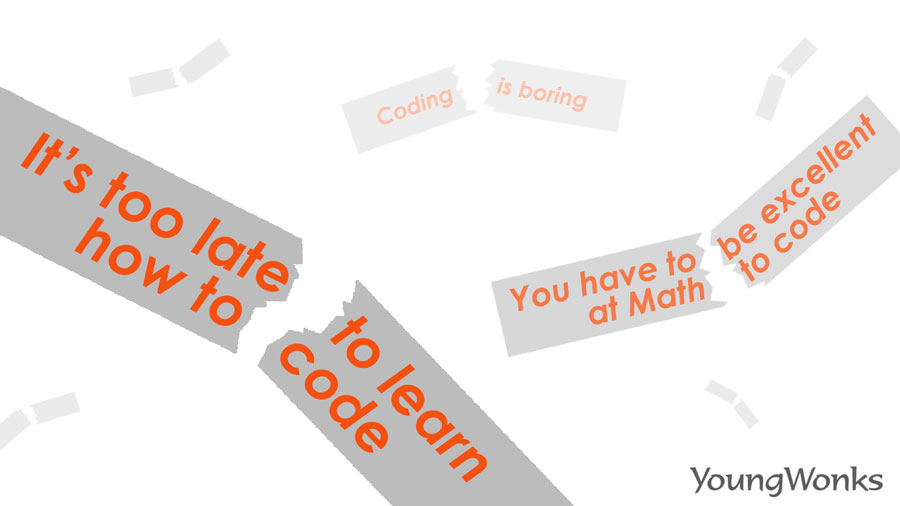
Many misconceptions surround the world of coding, often deterring individuals from exploring this valuable skill. This section will debunk some of the most prevalent myths, offering a clearer understanding of what coding truly entails. We’ll examine common misunderstandings about who can code, what coding involves, and the nature of software development.
Coding is Only for “Geniuses”
The belief that coding requires exceptional intelligence is a significant barrier for many aspiring programmers. The reality is that coding is a skill that can be learned and honed with practice, dedication, and the right resources. While some individuals may have a natural aptitude, coding success is far more dependent on persistence and a willingness to learn than innate genius.For example, consider the diverse backgrounds of successful coders:
- Non-traditional backgrounds: Many successful programmers come from fields entirely unrelated to computer science. They may have been musicians, artists, or even professionals in the humanities. Their diverse perspectives often bring fresh approaches to problem-solving.
- Self-taught programmers: The internet offers countless resources for learning to code, allowing individuals to learn at their own pace. Many highly skilled developers have never taken a formal computer science course, demonstrating the accessibility of coding education.
- People with disabilities: Assistive technologies and inclusive design practices make coding accessible to people with disabilities. Many individuals with diverse abilities have become accomplished coders, proving that physical or cognitive differences are not insurmountable obstacles.
The key takeaway is that coding is about acquiring a set of skills, not possessing a particular type of mind. Anyone can learn to code with the right mindset and effort.
Coding is Solely About Memorizing Syntax
Another common misconception is that coding is primarily about memorizing syntax, the specific rules and structure of a programming language. While knowing the syntax is essential, it’s only a small part of the overall process. The core of coding lies in problem-solving and logical thinking.The following illustrates the importance of problem-solving:
- Breaking down complex problems: A significant part of coding involves taking a large, complex problem and breaking it down into smaller, more manageable parts. This requires analytical thinking and the ability to identify the core components of a problem.
- Developing algorithms: Coders design algorithms, which are step-by-step instructions for solving a problem. This requires logical reasoning and the ability to think through the steps required to achieve a specific outcome.
- Debugging and troubleshooting: When code doesn’t work as expected, coders must debug it, which involves identifying and fixing errors. This process requires patience, attention to detail, and the ability to think critically about the code’s behavior.
Therefore, memorizing syntax is a necessary but not sufficient condition for coding. True proficiency comes from the ability to solve problems effectively using the tools provided by the programming language. The focus should be on understanding the underlying logic and principles rather than rote memorization.
Coding is a Solitary Activity
The stereotype of the coder working alone in a dark room is far from the reality of modern software development. While individual work is involved, collaboration and teamwork are crucial aspects of the process. Software development is often a team effort, with various individuals contributing their skills and expertise.Here’s how collaboration manifests in software development:
- Teamwork: Software projects typically involve teams of developers, designers, testers, and project managers. Each member contributes to different aspects of the project, fostering a collaborative environment.
- Code reviews: Code reviews involve other developers examining a coder’s work to identify potential errors, suggest improvements, and ensure adherence to coding standards. This collaborative process enhances code quality and knowledge sharing.
- Pair programming: Pair programming involves two developers working together on the same code, with one writing the code and the other reviewing it in real-time. This promotes immediate feedback and knowledge transfer.
- Open-source projects: Many software projects are open-source, meaning that the code is publicly available and can be contributed to by anyone. This fosters a global collaborative environment, where developers from all over the world contribute to the same projects.
In conclusion, coding is often a highly collaborative process, with teamwork, code reviews, and open-source contributions playing crucial roles in the development of software.
The Reality of Learning to Code
Embarking on a coding journey can feel overwhelming, but understanding the resources available and having a structured approach can significantly simplify the process. This section explores the various avenues for learning to code, offering a clear roadmap for beginners to navigate the world of programming.
Resources for Learning to Code
A wealth of resources exists to help individuals learn to code, catering to different learning styles and preferences. The optimal choice depends on individual goals, time commitment, and budget.
- Online Courses: Online courses offer flexibility and a wide range of topics. Platforms like Coursera, edX, and Udemy provide structured curricula, often with video lectures, quizzes, and projects. FreeCodeCamp and Khan Academy offer free, comprehensive coding tutorials.
- Coding Bootcamps: Bootcamps are intensive, immersive programs designed to equip individuals with job-ready coding skills in a short timeframe. They typically involve in-person or online instruction, hands-on projects, and career support. Examples include Flatiron School, General Assembly, and App Academy.
- Self-Study Materials: Self-study involves learning independently using books, documentation, and online resources. Websites like MDN Web Docs provide detailed documentation for web development technologies. Books such as “Automate the Boring Stuff with Python” and “Eloquent JavaScript” are popular choices for beginners.
- Interactive Coding Platforms: Platforms like Codecademy and freeCodeCamp offer interactive coding exercises and projects, making learning engaging and practical. These platforms often guide users step-by-step through coding concepts.
- Tutorials and Documentation: Official language documentation, such as Python’s documentation, is essential for understanding the intricacies of a language. Numerous tutorials, both written and video, are available on platforms like YouTube and Medium, offering guidance on specific coding tasks.
Structured Learning Path for Beginners
Creating a structured learning path is crucial for staying focused and progressing efficiently. This path Artikels a recommended sequence, incorporating languages and project ideas suitable for beginners.
- Phase 1: Foundations (2-4 Weeks)
- Recommended Language: Python. Its readability and versatility make it ideal for beginners.
- Topics: Introduction to programming concepts, variables, data types, operators, control flow (if/else statements, loops), functions, and basic input/output.
- Projects: Simple calculator, number guessing game, basic text-based adventure game.
- Phase 2: Intermediate Concepts (4-8 Weeks)
- Recommended Language: Python (continued) or JavaScript (for web development).
- Topics (Python): Data structures (lists, dictionaries, sets), object-oriented programming (OOP) principles, working with files, and modules.
- Topics (JavaScript): HTML and CSS basics, DOM manipulation, event handling.
- Projects (Python): Simple to-do list application, basic web scraper, command-line tool.
- Projects (JavaScript): Interactive webpage with basic functionality, simple game (e.g., “Simon Says”).
- Phase 3: Specialization and Advanced Projects (Ongoing)
- Choose a Specialization: Web development (front-end or back-end), data science, mobile app development, game development, or other areas of interest.
- Languages: Depending on the chosen specialization, this might involve learning frameworks like React (for front-end), Node.js (for back-end), or exploring more advanced features of Python.
- Projects: Build more complex applications related to the chosen specialization, contributing to open-source projects, or building a portfolio to showcase skills.
Comparison of Learning Methods
Each learning method has its own advantages and disadvantages. Understanding these differences helps individuals make informed decisions based on their specific needs and circumstances.
| Learning Method | Pros | Cons | Suitable For |
|---|---|---|---|
| Online Courses | Flexible schedule, affordable (or free), wide range of topics, self-paced. | Can lack personalized feedback, requires self-discipline, quality varies. | Beginners with a flexible schedule, those on a budget, and individuals who enjoy self-directed learning. |
| Coding Bootcamps | Intensive, immersive, structured curriculum, career support, fast-track to job readiness, networking opportunities. | Expensive, time-consuming, high-pressure environment, may require relocation. | Individuals seeking a career change, those who thrive in a structured environment, and those willing to invest significant time and money. |
| Self-Study | Free or low-cost, flexible schedule, learn at your own pace, choose specific topics. | Requires strong self-discipline, can be overwhelming without structure, may lack guidance and feedback. | Highly motivated individuals with strong self-discipline, those on a tight budget, and individuals who prefer a personalized learning experience. |
Coding Languages and Their Uses

Understanding programming languages and their applications is crucial for anyone venturing into the world of coding. Each language is designed with specific strengths, making it suitable for different tasks and project types. This section will explore popular languages, their primary uses, and how developers choose the right tool for the job.
Popular Programming Languages and Their Applications
The programming world is rich with languages, each with its own niche. Some languages are versatile, while others excel in specialized areas. The choice of language often depends on the project’s goals, the developer’s experience, and the platform the application will run on.Here are some of the most popular programming languages and their common applications:
- JavaScript: Primarily used for front-end web development, making websites interactive. It can also be used for back-end development (with Node.js) and mobile app development (with frameworks like React Native). JavaScript is a fundamental language for web developers, enabling dynamic and responsive user interfaces. For instance, consider the interactive elements on a news website, like a carousel of articles or a commenting system; these are often powered by JavaScript.
- Python: Known for its readability and versatility, Python is used in web development (with frameworks like Django and Flask), data science, machine learning, scripting, and automation. Python’s large community and extensive libraries make it a popular choice for various projects. An example is the use of Python in image recognition applications.
- Java: A robust and platform-independent language, Java is widely used for enterprise-level applications, Android app development, and back-end systems. Java’s “write once, run anywhere” capability is a significant advantage. Many large-scale systems, such as banking applications and e-commerce platforms, rely on Java.
- C#: Developed by Microsoft, C# is mainly used for developing Windows applications, game development (with Unity), and back-end web services (with ASP.NET). C# is often chosen for projects within the Microsoft ecosystem. Game development studios often utilize C# to create complex game mechanics and immersive experiences.
- C++: Known for its performance and control over hardware, C++ is often used for game development, operating systems, and high-performance applications. It is a powerful language that provides developers with a high degree of control.
- PHP: Primarily used for back-end web development, PHP powers many dynamic websites and content management systems (CMS) like WordPress. It is a widely adopted language for building server-side logic.
- Swift: Developed by Apple, Swift is used for developing iOS, macOS, watchOS, and tvOS applications. It is designed to be safe, fast, and modern.
- Go (Golang): Developed by Google, Go is used for building efficient and scalable back-end systems, cloud infrastructure, and networking applications. It is known for its speed and concurrency features.
- Kotlin: Officially supported by Google for Android app development, Kotlin is a modern language that interoperates with Java. It offers features that improve developer productivity and code safety.
Front-End, Back-End, and Full-Stack Development
Web development is often categorized into front-end, back-end, and full-stack development. Each role requires different skills and focuses on different aspects of a web application. Understanding these distinctions is crucial for choosing a career path or selecting the right skills to learn.
- Front-End Development: This involves the part of a website or application that users interact with directly. Front-end developers focus on the user interface (UI) and user experience (UX). They use languages like HTML (for structure), CSS (for styling), and JavaScript (for interactivity) to create visually appealing and functional websites. Examples include building the layout, designing the buttons, and handling user input on a website.
Front-end developers ensure that the website is responsive and works well across different devices. A good example of front-end work is the design of a social media platform’s interface, including the layout of posts, user profiles, and the overall visual experience.
- Back-End Development: This focuses on the server-side of a website or application. Back-end developers build and maintain the systems that handle data, manage databases, and process user requests. They use languages like Python, Java, PHP, and Node.js, along with databases such as MySQL or PostgreSQL. Back-end developers are responsible for the behind-the-scenes operations that make a website function. For example, when a user logs into an account, the back-end code verifies their credentials against the database and grants access.
Another example is handling e-commerce transactions, where the back-end processes payments, updates inventory, and manages order information.
- Full-Stack Development: Full-stack developers are proficient in both front-end and back-end development. They can work on all aspects of a web application, from the user interface to the server-side logic and database management. This requires a broad range of skills and knowledge, including front-end languages, back-end languages, databases, and server management. Full-stack developers are valuable because they can handle an entire project from start to finish.
For instance, a full-stack developer might design the user interface, set up the database, write the server-side code, and deploy the application to a server.
Language Choice and Project Goals
The choice of programming language depends heavily on the project’s goals. Different languages are better suited for different types of projects. Considering factors such as performance requirements, the availability of libraries and frameworks, the development team’s expertise, and the target platform are all important considerations.Here’s a breakdown of different project types and suitable languages:
- Web Applications:
- Front-End: JavaScript, HTML, CSS
- Back-End: Python (Django, Flask), JavaScript (Node.js, Express.js), PHP (Laravel, Symfony), Java (Spring), Ruby (Ruby on Rails)
- Mobile Applications:
- Android: Java, Kotlin
- iOS: Swift, Objective-C
- Cross-Platform: React Native (JavaScript), Flutter (Dart), Xamarin (.NET/C#)
- Game Development:
- C++, C#, Lua
- Data Science and Machine Learning:
- Python (with libraries like NumPy, Pandas, Scikit-learn, TensorFlow, PyTorch), R
- Desktop Applications:
- C++, C#, Java, Python (with frameworks like Tkinter or PyQt)
- Embedded Systems:
- C, C++, Assembly
- Scripting and Automation:
- Python, Bash, PowerShell, JavaScript (Node.js)
The Software Development Process

The journey of creating software, from initial idea to a functional product, involves a structured process. Understanding this process, often referred to as the Software Development Lifecycle (SDLC), is crucial for anyone involved in coding. It helps ensure projects are well-planned, executed efficiently, and ultimately successful. This section explores the key stages of the SDLC and contrasts traditional methodologies with modern agile approaches.
Stages of the Software Development Lifecycle (SDLC)
The SDLC provides a framework for managing software projects. Each stage builds upon the previous one, leading to the final product. Following the stages helps in controlling the software development process.
- Requirements Gathering and Analysis: This initial phase involves understanding the needs of the stakeholders. This includes identifying what the software should do, who will use it, and any specific constraints or limitations. This often involves meetings, surveys, and documentation reviews. A detailed requirements document is the outcome of this stage.
- Design: The design phase translates the requirements into a technical blueprint. This includes designing the architecture, database structure, user interface (UI), and other technical aspects. The design document serves as a roadmap for the development team.
- Implementation (Coding): This is where the actual coding takes place. Developers write code based on the design specifications, translating the blueprint into a working software application. This phase typically involves breaking down the project into smaller, manageable modules.
- Testing: Rigorous testing is performed to identify and fix bugs or errors. Different types of testing, such as unit testing, integration testing, and system testing, are conducted to ensure the software functions correctly and meets the requirements.
- Deployment: Once the software is tested and approved, it is deployed to the production environment. This may involve installing the software on servers, configuring databases, and making it accessible to users.
- Maintenance: After deployment, the software requires ongoing maintenance. This includes fixing bugs, implementing updates, and adding new features based on user feedback and evolving needs. Maintenance ensures the software remains functional and relevant over time.
Agile Methodologies vs. Traditional Approaches
Traditional software development methodologies, such as the Waterfall model, often follow a sequential, linear approach. Agile methodologies, however, embrace an iterative and incremental approach. This allows for greater flexibility and responsiveness to change throughout the development process. Agile methodologies prioritize collaboration, customer feedback, and working software over extensive documentation and rigid plans.
Here’s a comparison:
- Traditional (Waterfall):
- Sequential phases: Requirements, Design, Implementation, Testing, Deployment, Maintenance.
- Rigid structure: Changes are difficult and expensive to implement once a phase is complete.
- Extensive documentation: Significant emphasis on detailed documentation upfront.
- Less customer involvement: Customer involvement is typically limited to the requirements phase.
- Agile:
- Iterative and incremental: Development is broken down into short cycles (sprints).
- Flexible and adaptable: Changes are welcomed and incorporated throughout the process.
- Working software over comprehensive documentation: Focus on delivering functional software frequently.
- High customer involvement: Continuous feedback and collaboration with the customer.
Software Development Workflow
The following diagram illustrates a typical software development workflow, applicable to both traditional and agile approaches, though the emphasis and iteration frequency differ.
Workflow Illustration:
Imagine a circular diagram with the following steps, starting at the top and moving clockwise. Each step is described below:
- Planning: (At the top of the circle) This involves defining the project scope, goals, and timelines. This stage includes initial requirements gathering and high-level design.
- Analysis: This stage involves a detailed understanding of the requirements. It includes in-depth analysis of the user needs, business requirements, and technical feasibility.
- Design: (To the right) This phase focuses on creating the software’s architecture, database design, and user interface.
- Implementation/Coding: (Below) Developers write the code based on the design specifications.
- Testing: (To the left) The software is rigorously tested to identify and fix bugs.
- Deployment: The software is released to the production environment.
- Maintenance/Feedback: (Back to the top) Ongoing support, bug fixes, and feature enhancements are performed. Customer feedback is incorporated into future iterations. This stage loops back to the Planning stage, restarting the cycle with updated requirements.
Description of Workflow Steps:
- Planning: The initial stage where the project’s scope, objectives, and timelines are defined. This sets the foundation for the entire development process.
- Analysis: This stage involves a detailed understanding of the requirements, including user needs, business goals, and technical constraints.
- Design: This phase focuses on creating the software’s architecture, database design, and user interface, serving as a blueprint for the development team.
- Implementation/Coding: Developers write code based on the design specifications, translating the blueprint into a working software application.
- Testing: The software is rigorously tested to identify and fix bugs, ensuring it meets the specified requirements.
- Deployment: The software is released to the production environment, making it accessible to users.
- Maintenance/Feedback: Ongoing support, bug fixes, and feature enhancements are performed. Customer feedback is incorporated into future iterations, feeding back into the planning phase to restart the cycle.
Debugging and Problem Solving

Debugging is an essential skill for any coder, serving as the process of identifying and resolving errors (bugs) within a software program. It’s an iterative process of investigation, experimentation, and refinement that ensures the code functions as intended. Effectively debugging code can save significant time and effort, and is a core component of software development.
Importance of Debugging and Error Identification
Debugging is crucial for several reasons. First, it ensures that software functions correctly, delivering the expected results. Second, it improves code quality, making it more maintainable and easier to understand for other developers. Third, it helps to identify performance bottlenecks and optimize code for efficiency. Finally, debugging allows for the early detection of security vulnerabilities, protecting the software from potential attacks.Error identification involves carefully examining the code and the program’s behavior to pinpoint the source of the problem.
This can range from syntax errors that prevent the code from running, to logical errors that produce incorrect results. A systematic approach to error identification is key.
Strategies for Identifying and Fixing Errors
Effective debugging relies on a combination of techniques. One fundamental strategy is to carefully read the error messages generated by the compiler or interpreter. These messages often provide valuable clues about the location and nature of the error.Another approach is to use print statements or logging to trace the execution of the code and observe the values of variables at different points.
This helps to isolate the part of the code where the error is occurring.Using a debugger, which allows you to step through the code line by line, inspect variables, and set breakpoints, is also invaluable. Breakpoints pause the execution of the code at specific points, allowing for a detailed examination of the program’s state.Finally, rubber duck debugging can be surprisingly effective.
This involves explaining the code line by line to an inanimate object, like a rubber duck. The act of explaining the code often helps to identify the error.
Common Debugging Tools and Techniques
Developers use a variety of tools and techniques to debug their code. Here’s a breakdown of some of the most common:
- Debuggers: These are software tools that allow developers to step through code, inspect variables, and set breakpoints.
- Print Statements/Logging: This involves inserting print statements (e.g., `console.log()` in JavaScript or `print()` in Python) or using logging libraries to output information about the program’s state during execution.
- Code Linters: These tools analyze code for potential errors, style violations, and other issues, helping to prevent bugs before they even occur.
- Version Control Systems (e.g., Git): Version control allows developers to track changes to their code and revert to previous versions if necessary, which is useful for isolating the point where a bug was introduced.
- Unit Tests: These are small, isolated tests that verify the functionality of individual components of the code. They help to catch bugs early in the development process.
Step-by-Step Guide for Troubleshooting a Common Coding Error
Let’s consider a common coding error: an `IndexError` in Python. This error occurs when you try to access an element in a list using an index that is outside the valid range of indices (e.g., trying to access the 5th element of a list that only has 3 elements).Here’s a step-by-step guide to troubleshooting this error:
- Read the Error Message: The error message will typically indicate the line of code where the error occurred and the index that was out of range. For example, “IndexError: list index out of range” might be the message.
- Examine the Code: Carefully examine the code around the line indicated in the error message. Look for any list or array accesses using square brackets (e.g., `my_list[i]`).
- Check the Index Value: Determine the value of the index variable (e.g., `i`) at the time of the error. You can do this using print statements or a debugger.
- Verify List Length: Check the length of the list using the `len()` function. Make sure the index value is within the valid range (0 to `len(list) – 1`).
- Identify the Root Cause: The error is often caused by a logic error, such as an incorrect loop condition or an off-by-one error. For example, a loop might iterate one too many times, causing an out-of-bounds access.
- Fix the Error: Modify the code to correct the logic error. This might involve adjusting the loop condition, correcting the index calculation, or adding checks to ensure the index is within the valid range.
- Test the Solution: Run the code again to verify that the error is resolved and the program is working as expected. Consider adding a unit test to specifically test the list access.
For instance, suppose you have this Python code:“`pythonmy_list = [1, 2, 3]for i in range(4): print(my_list[i])“`In this case, the `IndexError` will occur on the fourth iteration of the loop when `i` is 3. The code attempts to access `my_list[3]`, but the list only has three elements with indices 0, 1, and 2. The fix is to change the `range` function to `range(len(my_list))`, or to use a different loop structure that doesn’t iterate beyond the bounds of the list.
Career Paths in Coding
The world of coding offers a diverse range of career opportunities, each with its unique responsibilities and skill requirements. Whether you’re passionate about web development, mobile apps, data science, or cybersecurity, there’s a coding career path that aligns with your interests and aspirations. Understanding these different paths, the job market, and salary expectations is crucial for making informed decisions about your future.
Diverse Coding Career Options
Several career paths are available for individuals with coding skills, each catering to different interests and specializations. These paths often involve specific responsibilities and require a combination of technical and soft skills.
- Software Developer: Software developers design, develop, and maintain software applications. Their responsibilities include writing code, testing, debugging, and collaborating with other developers and stakeholders. They often work with specific programming languages and frameworks. For example, a software developer might work on creating a new feature for a mobile app or building a website.
- Web Developer: Web developers focus on building and maintaining websites and web applications. They work with front-end technologies (HTML, CSS, JavaScript) to create the user interface and back-end technologies (e.g., Python, Node.js) to handle server-side logic. Their responsibilities include designing website layouts, writing code, and ensuring website functionality and responsiveness. A web developer might build an e-commerce website or a content management system.
- Mobile App Developer: Mobile app developers create applications for mobile devices (smartphones and tablets). They specialize in specific mobile platforms, such as iOS (Swift, Objective-C) or Android (Java, Kotlin). Their responsibilities include designing the app’s user interface, writing code, testing, and publishing the app to app stores. An example would be creating a game app or a social media app.
- Data Scientist: Data scientists analyze large datasets to extract meaningful insights and patterns. They use statistical methods, machine learning algorithms, and data visualization techniques. Their responsibilities include collecting and cleaning data, building predictive models, and communicating findings to stakeholders. For instance, a data scientist might analyze customer data to predict sales trends or develop a fraud detection system.
- Data Analyst: Data analysts collect, process, and analyze data to identify trends and patterns. They use statistical tools, data visualization software, and databases. Their responsibilities include creating reports, interpreting data, and providing recommendations based on their findings. A data analyst might analyze sales data to improve marketing strategies or track website traffic.
- Database Administrator (DBA): Database administrators manage and maintain databases, ensuring data integrity, security, and performance. Their responsibilities include designing database structures, implementing security measures, and troubleshooting database issues. A DBA might manage a company’s customer database or financial data.
- Cybersecurity Analyst: Cybersecurity analysts protect computer systems and networks from cyber threats. They monitor systems for security breaches, investigate incidents, and implement security measures. Their responsibilities include vulnerability assessments, penetration testing, and incident response. A cybersecurity analyst might work to protect a company’s sensitive data from hackers.
- Game Developer: Game developers create video games for various platforms. They use programming languages, game engines, and design tools. Their responsibilities include writing code, designing game mechanics, and testing gameplay. A game developer might work on a mobile game, a console game, or a PC game.
- DevOps Engineer: DevOps engineers bridge the gap between software development and IT operations. They automate the software release process, manage infrastructure, and ensure the smooth deployment of applications. Their responsibilities include writing scripts, configuring servers, and monitoring system performance. A DevOps engineer might automate the deployment of a website or manage a cloud infrastructure.
The Job Market for Software Developers
The job market for software developers is robust and continues to grow. The demand for skilled developers is high across various industries, leading to competitive salaries and numerous job opportunities. The growth is driven by the increasing reliance on technology in all aspects of modern life.
- High Demand: The demand for software developers is consistently high, with a projected growth rate that outpaces many other professions. This demand is fueled by the increasing reliance on software and technology in various industries.
- Competitive Salaries: Software developers generally command competitive salaries, reflecting the value of their skills and the demand for their expertise. Salaries vary based on experience, location, and specialization.
- Diverse Opportunities: Software developers can find opportunities in a wide range of industries, including technology, finance, healthcare, education, and more. This diversity allows developers to choose careers that align with their interests.
- Remote Work Opportunities: Many software development jobs offer remote work options, providing flexibility and the opportunity to work from anywhere. This trend has increased in recent years, offering developers greater work-life balance.
- Continuous Learning: The field of software development is constantly evolving, requiring developers to continuously learn and update their skills. This ongoing learning provides opportunities for career advancement and specialization.
Coding Career Comparison Table
The following table provides a comparison of different coding careers, highlighting required skills, typical responsibilities, and average salary expectations. Salary ranges can vary depending on experience, location, and specific company policies. The information provided is based on industry averages and should be used as a general guideline.
| Career | Required Skills | Typical Responsibilities | Average Salary Range (USD) |
|---|---|---|---|
| Software Developer | Programming languages (e.g., Java, Python, C++), data structures, algorithms, software design principles, debugging | Designing, developing, and maintaining software applications; writing code; testing and debugging; collaborating with teams | $70,000 – $140,000+ |
| Web Developer | HTML, CSS, JavaScript, front-end frameworks (e.g., React, Angular, Vue.js), back-end languages (e.g., Python, Node.js), database knowledge | Designing and building websites and web applications; writing front-end and back-end code; ensuring website functionality and responsiveness | $65,000 – $130,000+ |
| Mobile App Developer | Swift (iOS) or Kotlin/Java (Android), mobile development frameworks, UI/UX design principles, debugging | Developing mobile applications for iOS and Android platforms; designing user interfaces; writing code; testing and publishing apps | $75,000 – $150,000+ |
| Data Scientist | Python or R, machine learning algorithms, statistical analysis, data visualization, data manipulation, communication skills | Collecting, cleaning, and analyzing data; building predictive models; communicating findings to stakeholders; using statistical tools | $90,000 – $180,000+ |
| Data Analyst | SQL, data visualization tools (e.g., Tableau, Power BI), statistical analysis, data manipulation, communication skills | Collecting, processing, and analyzing data; creating reports and visualizations; interpreting data trends; making recommendations | $60,000 – $120,000+ |
| Database Administrator | SQL, database management systems (e.g., MySQL, PostgreSQL, Oracle), database design, data security, troubleshooting | Managing and maintaining databases; ensuring data integrity and security; optimizing database performance; troubleshooting issues | $70,000 – $140,000+ |
| Cybersecurity Analyst | Network security, security protocols, incident response, vulnerability assessment, penetration testing, security tools | Protecting computer systems and networks from cyber threats; monitoring for security breaches; implementing security measures; investigating incidents | $75,000 – $160,000+ |
| Game Developer | C++, C#, game engines (e.g., Unity, Unreal Engine), game design principles, 3D modeling, debugging | Creating video games; writing code; designing game mechanics; testing gameplay; working with game engines | $65,000 – $130,000+ |
| DevOps Engineer | Scripting (e.g., Python, Bash), cloud platforms (e.g., AWS, Azure, Google Cloud), automation tools, system administration | Automating software release processes; managing infrastructure; ensuring smooth deployment of applications; monitoring system performance | $80,000 – $170,000+ |
The Importance of Practice and Projects
Mastering coding isn’t just about memorizing syntax; it’s about developing a deep understanding of programming concepts and the ability to apply them to solve problems. This understanding is cultivated through consistent practice and by building projects that challenge your skills. The more you practice, the more comfortable you’ll become with the language, the more intuitive your problem-solving abilities will become, and the faster you’ll learn.
The Role of Practice in Mastering Coding Skills
Consistent practice is the cornerstone of coding proficiency. It transforms theoretical knowledge into practical skills. The act of writing code, debugging errors, and refactoring solutions solidifies your understanding of programming concepts and improves your problem-solving abilities. Practice also builds muscle memory, allowing you to write code more efficiently and intuitively.
- Regular Coding Sessions: Aim for regular coding sessions, even if they’re short. Consistency is more important than the length of each session. Daily or almost daily practice is more effective than sporadic, long coding sessions.
- Coding Challenges: Participate in coding challenges and exercises. Websites like HackerRank, LeetCode, and Codewars offer a wide range of challenges of varying difficulty, allowing you to practice and improve your skills in a structured environment. These challenges often involve specific algorithms or data structures, forcing you to apply your knowledge in a practical context.
- Coding Along with Tutorials: When learning a new concept or language feature, code along with tutorials. Don’t just watch; type the code yourself. This hands-on approach reinforces your understanding and helps you identify and correct any mistakes you might make.
- Reading and Writing Code: Read other people’s code. Analyze how experienced programmers solve problems and try to understand their logic. This will expose you to different coding styles and best practices. After reading, try to rewrite parts of the code, implementing your own variations to see how they affect the outcome.
- Refactoring Code: Regularly revisit your code and refactor it to improve its readability, efficiency, and maintainability. This process of reviewing and rewriting your code will help you identify areas for improvement and deepen your understanding of the code you wrote.
Beginner-Friendly Project Ideas to Solidify Coding Knowledge
Building projects is an essential part of the learning process. Projects provide opportunities to apply your knowledge, experiment with different concepts, and solidify your understanding of programming principles. Starting with beginner-friendly projects allows you to build confidence and gradually increase the complexity of your projects as your skills improve.
- Simple Calculator: Create a basic calculator that can perform addition, subtraction, multiplication, and division. This project helps you understand basic arithmetic operations, user input, and output.
- “Hello, World!” Web Page: Build a simple HTML web page that displays “Hello, World!”. This introduces you to HTML structure and basic web page elements. You can expand on this by adding styling with CSS.
- Temperature Converter: Develop a program that converts temperatures between Celsius and Fahrenheit. This project reinforces your understanding of variables, data types, and mathematical operations.
- Basic To-Do List: Build a simple to-do list application. This project involves handling user input, storing data (even in memory for beginners), and displaying a list of tasks.
- Simple Game (e.g., Number Guessing Game): Create a number guessing game where the user tries to guess a randomly generated number within a specific range. This project helps you practice conditional statements, loops, and user interaction.
- Mad Libs Generator: Write a program that generates Mad Libs stories, prompting the user for different types of words (nouns, verbs, adjectives, etc.) and then filling in the blanks of a pre-defined story template. This project can teach you about string manipulation and user input.
Designing a Plan for Building a Portfolio
A coding portfolio is crucial for showcasing your skills and projects to potential employers or clients. It’s a curated collection of your best work, demonstrating your abilities and highlighting your areas of expertise. Building a portfolio takes time and effort, but the benefits are well worth it.
- Choose a Platform: Select a platform to host your portfolio. Options include:
- GitHub Pages: A free and simple way to host static websites directly from your GitHub repository. Ideal for beginners.
- Netlify or Vercel: Modern platforms that offer easy deployment and hosting for web applications. They often integrate well with GitHub.
- Personal Website: If you want more control over the design and features, consider building your own website using HTML, CSS, and JavaScript or a website builder.
- Select Projects to Include: Choose projects that demonstrate a range of your skills and highlight your accomplishments. Consider:
- Projects that solve a problem: Focus on projects that address real-world issues or provide a clear benefit.
- Projects that use different technologies: Showcase your versatility by including projects that utilize different programming languages, frameworks, and libraries.
- Projects that you are proud of: Only include projects that you are comfortable sharing and that you can explain in detail.
- Create Project Descriptions: For each project, write a clear and concise description that includes:
- Project Overview: Briefly explain what the project does and its purpose.
- Technologies Used: List the programming languages, frameworks, and libraries you used.
- Key Features: Highlight the most important features and functionalities of the project.
- Challenges Faced: Describe any challenges you encountered during development and how you overcame them.
- Link to the Project: Include a link to the live project (if applicable) and the source code repository (e.g., GitHub).
- Design and Presentation: Design your portfolio to be visually appealing and easy to navigate.
- Clean and organized layout: Use a clean and organized layout that is easy to read and navigate.
- Consistent branding: Use consistent branding, including a logo, color scheme, and fonts.
- Responsive design: Ensure your portfolio is responsive and looks good on all devices (desktops, tablets, and smartphones).
- Regular Updates: Regularly update your portfolio with new projects and improvements. This demonstrates your ongoing learning and commitment to your craft.
Example Project Portfolio Structure:
Let’s say you are building a portfolio, here is an example project structure.
- Project 1: Simple Calculator
- Project Overview: A basic calculator built using JavaScript, allowing users to perform basic arithmetic operations (addition, subtraction, multiplication, division).
- Technologies Used: HTML, CSS, JavaScript.
- Key Features: User-friendly interface, clear display of input and output, error handling (e.g., preventing division by zero).
- Challenges Faced: Implementing the order of operations (PEMDAS)
-and how it was addressed. - Link to Project: (Live Demo URL), (GitHub Repository URL).
- Project 2: To-Do List Application
- Project Overview: A web application allowing users to create, manage, and track their tasks.
- Technologies Used: HTML, CSS, JavaScript, Local Storage.
- Key Features: Adding new tasks, marking tasks as complete, deleting tasks, storing tasks locally.
- Challenges Faced: Implementing local storage functionality for persistence of data across browser sessions.
- Link to Project: (Live Demo URL), (GitHub Repository URL).
- Project 3: Portfolio Website (Your Portfolio!)
- Project Overview: The very website you are creating to showcase your skills and projects.
- Technologies Used: HTML, CSS, JavaScript, (Platform specific details – GitHub Pages, Netlify, etc.)
- Key Features: Responsive design, clear project descriptions, contact information.
- Challenges Faced: Implementing a responsive design that looked good on all devices, learning and using a deployment platform.
- Link to Project: (Live Demo URL), (GitHub Repository URL).
Staying Updated with Coding Trends
The tech landscape is in constant flux, with new languages, frameworks, and tools emerging regularly. Staying current with these trends is crucial for any coder aiming for long-term career success and relevance. This means continuously learning and adapting to the evolving demands of the industry. Neglecting this aspect can lead to skill obsolescence and missed opportunities.
Importance of Staying Current
Keeping pace with coding trends offers several key advantages. It allows developers to build more efficient and effective solutions, as new technologies often provide improvements over older ones. Staying updated also increases marketability, making developers more attractive to employers and opening doors to a wider range of projects. Moreover, it fosters innovation, as understanding the latest advancements allows developers to experiment and contribute to the evolution of the field.
This proactive approach ensures relevance in a competitive job market and enables the creation of cutting-edge applications.
Resources for Staying Up-to-Date
A wealth of resources exists for developers seeking to stay informed. Leveraging these tools helps keep skills sharp and knowledge current.
- Blogs and Websites: Numerous blogs and websites offer insightful articles, tutorials, and industry news. Some notable examples include:
- InfoQ: Provides a broad range of articles and presentations covering software development trends.
- The official blogs of major tech companies (e.g., Google, Microsoft, Amazon): Offer insights into their latest products, services, and research.
- Medium (specifically tech-focused publications): Features articles from a diverse range of developers and industry experts.
- Podcasts: Podcasts provide a convenient way to consume information while commuting or during other activities. Popular choices include:
- Syntax.fm: A web development podcast by Wes Bos and Scott Tolinski.
- The Changelog: Focuses on open-source software and the people behind it.
- Software Engineering Daily: Covers a wide array of topics related to software development.
- Online Communities and Forums: Engaging with online communities allows for discussions, questions, and shared learning. Key platforms include:
- Stack Overflow: A question-and-answer site for programmers.
- Reddit (subreddits like r/programming, r/webdev, etc.): Offer discussions on a variety of topics.
- GitHub: Explore open-source projects and collaborate with other developers.
- Conferences and Meetups: Attending conferences and meetups provides opportunities to network, learn from experts, and discover new technologies. Examples include:
- Industry-specific conferences: Such as those organized by IEEE or ACM.
- Local meetups: Often organized around specific languages or technologies.
Emerging Technologies and Their Potential Impact
The coding landscape is constantly evolving with new technologies that can dramatically reshape how software is built and used. Understanding these emerging technologies is crucial for developers to adapt and capitalize on new opportunities.
- Artificial Intelligence (AI) and Machine Learning (ML): AI and ML are already transforming various industries. Their impact on coding includes:
- Automated code generation: Tools that can write code based on natural language prompts. For example, GitHub Copilot uses AI to suggest code snippets as developers type.
- AI-powered debugging: Tools that can automatically identify and fix bugs in code.
- Development of AI-driven applications: Building applications that can learn, adapt, and make decisions. Consider the rise of chatbots, recommendation systems, and autonomous vehicles.
- Cloud Computing and Serverless Architecture: Cloud computing continues to evolve, with serverless architecture gaining popularity.
- Increased scalability and cost-efficiency: Serverless allows developers to focus on code without managing servers.
- Faster development cycles: Streamlined deployment and management of applications.
- Examples: AWS Lambda, Azure Functions, and Google Cloud Functions are examples of serverless computing platforms.
- Web3 and Blockchain Technology: Blockchain technology is more than just cryptocurrencies.
- Decentralized applications (dApps): Building applications that operate on a decentralized network.
- Smart contracts: Self-executing contracts that automate agreements.
- Examples: Ethereum, Solana, and other blockchain platforms.
- Low-Code/No-Code Platforms: These platforms are empowering non-developers to build applications.
- Faster prototyping and development: Drag-and-drop interfaces and pre-built components allow for rapid application creation.
- Citizen development: Enabling business users to create solutions without extensive coding knowledge.
- Examples: Bubble, Microsoft Power Apps, and Appian.
- Quantum Computing: While still in its early stages, quantum computing has the potential to revolutionize certain areas of computing.
- Solving complex problems: Quantum computers can potentially solve problems that are intractable for classical computers.
- Impact on cryptography and optimization: New algorithms and approaches to problem-solving.
- Examples: IBM Quantum, Google Quantum AI.
Code Quality and Best Practices
Writing high-quality code is crucial for the long-term success of any software project. It makes the code easier to understand, maintain, debug, and extend. This section will delve into the importance of clean code, providing practical examples and a checklist to help you improve your coding practices.
The Importance of Writing Clean and Maintainable Code
Clean and maintainable code is code that is easy to read, understand, and modify. This directly impacts the efficiency of the development process and the longevity of the software. Poorly written code, often referred to as “spaghetti code,” can lead to significant problems down the line, including increased debugging time, difficulty in adding new features, and a higher risk of introducing bugs.Maintaining clean code offers several advantages.
It reduces the time spent on debugging. When the code is well-structured and documented, identifying and fixing errors becomes significantly easier. Clean code also facilitates collaboration. When multiple developers work on the same project, clean code ensures that everyone can understand and contribute to the codebase without confusion. Furthermore, clean code simplifies refactoring, allowing developers to improve the code’s structure and performance without changing its functionality.
Code Formatting and Commenting Best Practices
Proper code formatting and commenting are essential components of clean code. Consistent formatting makes the code visually appealing and easy to read. Meaningful comments explain the purpose and functionality of the code, making it easier for others (and your future self) to understand.Here are some code formatting and commenting best practices:
- Consistent Formatting: Use a consistent style for indentation, spacing, and line breaks. Most code editors and IDEs offer automatic formatting features to help with this. For example, use consistent indentation (e.g., 4 spaces) for each level of code nesting.
- Meaningful Comments: Write comments that explain the “why” and “how” of your code, not just the “what.” Comments should clarify complex logic, explain the purpose of variables and functions, and document any non-obvious design decisions.
- Avoid Redundant Comments: Don’t comment on the obvious. For example, avoid comments like `// Increment the counter: counter = counter + 1;`. Instead, focus on commenting on the more complex aspects of the code.
- Use Descriptive Names: Choose meaningful names for variables, functions, and classes. This makes the code self-documenting, reducing the need for excessive comments. For instance, instead of `x = 10;`, use `numberOfStudents = 10;`.
- Keep Comments Up-to-Date: Regularly review and update comments as you modify the code. Outdated comments can be misleading and confusing.
Here’s an example demonstrating code formatting and commenting best practices in Python:“`python# This function calculates the factorial of a number.def factorial(n): “”” Calculate the factorial of a non-negative integer. Args: n: A non-negative integer. Returns: The factorial of n.
“”” if n < 0: return "Factorial is not defined for negative numbers" # Handle invalid input elif n == 0: return 1 # Base case: factorial of 0 is 1 else: result = 1 for i in range(1, n + 1): result -= i # Multiply result by i in each iteration return result ``` In this example:
- The code uses consistent indentation.
- The function includes a docstring (the text within the triple quotes) that explains what the function does, what arguments it takes, and what it returns.
- Comments are used to explain the purpose of the code blocks.
- Variable names (`n`, `result`, `i`) are reasonably descriptive.
Checklist for Reviewing Code Quality
A code review checklist is a valuable tool for ensuring code quality. It helps to identify potential issues early in the development process and promotes consistency across the codebase.Here’s a checklist for reviewing code quality:
- Readability and Style:
- Key Points: Check for consistent formatting (indentation, spacing, line breaks), meaningful variable and function names, and the use of comments to explain complex logic. Ensure the code adheres to the project’s coding style guidelines (e.g., PEP 8 for Python).
- Example: Verify that all code is properly indented and that there are no excessively long lines. Look for any instances of inconsistent naming conventions (e.g., mixing camelCase and snake_case).
- Correctness:
- Key Points: Verify that the code functions as intended and produces the correct results. Review the code’s logic, including handling of edge cases and potential errors. Conduct thorough testing.
- Example: Run unit tests to ensure that the code passes all test cases. Manually test the code with different inputs to check for unexpected behavior.
- Maintainability:
- Key Points: Evaluate the code’s ease of modification and extension. Check for code duplication (refactor to avoid repetition), and ensure that the code is modular and well-structured.
- Example: Look for any blocks of code that are repeated throughout the project. Check if the code can be easily modified to add new features without breaking existing functionality.
- Efficiency:
- Key Points: Assess the code’s performance and resource usage. Look for potential performance bottlenecks and opportunities for optimization.
- Example: Analyze the code for inefficient algorithms or data structures. Use profiling tools to identify areas where the code spends the most time.
- Error Handling:
- Key Points: Verify that the code handles errors gracefully. Ensure that the code anticipates and handles potential exceptions and error conditions.
- Example: Check for proper error handling using try-except blocks. Ensure that the code provides informative error messages.
- Security:
- Key Points: Evaluate the code’s security vulnerabilities. Check for potential security flaws, such as input validation issues and vulnerabilities to common attacks.
- Example: Review the code for any potential security risks, such as SQL injection vulnerabilities or cross-site scripting (XSS) vulnerabilities. Use static analysis tools to identify potential security issues.
- Documentation:
- Key Points: Verify that the code is well-documented. Check for the presence of comments and docstrings that explain the code’s functionality and purpose.
- Example: Ensure that all functions and classes have clear and concise documentation. Verify that the documentation is up-to-date and accurately reflects the code’s behavior.
The Role of Frameworks and Libraries
Frameworks and libraries are essential tools in modern software development, streamlining the coding process and improving efficiency. They provide pre-written code and structures that developers can use, saving time and reducing the need to write everything from scratch. This allows developers to focus on the unique aspects of their projects rather than reinventing the wheel.
Purpose of Frameworks and Libraries in Software Development
Frameworks and libraries significantly impact the software development lifecycle. They are designed to address common programming needs, such as user interface creation, data management, and security.* Libraries: Libraries are collections of pre-written code that perform specific tasks. Developers can call functions or methods from a library to accomplish these tasks without rewriting the code. They offer modularity and reusability, enabling developers to integrate existing functionalities into their projects easily.
For example, a math library provides functions for mathematical operations.* Frameworks: Frameworks provide a more comprehensive structure, offering a pre-defined architecture and a set of rules for building applications. They define the overall design and control the flow of the application, guiding developers on how to organize their code. Frameworks often include libraries and tools, simplifying the development process and promoting consistency across projects.
Think of a framework as a blueprint for building a house, whereas a library is like a set of tools.Frameworks and libraries aim to reduce development time, improve code quality, and ensure consistency. They also facilitate collaboration by providing a common structure and a set of shared components.
Popular Frameworks and Libraries for Different Programming Languages
Various frameworks and libraries are available for different programming languages, each designed to address specific needs. The choice of which to use depends on the project’s requirements, the developer’s preferences, and the language being used.Here are some examples:* JavaScript:
React
A popular library for building user interfaces, known for its component-based architecture and virtual DOM.
Angular
A comprehensive framework for building complex web applications, providing features like data binding, dependency injection, and routing.
Vue.js
A progressive framework for building user interfaces, known for its ease of use and flexibility.
Node.js
A JavaScript runtime environment that allows developers to run JavaScript on the server-side.
Python
Django
A high-level framework for building web applications, known for its rapid development capabilities and security features.
Flask
A micro-framework for building web applications, providing flexibility and control over the application’s structure.
NumPy
A library for numerical computing, providing support for large, multi-dimensional arrays and matrices.
Pandas
A library for data manipulation and analysis, offering data structures like DataFrames.
Java
Spring
A comprehensive framework for building enterprise-level applications, providing features like dependency injection, aspect-oriented programming, and transaction management.
Hibernate
An object-relational mapping (ORM) framework for simplifying database interactions.
Struts
A framework for building web applications, providing a model-view-controller (MVC) architecture.
C#
.NET Framework / .NET Core / .NET
A framework developed by Microsoft for building various types of applications, including web, desktop, and mobile applications. It offers a large set of libraries and tools.
ASP.NET
A framework for building web applications using C#, providing features like MVC, Web API, and Razor pages.
Entity Framework
An ORM framework for simplifying database interactions.These are just a few examples; many other frameworks and libraries exist, each with its strengths and weaknesses.
Advantages and Disadvantages of Using Frameworks and Libraries
Using frameworks and libraries offers numerous benefits but also has potential drawbacks. Developers should carefully consider these aspects when deciding whether to use them.* Advantages:
Increased Productivity
Frameworks and libraries provide pre-built components and functionalities, reducing the amount of code developers need to write from scratch.
Faster Development
By leveraging existing code, developers can significantly reduce development time and accelerate the project’s delivery.
Improved Code Quality
Frameworks and libraries often follow established best practices and coding standards, leading to more maintainable and reliable code.
Enhanced Security
Well-established frameworks and libraries are often subject to rigorous testing and security audits, reducing the risk of vulnerabilities.
Easier Collaboration
Frameworks and libraries provide a common structure and a set of shared components, making it easier for teams to collaborate on projects.
Community Support
Popular frameworks and libraries have large and active communities, providing ample resources, documentation, and support for developers.* Disadvantages:
Learning Curve
Learning a new framework or library can take time and effort, especially for beginners.
Overhead
Using a framework or library can introduce overhead, as the application may include unnecessary code or features.
Limited Flexibility
Frameworks and libraries can impose restrictions on how developers can structure their code, potentially limiting flexibility.
Dependency Management
Managing dependencies on multiple frameworks and libraries can become complex, leading to compatibility issues or conflicts.
Security Vulnerabilities
If a framework or library has security vulnerabilities, it can impact the security of applications that use it. Regular updates are crucial.
Vendor Lock-in
Some frameworks and libraries may tie developers to a specific vendor or platform, making it difficult to switch to a different technology later.By weighing these advantages and disadvantages, developers can make informed decisions about whether to use frameworks and libraries in their projects.
Outcome Summary
In conclusion, this guide has illuminated the path from coding myths to reality. We’ve explored the collaborative nature of coding, the diverse resources available, and the importance of practice. Remember, the journey of a thousand lines of code begins with a single keystroke. Armed with the right knowledge and a persistent attitude, you can navigate the coding landscape, build your skills, and achieve your goals.
Embrace the challenges, celebrate the successes, and enjoy the exciting world of coding!