Embarking on a coding journey can feel overwhelming, especially with the myriad of online courses available. Selecting the right course is crucial for your success, whether you’re aiming to switch careers, boost your existing skills, or simply explore a new hobby. This guide will walk you through the essential steps to find the perfect online coding course tailored to your unique needs and aspirations.
We’ll cover everything from defining your learning goals and understanding course formats to evaluating providers and assessing course content. By the end, you’ll be equipped with the knowledge and tools to make an informed decision and start your coding adventure with confidence. Let’s dive in and unlock your coding potential!
Defining Your Learning Goals
Choosing the right online coding course starts with understanding what you want to achieve. This initial step, defining your learning goals, is crucial because it provides direction and helps you filter the overwhelming number of courses available. Without clear goals, you risk wasting time and resources on a course that doesn’t align with your aspirations.
Identifying Your Career Aspirations
Your career aspirations significantly influence the coding languages and specific skills you should prioritize. Consider where you want to be in the future and what kind of work excites you. This clarity helps you choose a course that directly supports your career objectives.Here are some examples of different career paths achievable through coding:
- Web Developer: Creating websites and web applications using languages like HTML, CSS, JavaScript, and frameworks like React or Angular.
- Software Engineer: Designing, developing, and testing software applications, often working with languages like Java, Python, or C++.
- Mobile App Developer: Building applications for mobile devices, focusing on platforms like iOS (Swift, Objective-C) or Android (Java, Kotlin).
- Data Scientist: Analyzing and interpreting complex data using languages like Python and R, often involving machine learning and statistical modeling.
- Game Developer: Designing and developing video games, using languages like C#, C++, and game engines such as Unity or Unreal Engine.
- DevOps Engineer: Managing and automating the software development lifecycle, focusing on infrastructure, deployment, and continuous integration/continuous delivery (CI/CD).
- Cybersecurity Analyst: Protecting computer systems and networks from cyber threats, often requiring knowledge of scripting languages, networking, and security protocols.
- Blockchain Developer: Building decentralized applications (dApps) and working with blockchain technologies, using languages like Solidity (for Ethereum) or others depending on the blockchain platform.
Assessing Your Current Skill Level
Before selecting a course, it’s essential to evaluate your existing programming knowledge. Are you a complete beginner, or do you have some prior experience? Understanding your current skill level helps you choose a course that is neither too basic nor too advanced.Consider these aspects when assessing your skill level:
- No Experience: You are new to programming and have no prior knowledge of coding concepts or languages.
- Beginner: You have some basic understanding of programming concepts, such as variables, loops, and conditional statements, perhaps through online tutorials or introductory courses.
- Intermediate: You have experience with at least one programming language and can write more complex programs, including using functions, data structures, and object-oriented programming (OOP) principles.
- Advanced: You are proficient in multiple programming languages and have experience with advanced topics such as algorithms, data structures, software design patterns, and system architecture. You might also have experience working on large-scale projects.
Programming Languages and Applications
Different programming languages are suited for various applications. Understanding the primary uses of each language can help you align your learning with your career goals. The following table Artikels common programming languages and their typical applications.
| Language | Common Applications |
|---|---|
| HTML/CSS | Creating the structure and styling of websites. Essential for front-end web development. |
| JavaScript | Adding interactivity and dynamic behavior to websites. Also used for back-end development (Node.js), mobile apps (React Native), and game development. |
| Python | General-purpose language used for web development (Django, Flask), data science, machine learning, scripting, and automation. |
| Java | Used for enterprise-level applications, Android app development, and back-end systems. |
| C++ | System programming, game development, high-performance applications, and operating systems. |
| C# | Game development (Unity), Windows application development, and enterprise applications. |
| Swift | iOS and macOS app development. |
| Kotlin | Android app development, considered a modern alternative to Java. |
| PHP | Server-side scripting for web development (used by popular content management systems like WordPress). |
| Ruby | Web development (Ruby on Rails framework). |
| SQL | Managing and querying relational databases. |
| Go (Golang) | System programming, cloud infrastructure, and backend development. |
Identifying Course Formats and Structures
Choosing the right online coding course goes beyond just the topics covered; it also involves understanding how the course is delivered and structured. The format and structure significantly impact your learning experience and your ability to absorb and retain information. Let’s explore the different course formats and structures available to help you find the best fit for your learning style and goals.
Course Formats: Self-Paced, Live Online, and Bootcamps
The delivery method of a coding course greatly influences its flexibility, interaction, and overall learning experience. Several common formats cater to different preferences and schedules.* Self-Paced Courses: These courses offer maximum flexibility. You progress through the material at your own speed, accessing pre-recorded video lectures, coding exercises, and assignments whenever it suits your schedule.
Pros
Highly flexible, allowing you to learn at your own pace; often more affordable; suitable for learners with busy schedules.
Cons
Requires significant self-discipline and motivation; limited interaction with instructors and peers; can feel isolating.
Example
Platforms like Coursera and Udemy offer a vast selection of self-paced coding courses on various topics and skill levels.
Live Online Courses
These courses involve scheduled live sessions, often with an instructor and a cohort of other students. They typically include interactive lectures, Q&A sessions, and real-time coding exercises.
Pros
Provides a structured learning environment; offers direct interaction with instructors and peers; allows for immediate feedback; promotes a sense of community.
Cons
Requires adhering to a fixed schedule; can be less flexible than self-paced courses; may be more expensive.
Example
Platforms like Skillshare and Udacity offer live online courses with scheduled sessions and interactive components.
Bootcamps
These are intensive, immersive programs designed to equip students with job-ready coding skills in a short amount of time (typically a few weeks to several months). They often involve a rigorous curriculum, hands-on projects, and career support.
Pros
Fast-paced and highly focused; provide a strong foundation for a career in coding; offer career services like resume workshops and job placement assistance; foster a strong sense of community.
Cons
Very demanding and time-consuming; can be expensive; require a significant time commitment; may not be suitable for beginners without prior programming experience.
Example
General Assembly and Flatiron School are well-known coding bootcamps that offer intensive programs in various programming languages and technologies.
Learning Structures: Project-Based vs. Traditional Lectures
The way a course is structured significantly influences how you learn and apply the concepts. Two primary approaches are project-based learning and traditional lecture-based learning.* Project-Based Learning: This approach emphasizes hands-on experience. Students learn by building projects, applying their knowledge to solve real-world problems, and receiving feedback on their work.
Pros
Enhances practical skills and problem-solving abilities; promotes active learning and engagement; provides a portfolio of projects to showcase skills; fosters a deeper understanding of concepts.
Cons
Requires more time and effort; may not cover all theoretical concepts in detail; can be challenging for beginners without a strong foundation.
Example
A project-based course on web development might involve building a full-stack web application, from front-end design to back-end database integration.
Traditional Lecture-Based Learning
This approach relies on lectures, tutorials, and exercises to convey information. Students typically learn concepts through presentations, readings, and practice problems.
Pros
Provides a structured and comprehensive overview of the subject matter; allows for a systematic introduction to concepts; can be suitable for learning theoretical foundations.
Cons
Can be less engaging and less practical; may not provide enough hands-on experience; can lead to passive learning.
Example
A lecture-based course on data structures and algorithms might involve lectures on different data structures (e.g., arrays, linked lists, trees) and algorithms (e.g., sorting, searching).
Features of a Well-Structured Coding Curriculum
A well-structured coding curriculum should include several key elements to ensure effective learning.* Clear Learning Objectives: The course should clearly state the learning objectives, outlining what students will be able to do upon completion.
Logical Progression
The curriculum should follow a logical progression, building upon prior knowledge and introducing concepts in a systematic manner.
Hands-on Exercises and Projects
The course should include ample opportunities for hands-on practice, such as coding exercises, quizzes, and projects.
Regular Feedback
Students should receive regular feedback on their work, either from instructors or through automated assessments.
Supportive Resources
The course should provide access to helpful resources, such as documentation, forums, and instructor support.
Up-to-Date Content
The curriculum should be regularly updated to reflect the latest trends and technologies in the field.
Course Structure: Organizing by Project, Language, or Skill
Courses are structured in different ways to cater to diverse learning needs. The following list Artikels the various ways courses can be organized:* Project-Based: Courses are structured around building specific projects, with each module focusing on a component of the project. Students learn by doing, applying concepts as they build real-world applications.
Language-Based
Courses are structured around a specific programming language, such as Python, Java, or JavaScript. Each module covers the syntax, features, and applications of the language.
Skill-Based
Courses focus on developing specific skills, such as web development, data science, or mobile app development. Each module covers the tools, techniques, and best practices related to the skill.
Beginner-to-Advanced
Courses are structured to progressively build knowledge, starting with fundamental concepts and advancing to more complex topics. This format provides a structured learning path.
Topic-Based
Courses are structured around specific topics within a field, such as object-oriented programming, machine learning algorithms, or database management. Each module explores a specific aspect of the topic.
Framework/Library-Based
Courses focus on teaching specific frameworks or libraries, such as React, Angular, or TensorFlow. Each module explores the features, usage, and best practices of the framework or library.
Researching and Evaluating Course Providers
Choosing the right online coding course provider is crucial for your learning success. This involves a thorough evaluation of the provider’s reputation, the quality of its content, and its overall suitability for your needs. This section will guide you through the essential steps to make an informed decision.
Checking Provider Reputation and Reviews
A provider’s reputation is a strong indicator of the quality of its courses and its commitment to student success. Researching a provider’s background and the experiences of past students is vital.To assess a provider’s reputation, consider these methods:
- Online Reviews: Search for reviews on platforms like Course Report, SwitchUp, and Reddit. Look for patterns in the feedback. Are most reviews positive or negative? What are the common themes?
- Social Media: Check the provider’s social media presence (Facebook, Twitter, LinkedIn). See how they interact with students, and what kind of feedback they receive.
- Industry Recognition: Does the provider have any industry awards or certifications? Are they partnered with any reputable organizations?
- Better Business Bureau (BBB): Check the BBB website for the provider’s rating and any complaints filed against them.
- Instructor Credentials: Investigate the instructors’ backgrounds and experience. Are they industry professionals or experienced educators?
Evaluating Course Content and Resources
The quality of the course content and the resources provided directly impact your learning experience. A well-structured course with high-quality resources is more likely to lead to successful outcomes.Here’s how to evaluate the quality of course content and resources:
- Course Curriculum: Examine the curriculum. Does it cover the topics you want to learn? Is it up-to-date with current industry standards and technologies?
- Learning Materials: What kind of learning materials are offered? Are there video lectures, coding exercises, quizzes, projects, and downloadable resources? The more varied, the better.
- Course Structure: Is the course well-organized and easy to follow? Is the content broken down into manageable modules?
- Hands-on Projects: Are there opportunities to apply what you’re learning through hands-on projects? This is crucial for solidifying your understanding and building a portfolio.
- Code Examples and Exercises: Are there plenty of code examples and exercises to practice with? Look for a course that emphasizes practical application.
- Support Resources: What kind of support is available? Are there discussion forums, Q&A sessions, or one-on-one mentoring?
Finding and Utilizing Course Testimonials
Course testimonials provide valuable insights into the experiences of other students. They can help you understand the course’s strengths and weaknesses and whether it aligns with your learning style and goals.To effectively utilize course testimonials:
- Look for Specific Details: Pay attention to testimonials that provide specific details about the course, such as the instructor’s teaching style, the quality of the content, and the support provided.
- Consider Different Perspectives: Read testimonials from a variety of students with different backgrounds and skill levels.
- Identify Common Themes: Look for common themes or patterns in the testimonials. Are there any recurring positive or negative experiences?
- Verify Authenticity: Be aware that some testimonials may be biased or fake. Try to verify the authenticity of testimonials by checking the reviewers’ profiles or looking for reviews on independent platforms.
- Look for Outcomes: Do testimonials mention the outcomes students achieved after completing the course, such as getting a job, launching a project, or gaining a new skill?
Comparing Popular Online Coding Course Providers
Choosing between course providers can be complex. A comparison table helps you visualize the key features of several popular providers. This table provides a side-by-side comparison of several popular online coding course providers.
| Provider | Course Focus | Course Format | Pricing | Key Features | Pros | Cons |
|---|---|---|---|---|---|---|
| Codecademy | Beginner-friendly coding courses in various languages. | Interactive lessons, projects, and quizzes. | Subscription-based (monthly or annual). Free courses available. | Gamified learning, immediate feedback, wide range of languages. | Great for beginners, interactive, good for quick learning. | Can be too basic for advanced learners, limited project depth. |
| Udemy | Vast library of coding courses on various topics. | Video lectures, downloadable resources, and quizzes. | Individual course purchases, frequent discounts. | Large selection, affordable prices, lifetime access. | Wide variety of courses, often at discounted prices. | Course quality varies, can be overwhelming to choose from. |
| Coursera | University-level courses and specializations. | Video lectures, assignments, quizzes, and peer review. | Subscription-based or individual course purchases. | Accredited courses, specialization tracks, certificates. | Reputable universities, structured learning, specialization options. | Can be expensive, less interactive than some platforms. |
| freeCodeCamp | Free, project-based coding curriculum. | Interactive coding challenges and projects. | Completely free. | Project-based learning, certification options, large community. | Excellent free resource, great for project-based learning. | Less structured than paid courses, can be self-directed. |
This table provides a general overview, and the best choice depends on your individual needs and preferences. For example, someone starting with no experience may prefer the structure of Codecademy or Udemy. Those seeking more in-depth learning and a recognized credential might consider Coursera. Those looking for a free option with practical experience could choose freeCodeCamp.
Examining Course Content and Curriculum
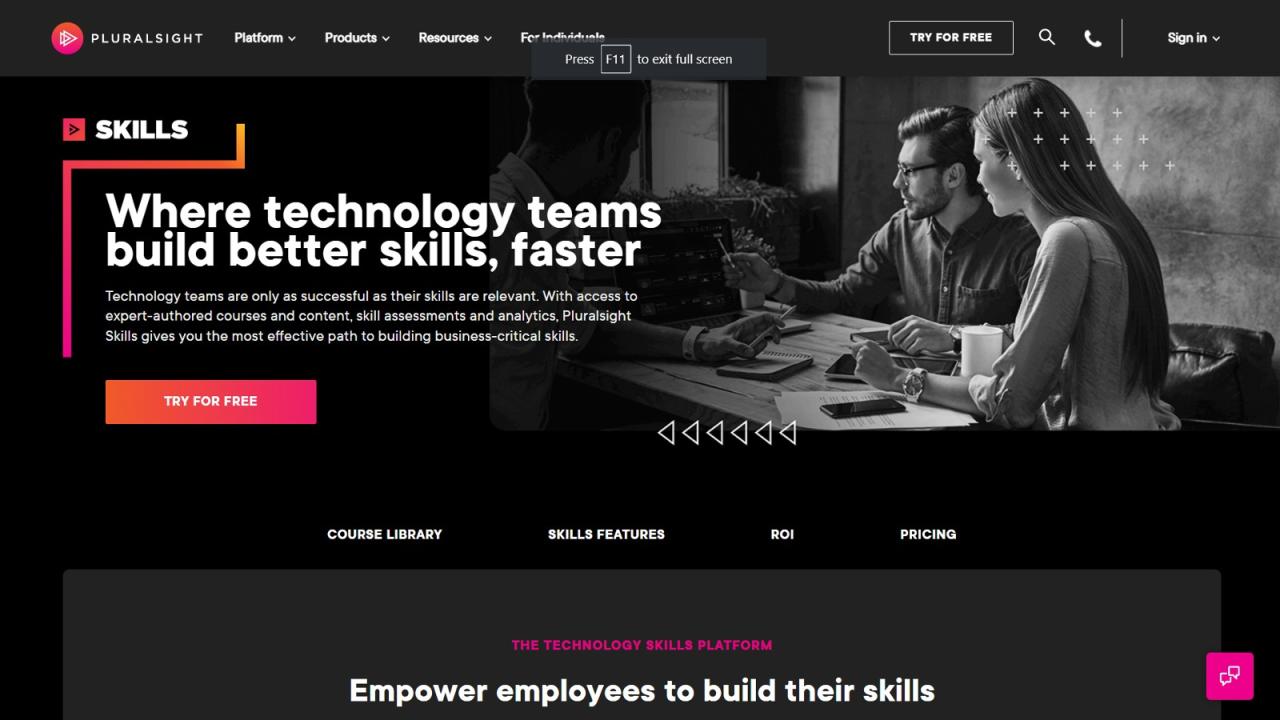
Understanding the course curriculum is paramount to ensure it aligns with your learning objectives and provides a solid foundation for your coding journey. This section guides you through the process of critically evaluating course content to make an informed decision.
Assessing Curriculum Relevance
To determine if a course aligns with your goals, a careful examination of its curriculum is required. Consider these aspects:
- Goal Alignment: Does the course cover the specific programming languages, frameworks, or technologies relevant to your desired career path or personal projects? For instance, if you aim to become a web developer, ensure the course includes HTML, CSS, JavaScript, and potentially a framework like React or Angular. If your goal is data science, look for courses covering Python, data analysis libraries (like Pandas and NumPy), and machine learning concepts.
- Target Audience: Does the course cater to your current skill level? Beginner-friendly courses should start with the fundamentals, while advanced courses should build upon existing knowledge. Check the prerequisites and course descriptions carefully to understand the assumed level of expertise.
- Topic Coverage: Review the syllabus or course Artikel to see if it covers the topics you need. Are there any gaps or omissions that might hinder your progress towards your goals? For example, if you want to create mobile apps, make sure the course covers topics related to mobile app development, such as React Native or Flutter, and not just web development.
- Learning Path: Does the course offer a structured and logical progression of topics? A well-designed course should gradually introduce concepts, building upon previous knowledge. The order of topics should make sense and allow for a smooth learning curve.
Verifying Up-to-Date Content and Practical Exercises
The tech world evolves rapidly. Ensuring the course content is current and offers practical exercises is crucial. Here’s how to check:
- Date of Publication/Updates: Look for the course’s last updated date or the publication date of the content. Ideally, the course should be regularly updated to reflect the latest versions of programming languages, frameworks, and tools. Outdated content might teach obsolete practices and hinder your learning.
- Framework and Library Versions: Verify that the course utilizes the current versions of relevant frameworks and libraries. For example, a course on React should teach React 18 or newer, not an outdated version. Using outdated versions can lead to compatibility issues and frustration.
- Exercise Relevance: The course should include a variety of practical exercises, coding challenges, and projects to reinforce the concepts learned. These exercises should be relevant to current industry practices and technologies.
- Coding Challenges and Projects: A course should provide coding challenges that test your knowledge and ability to apply what you’ve learned. Projects allow you to build something real, and see the practical application of your new skills.
Importance of Hands-on Projects and Real-World Applications
Hands-on projects and real-world applications are critical components of an effective coding course. They solidify your understanding and prepare you for real-world scenarios.
- Project-Based Learning: Courses with a strong emphasis on project-based learning are highly beneficial. Working on projects allows you to apply your knowledge and build a portfolio of work. The projects should progressively increase in complexity, challenging you to apply what you’ve learned.
- Real-World Scenarios: The curriculum should include examples and case studies that mirror real-world applications of the concepts. This helps you understand how the skills you are learning can be applied in various industries and scenarios.
- Portfolio Building: Projects are crucial for building a portfolio. Your portfolio showcases your skills and abilities to potential employers or clients.
- Debugging and Problem-Solving: Working on projects exposes you to debugging and problem-solving. You will learn to identify and fix errors, which is a critical skill for any programmer.
Essential Topics for Beginner-Friendly Courses
A beginner-friendly course should cover fundamental topics to build a solid foundation. These topics typically include:
- Introduction to Programming Concepts: This includes variables, data types (integers, strings, booleans, etc.), operators, control structures (if/else statements, loops), and functions. Understanding these fundamental concepts is crucial for any programming language.
- Basic Syntax of a Programming Language: This covers the syntax of the chosen programming language, including how to write code, comments, and structure programs.
- Data Structures: Introduction to fundamental data structures such as arrays, lists, dictionaries (or hash maps), and how to use them to organize and store data.
- Object-Oriented Programming (OOP) Fundamentals (if applicable): Introduction to classes, objects, inheritance, polymorphism, and encapsulation, if the course uses an object-oriented language.
- Version Control (e.g., Git): Introduction to version control systems like Git, including how to create repositories, commit changes, branch, merge, and collaborate on code.
- Debugging and Error Handling: Basic techniques for identifying and fixing errors in code, as well as handling exceptions.
- Basic Algorithm Design: Introduction to the principles of algorithm design, including how to solve problems efficiently.
- Introduction to Development Environments: Familiarization with code editors or IDEs (Integrated Development Environments), which are used for writing, testing, and debugging code.
Considering Support and Community Features
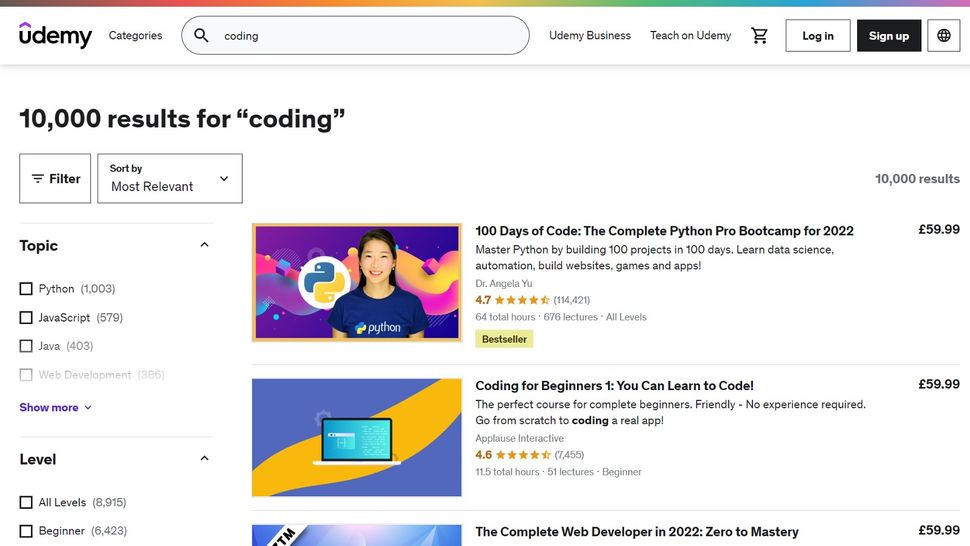
Choosing the right online coding course isn’t just about the curriculum; it’s also about the support system and the community you become a part of. Having access to mentors, instructors, and fellow learners can significantly impact your learning experience and your overall success in mastering coding skills. This section will delve into the crucial aspects of support and community features, helping you evaluate which course offers the best environment for your needs.
Value of Support and Mentorship in Online Coding Courses
Support and mentorship are invaluable in online coding courses. They provide a safety net and a source of encouragement, particularly when encountering challenging concepts. Direct access to instructors or mentors can clarify complex topics, provide personalized feedback on your code, and guide you through debugging issues. A good support system helps to reduce frustration and keeps you motivated to continue learning.
Mentors can also offer insights into the industry, career advice, and help you build your professional network. This support is especially important for beginners who are new to programming.
Comparing and Contrasting Different Community Features
Online coding courses offer various community features, each with its own advantages.
- Forums: Forums are a common feature where students can post questions, share solutions, and engage in discussions. They offer a structured environment for seeking help and are a great resource for finding answers to frequently asked questions. They often have a long history of discussions, making it easier to find solutions to common problems.
- Chat Groups: Chat groups, often integrated with platforms like Slack or Discord, provide real-time interaction. They are excellent for quick questions, collaborative problem-solving, and building a sense of community. The immediate feedback can be very helpful when you’re stuck on a coding problem.
- Peer-to-Peer Interaction: Many courses encourage peer-to-peer interaction through code reviews, project collaborations, and study groups. This type of interaction helps you learn from others, improve your communication skills, and solidify your understanding of the material. Seeing how others approach the same problems can broaden your perspective and introduce you to different coding styles.
Each feature has its strengths: forums are good for in-depth discussions and long-term knowledge, chat groups excel at quick help and real-time collaboration, and peer-to-peer interaction promotes collaborative learning and skill development.
Benefits of Participating in Coding Communities
Participating in coding communities offers numerous benefits beyond just getting help with your coursework.
- Expanded Knowledge: Exposure to different perspectives and coding styles from peers can broaden your understanding of programming concepts and techniques.
- Improved Problem-Solving Skills: Helping others with their coding problems can strengthen your own problem-solving abilities.
- Networking Opportunities: Connecting with other learners and instructors can lead to valuable networking opportunities, which may prove useful when searching for jobs or starting projects.
- Increased Motivation: Being part of a community can help you stay motivated and engaged in your learning journey. Seeing others succeed and sharing your own progress can be very encouraging.
- Industry Insights: Community members may share industry news, job postings, and insights into current trends.
Coding communities also provide a space for collaboration, where you can work on projects together and learn from each other’s strengths. This collaborative environment can be incredibly rewarding.
Effective Ways to Interact with Instructors and Peers in Online Courses
Effective interaction is crucial for maximizing the benefits of online coding courses.
- Be Specific in Your Questions: When asking for help, provide clear and concise details about the problem you’re facing, including the code you’ve written, the error messages you’re receiving, and what you’ve already tried. This helps instructors and peers understand your issue and offer relevant solutions.
- Actively Participate in Discussions: Contribute to forum discussions and chat groups by answering questions, sharing your experiences, and offering solutions.
- Review Other Students’ Code: Participate in code reviews by providing constructive feedback and suggestions. This helps you learn from others and improve your own coding skills.
- Collaborate on Projects: Join or initiate collaborative coding projects to work with peers on real-world problems. This enhances your ability to work in a team and apply your skills.
- Respect the Community Guidelines: Adhere to the course’s community guidelines, which typically include being respectful, avoiding spam, and staying on topic.
- Use Appropriate Channels: Use the correct channels for asking questions. For example, use the forum for general questions and the chat group for urgent issues.
- Show Gratitude: Thank those who help you. A simple “thank you” can go a long way in fostering a positive community environment.
By actively engaging with instructors and peers in these ways, you can create a supportive and collaborative learning environment that enhances your overall experience and increases your chances of success.
Assessing Pricing, Payment Options, and Free Trials
Understanding the financial commitment of an online coding course is crucial. Costs vary significantly, and exploring payment options and leveraging free trials effectively can significantly impact your learning experience and budget. This section will delve into the factors affecting course costs, explore payment alternatives, and offer strategies for maximizing free trial opportunities.
Factors Influencing Course Costs
The price of an online coding course is determined by several factors. These elements contribute to the overall value and can help you determine if a course aligns with your needs and budget.
- Course Content and Depth: Courses covering more complex topics or offering a broader curriculum typically cost more. For instance, a course focusing solely on HTML and CSS might be less expensive than one encompassing full-stack web development, which involves multiple programming languages, frameworks, and databases.
- Instructor Expertise: Courses taught by industry experts or experienced professionals often come at a premium. These instructors bring real-world experience and insights, potentially enhancing the learning experience.
- Course Format and Structure: Live online courses, bootcamps, or courses with personalized feedback tend to be more expensive than self-paced video courses. The level of interaction and support influences the price.
- Course Duration and Access: Longer courses, offering extended access to materials and support, generally cost more than shorter, limited-access options. This reflects the sustained value provided over time.
- Additional Resources and Features: Courses that include access to coding projects, personalized feedback, mentorship, or career services might have higher price tags. These features add value and contribute to a comprehensive learning experience.
- Brand Reputation and Market Demand: Well-established course providers with a strong reputation and high demand often charge more. Their brand recognition and track record influence pricing.
Payment Options and Financing Possibilities
Various payment options are available for online coding courses, providing flexibility to students with different financial situations. Exploring these options can make quality education more accessible.
- Upfront Payment: Paying the full course fee upfront is a common option, often offering a discount compared to installment plans. This is suitable for those who can afford the full amount.
- Installment Plans: Many course providers offer installment plans, allowing you to pay the course fee in monthly or periodic installments. This can make the course more affordable by spreading the cost over time.
- Income Share Agreements (ISAs): Some coding bootcamps and courses offer ISAs. With an ISA, you pay nothing upfront and only pay a percentage of your income after you secure a job above a certain salary threshold. This reduces the financial risk, but you’ll pay more in the long run.
- Loans: Educational loans are available from banks or specialized lenders. These loans can cover tuition fees and other expenses, but they require repayment with interest.
- Scholarships and Grants: Explore scholarship and grant opportunities from course providers, educational institutions, or external organizations. These can help reduce or eliminate the tuition cost.
- Employer Sponsorship: Some employers sponsor their employees’ professional development, including coding courses. Check with your employer to see if they offer this benefit.
Strategies for Making the Most of Free Trials and Introductory Offers
Free trials and introductory offers are excellent opportunities to evaluate a course before committing financially. Maximizing these opportunities can help you determine if a course is the right fit for your learning style and goals.
- Identify Trial Duration and Content: Determine the length of the free trial and the specific content accessible during the trial period. Some trials provide access to a limited selection of lessons, while others offer full access for a shorter time.
- Set Clear Learning Goals: Before starting the trial, define specific learning goals. This helps you focus your efforts and measure the trial’s effectiveness. For instance, aim to complete a specific module or project during the trial.
- Explore Course Features: Use the trial to explore all course features, including the learning platform, interactive exercises, and support resources. Evaluate the user interface and overall experience.
- Engage with the Community: If the course offers a community forum or discussion boards, participate and interact with other students. This can provide valuable insights into the course and the learning experience.
- Assess Instructor Style: Evaluate the instructor’s teaching style and whether it aligns with your learning preferences. Pay attention to the clarity of explanations, the pace of the lessons, and the instructor’s responsiveness.
- Evaluate the Quality of Support: Test the course’s support system by asking questions or submitting a support ticket. Assess the responsiveness and helpfulness of the support team.
- Consider Introductory Offers: If you enjoy the course, explore introductory offers or discounts for full enrollment. Many providers offer special pricing for new students.
Comparing Pricing and Payment Options: Example Table
The following table provides a comparative overview of pricing and payment options for several popular online coding courses. Note that prices are subject to change, so always verify the latest information on the course provider’s website.
| Course Provider | Course Type | Pricing (USD) | Payment Options | Free Trial/Intro Offer |
|---|---|---|---|---|
| Codecademy | Interactive, self-paced | $19.99 – $39.99/month (subscription) | Monthly, annual subscriptions | Free access to some courses; 7-day free trial for Pro plan |
| Udemy | On-demand video courses | $9.99 – $199.99+ per course (variable) | Upfront payment | Limited free courses; 30-day money-back guarantee |
| freeCodeCamp | Free, project-based | Free | N/A | Free |
| DataCamp | Interactive, data science focused | $25 – $49/month (subscription) | Monthly, annual subscriptions | Free access to some courses; free trial for Premium plan |
| Fullstack Academy | Coding Bootcamp | $17,910 – $20,910 | Upfront, installment plans, ISA, loans | Interview-based admissions process; free introductory workshops |
This table is for illustrative purposes only and may not reflect current pricing. Always check the course provider’s website for the most up-to-date information.
Evaluating Course Outcomes and Outcomes
Choosing the right online coding course isn’t just about learning syntax; it’s about achieving tangible results. A well-designed course should equip you with the skills and knowledge to not only write code but also apply it in real-world scenarios. Evaluating course outcomes is crucial to ensure your investment of time and money yields the desired return, whether it’s a career change, a side project, or simply expanding your skillset.
This section delves into the expected outcomes of a quality coding course and provides practical examples to help you assess a course’s potential impact.
Expected Outcomes of a Well-Designed Coding Course
A good coding course should provide a clear pathway to practical application and professional readiness. The course should aim to develop a comprehensive understanding of programming concepts and enable students to solve real-world problems.Here’s a breakdown of the expected outcomes:
- Solid Foundation in Programming Fundamentals: This includes understanding core concepts like variables, data types, control flow (if/else statements, loops), functions, and object-oriented programming (OOP) principles. The course should offer practical exercises and projects to reinforce these fundamentals.
- Proficiency in a Specific Programming Language or Technology: You should gain a working knowledge of a chosen language (e.g., Python, JavaScript, Java) or technology (e.g., web development, data science). The course should offer hands-on coding exercises, projects, and assessments to measure your progress.
- Problem-Solving and Analytical Skills: Coding is fundamentally about problem-solving. The course should teach you how to break down complex problems into smaller, manageable steps, devise solutions, and implement them using code. This often involves the use of debugging tools and techniques.
- Ability to Write Clean, Readable, and Maintainable Code: Good coding practices are essential for collaboration and long-term project success. The course should emphasize code style, commenting, and best practices to write code that is easy to understand and modify.
- Understanding of Version Control Systems (e.g., Git): Version control is a crucial skill for collaborative coding and managing code changes. The course should introduce Git and GitHub, allowing you to track changes, collaborate with others, and manage your code repositories.
- Portfolio Development: The course should guide you in creating a portfolio of projects to showcase your skills to potential employers. This is often a key component of the course.
- Preparation for Job Interviews and Coding Assessments: The course should provide resources and practice opportunities to prepare you for technical interviews, including coding challenges and system design questions. This might include mock interviews or practice assessments.
Examples of Portfolio Projects and Skills You Should Gain
A strong portfolio demonstrates your ability to apply your knowledge and create functional projects. A good coding course will guide you through the development of projects that showcase your skills.Here are some examples of portfolio projects and the skills they demonstrate:
- Beginner Level:
- Project: A simple “Hello, World!” program or a basic calculator.
- Skills Demonstrated: Understanding of basic syntax, data types, and input/output.
- Intermediate Level:
- Project: A to-do list application with features like adding, deleting, and marking tasks as complete, or a basic web page.
- Skills Demonstrated: Use of control flow, functions, data structures (e.g., lists, dictionaries), and potentially HTML, CSS, and JavaScript.
- Advanced Level:
- Project: A full-stack web application with a database backend, user authentication, and advanced features, or a machine learning model.
- Skills Demonstrated: Expertise in multiple technologies (e.g., a programming language, a web framework, a database system), problem-solving skills, and the ability to build complex systems.
Importance of a Course That Prepares You for Job Interviews and Coding Assessments
The ability to code is only part of the equation when it comes to landing a job. Many employers use coding assessments and technical interviews to evaluate candidates. A course that prepares you for these challenges significantly increases your chances of success.Here’s why this preparation is crucial:
- Coding Assessments: Many companies use online coding assessments (e.g., HackerRank, LeetCode) to screen candidates. These assessments test your ability to solve coding problems under time constraints. A course should provide practice problems and strategies for tackling these assessments.
- Technical Interviews: Technical interviews often involve coding challenges, system design questions, and behavioral questions. The course should provide resources and practice opportunities for these interview formats.
- Resume Building: The course should guide you in building a resume that highlights your skills and projects.
- Networking Opportunities: The course may offer opportunities to network with other students and industry professionals, which can lead to job opportunities.
Potential Projects You Could Develop at Different Skill Levels
Project development is a crucial aspect of learning to code. Building projects allows you to apply what you’ve learned, practice problem-solving, and build a portfolio. The type of projects you undertake should align with your skill level.Here’s a list of potential projects categorized by skill level:
- Beginner:
- Simple Calculator
- Number Guessing Game
- Basic To-Do List
- Simple Website (HTML/CSS)
- Intermediate:
- Interactive To-Do List with User Interface
- Blog or Simple E-commerce Site
- Web Scraper
- Simple Data Analysis Project
- Advanced:
- Full-Stack Web Application with User Authentication and Database
- Machine Learning Model (e.g., image recognition, sentiment analysis)
- Mobile App (iOS or Android)
- Game Development
Understanding Prerequisites and Technical Requirements
/GettyImages-973715860-929fd9df683d4e9d990d9b20044b5cdf.jpg "The 8 Best Online Coding Courses of 2022")
Choosing the right online coding course involves more than just picking a subject you’re interested in. It’s also about ensuring you have the necessary foundation and the right tools to succeed. Understanding prerequisites and technical requirements is crucial for a smooth learning experience and helps prevent frustration down the line. Let’s break down what you need to know.
Common Course Prerequisites
Many introductory coding courses have no formal prerequisites, welcoming complete beginners. However, as you progress to more advanced topics, certain foundational knowledge or skills become essential.
- Basic Computer Literacy: Familiarity with using a computer, including navigating files and folders, using a web browser, and understanding basic operating system functions, is almost universally expected.
- Mathematics Fundamentals: Courses involving data science, game development, or specific programming concepts (like linear algebra or calculus) often require a solid grasp of basic mathematics, including algebra and pre-calculus.
- Prior Coding Experience: Some courses are designed for those with existing programming knowledge. These courses might require proficiency in a specific language or a general understanding of programming concepts like variables, loops, and functions. For example, a course on advanced Python might require prior Python experience or equivalent programming knowledge.
- Specific Language Knowledge: Courses focused on frameworks or libraries (e.g., React, Django) often assume prior knowledge of the underlying programming language (JavaScript or Python, respectively).
- Problem-Solving Skills: The ability to break down complex problems into smaller, manageable steps is a crucial skill for coding. While not a formal prerequisite, strong problem-solving skills can significantly improve your learning experience.
Technical Requirements for Online Coding Courses
Beyond prerequisites, you’ll need to ensure your hardware and software meet the course requirements. These can vary widely depending on the programming language and the course’s focus.
- Computer: A computer (desktop or laptop) with a modern operating system (Windows, macOS, or Linux) is generally sufficient. The specific hardware requirements (processor, RAM, storage) will depend on the complexity of the course and the software you’ll be using. More demanding courses, such as those involving game development or machine learning, may benefit from a more powerful computer.
- Internet Connection: A stable and reliable internet connection is essential for accessing course materials, participating in online sessions, and submitting assignments.
- Software:
- Code Editor or IDE: A text editor (like VS Code, Sublime Text, or Atom) or an Integrated Development Environment (IDE) (like IntelliJ IDEA or Eclipse) is crucial for writing and editing code. The choice often depends on the programming language and personal preference.
- Programming Language Compiler or Interpreter: You’ll need the appropriate compiler or interpreter for the programming language you’re learning (e.g., Python interpreter, Java Development Kit (JDK), or a JavaScript runtime environment like Node.js).
- Other Software: Depending on the course, you might need specific software, such as database management systems (e.g., MySQL, PostgreSQL), version control systems (e.g., Git), or specialized tools for web development (e.g., web servers, browser developer tools).
Checking Course Compatibility with Your Setup
Before enrolling in a course, carefully review its technical requirements.
- Read the Course Description: The course description should clearly Artikel the required software, hardware, and operating system compatibility.
- Check the FAQs: Many courses have a Frequently Asked Questions (FAQ) section that addresses common technical questions.
- Contact the Course Provider: If you have specific questions or concerns about compatibility, don’t hesitate to contact the course provider’s support team.
- Test Before You Commit: Some courses offer free trials or introductory modules. Use these opportunities to set up your environment and ensure everything works correctly before committing to the full course.
Setting Up a Basic Coding Environment: A Step-by-Step Guide
- Choose a Code Editor: Select a code editor, such as VS Code, Sublime Text, or Atom. These are free and widely used.
- Download and Install the Editor: Download the editor from its official website and install it on your computer.
- Install a Programming Language: Download and install the appropriate programming language interpreter or compiler (e.g., Python). You can typically find installers on the language’s official website.
- Verify the Installation: Open your terminal or command prompt and type the language’s name (e.g., `python` for Python). If the installation was successful, you should see the language’s version information.
- Write and Run a Simple Program: Create a new file (e.g., `hello.py`) in your code editor. Type a simple program (e.g., `print(“Hello, world!”)` in Python). Save the file.
- Run the Program: Open your terminal or command prompt, navigate to the directory where you saved the file (using the `cd` command), and run the program (e.g., `python hello.py`). You should see the output “Hello, world!” displayed.
This basic setup provides a foundation for many introductory coding courses. As you progress, you may need to install additional libraries, frameworks, or tools, but this initial configuration will get you started.
Making Your Final Decision
After meticulous research and evaluation, the final step is choosing the online coding course that best aligns with your goals and aspirations. This is where you synthesize all the information gathered and make a confident decision. This section provides a structured approach to finalize your selection, ensuring you’re well-prepared to embark on your coding journey.
Organizing the Decision-Making Process
To make an informed decision, it’s essential to organize the information you’ve gathered. This involves consolidating your findings from each step of the research process, allowing for a clear comparison of different courses.
- Review Your Learning Goals: Begin by revisiting your initial learning objectives. What specific skills do you want to acquire? What type of projects do you envision working on? Make sure the course aligns with these goals.
- Summarize Course Options: Create a concise summary of each course you’re considering. This should include key features, curriculum highlights, pricing, and any other relevant information. A simple table can be an effective tool for this.
- Rank Your Priorities: Prioritize your needs and preferences. What aspects are most important to you? Is it the price, the curriculum, the support system, or the course format? Ranking your priorities helps you focus on what truly matters.
- Identify Potential Trade-offs: Be prepared to make trade-offs. No course is perfect. Some courses may excel in certain areas but fall short in others. Determine which compromises you’re willing to make.
- Consider External Factors: Take into account any external factors that might influence your decision, such as your schedule, available resources, and personal preferences.
Weighing the Pros and Cons
A structured approach to comparing the pros and cons of each course is crucial for making a well-informed decision. This involves analyzing the strengths and weaknesses of each option based on your prioritized criteria.
- Create a Pros and Cons Table: Use a table format to list the pros and cons of each course side-by-side. This visual representation allows for easy comparison.
- Categorize the Pros and Cons: Group the pros and cons into categories such as curriculum, support, pricing, and community. This helps you identify patterns and make more informed judgments.
- Assign Weights to Each Criterion: If certain criteria are more important than others, assign weights to them. For example, if a strong curriculum is more important than a low price, give the curriculum a higher weight.
- Rate Each Course: For each criterion, rate each course on a scale (e.g., 1-5 or a simple high/medium/low).
- Calculate the Overall Score: Multiply the rating for each criterion by its weight and sum the results to get an overall score for each course. This provides a quantitative basis for comparison.
Strategies for Commitment and Completion
Choosing a course is only the first step; completing it is where the real value lies. Developing effective strategies for commitment and completion is essential for success.
- Set Realistic Goals: Break down the course into manageable modules and set realistic goals for each. Avoid overwhelming yourself with overly ambitious targets.
- Create a Study Schedule: Allocate specific time slots in your week for studying. Treat these slots as non-negotiable appointments. Consistency is key.
- Find an Accountability Partner: Partner with a friend or colleague who is also learning to code. Support each other, share progress, and stay motivated.
- Join the Course Community: Engage with other students in the course community. Ask questions, participate in discussions, and offer help to others. This fosters a sense of belonging and accountability.
- Track Your Progress: Monitor your progress regularly. Celebrate milestones and acknowledge your achievements. This boosts motivation and reinforces your commitment.
- Take Breaks and Practice Regularly: Schedule regular breaks to avoid burnout. Practice coding consistently, even if it’s just for a short period each day.
- Don’t Be Afraid to Ask for Help: Utilize the course’s support resources when needed. Don’t hesitate to ask questions and seek assistance from instructors or mentors.
Course Selection Checklist
This checklist summarizes the key steps to guide your course selection process. Use it to ensure you haven’t overlooked any important factors.
- Define Learning Goals: Clearly define your learning objectives and desired outcomes.
- Identify Course Formats: Consider your preferred learning style and available time.
- Research Providers: Investigate course providers’ reputation, reviews, and accreditations.
- Examine Curriculum: Evaluate the course content, topics covered, and project-based learning opportunities.
- Consider Support: Assess the availability of support resources, such as forums, mentors, and live sessions.
- Assess Pricing: Compare pricing models, payment options, and any available free trials or discounts.
- Evaluate Outcomes: Review past students’ outcomes, career prospects, and industry recognition.
- Understand Prerequisites: Ensure you meet the technical requirements and prerequisites for the course.
- Make a Final Decision: Compare courses, weigh pros and cons, and choose the best fit for your needs.
- Commit to the Course: Set realistic goals, create a study schedule, and engage with the community.
Last Recap

Choosing the right online coding course is an investment in your future. By carefully considering your goals, researching providers, and evaluating course features, you can set yourself up for success. Remember to leverage free trials, engage with the community, and stay committed to your learning journey. With the right course and dedication, you’ll be well on your way to mastering the art of coding and achieving your professional or personal goals.