Embarking on the journey of learning to code can feel overwhelming, but fear not! How to Take Effective Notes While Learning to Code is your roadmap to success. This guide illuminates the power of strategic note-taking, transforming the way you absorb and retain complex coding concepts. We’ll delve into various methods, tools, and techniques, providing you with the knowledge to build a solid foundation for your coding endeavors.
This isn’t just about scribbling down code; it’s about creating a personalized learning ecosystem. We’ll explore how to capture essential information, structure your notes for optimal clarity, and choose the right tools to suit your individual learning style. From understanding syntax to debugging complex projects, effective note-taking is your secret weapon for mastering the art of coding.
Understanding the Importance of Note-Taking in Coding
Effective note-taking is a cornerstone of successful coding education and practice. It’s more than just scribbling down information; it’s a strategic process that actively engages your brain, solidifies understanding, and provides a valuable resource for future reference. Well-crafted notes can significantly accelerate your learning journey, improve your long-term retention of concepts, and empower you to become a more efficient and effective coder.
Accelerating the Coding Learning Process
Taking detailed notes actively transforms you from a passive recipient of information to an active participant in the learning process. This active engagement is crucial for rapid skill acquisition.
- Enhanced Comprehension: When you take notes, you’re forced to process information, identify key concepts, and rephrase them in your own words. This process solidifies your understanding much more effectively than simply reading or watching a tutorial. For example, when learning about object-oriented programming, instead of just reading about classes and objects, writing down the definition of each, along with examples in your preferred language (e.g., Python, Java), will deepen your understanding.
- Improved Focus and Attention: The act of note-taking keeps you focused during lectures, tutorials, or while reading documentation. It minimizes distractions and encourages you to actively listen and observe. This focused attention helps you absorb and retain information more effectively.
- Faster Recall: Well-organized notes serve as a readily accessible reference. When you encounter a concept you’ve learned before, you can quickly review your notes to refresh your memory, saving you time and effort compared to searching through extensive documentation or rewatching entire tutorials.
- Efficient Learning Loops: Note-taking facilitates a learning loop. You absorb information, take notes, practice the concepts, and then refer back to your notes to reinforce your understanding. This iterative process promotes continuous improvement and skill development.
Benefits for Long-Term Retention of Coding Concepts
Coding involves a vast array of concepts, syntax, and problem-solving techniques. Note-taking plays a vital role in ensuring that you retain this information over time.
- Memory Consolidation: The act of writing down information strengthens the neural pathways in your brain associated with that information. This process, known as memory consolidation, makes it easier to recall the information later.
- Creation of Personalized Resources: Your notes are tailored to your learning style and understanding. This personalized approach makes them more effective for review than generic textbooks or tutorials. For example, if you struggle with a particular concept, you can create detailed notes and examples specific to your challenges.
- Regular Review and Reinforcement: Regularly reviewing your notes reinforces your understanding and prevents the information from fading from your memory. Schedule regular review sessions, perhaps weekly or bi-weekly, to revisit your notes and practice the concepts.
- Spaced Repetition: Incorporate spaced repetition techniques into your note-taking. This involves reviewing your notes at increasing intervals, which has been proven to significantly improve long-term retention. Use flashcards or dedicated spaced repetition software like Anki to facilitate this process.
Helping in Debugging and Problem-Solving in Coding
Debugging and problem-solving are essential aspects of coding. Your notes can be invaluable tools during these processes.
- Quick Reference for Syntax and Commands: Notes serve as a handy reference for syntax, function definitions, and common coding patterns. Instead of searching through online documentation, you can quickly consult your notes to find the information you need.
- Documenting Problem-Solving Strategies: As you solve coding problems, document your thought process, the errors you encountered, and the solutions you implemented. This documentation becomes a valuable resource for future problem-solving.
- Tracking Error Messages and Solutions: When you encounter an error, note down the error message, the context in which it occurred, and the steps you took to resolve it. This information can be incredibly helpful when you encounter similar errors in the future.
- Creating Code Snippets and Examples: Include code snippets and working examples in your notes. This allows you to quickly reference and reuse code that you’ve already written and tested. This is particularly helpful for common tasks like data validation or file handling. For instance, when dealing with file I/O, you might document how to open, read, and write to a file in your chosen programming language, including specific examples for different file formats.
Different Note-Taking Methods for Coding
Choosing the right note-taking method is crucial for effectively learning and retaining coding concepts. Different approaches cater to various learning styles and project needs. This section explores several popular methods, comparing their strengths and weaknesses, and providing practical guidance on their application in a coding context.
Cornell Note-Taking Method Compared to a Coding-Specific Approach
The Cornell method, designed for general learning, and a tailored coding approach differ in their structure and emphasis. Let’s compare them:
The Cornell method typically involves dividing a page into three sections:
- Notes Section: This is where you jot down information during a lecture or while reading.
- Cue Section: A column on the left for s, questions, or cues to trigger recall.
- Summary Section: A space at the bottom for summarizing the main points.
For coding, the structure can be adapted to enhance its effectiveness:
- Code Snippets Section: The primary area for documenting code examples, functions, and algorithms.
- Explanation Section: Alongside the code, include detailed explanations, comments, and interpretations of how the code works.
- s/Concepts Section: A section for key terms, definitions, and programming concepts.
- Challenges/Questions Section: A place to record any difficulties encountered, unanswered questions, or potential areas for further exploration.
Here’s a table comparing the two methods:
| Feature | Cornell Method (General) | Coding-Specific Adaptation |
|---|---|---|
| Primary Focus | Summarizing and recalling general information. | Understanding, implementing, and retaining code-related concepts. |
| Notes Section | Lecture notes, readings, etc. | Code snippets, function definitions, algorithm implementations. |
| Cue Section | s, questions, prompts. | Key terms, concepts, and programming language elements. |
| Summary Section | Summarizing the main points of the entire page. | Summarizing the purpose of the code, its use cases, and challenges encountered. |
| Benefits | Effective for active recall and summarizing information. | Facilitates understanding of code, debugging, and efficient reference. |
| Drawbacks | Less effective for documenting code directly. | Requires more initial effort to set up and adapt. |
Advantages and Disadvantages of Digital vs. Handwritten Notes for Coding
The choice between digital and handwritten notes has significant implications for how you learn and work with code. Both have distinct advantages and disadvantages:
Handwritten Notes:
- Advantages:
- Enhanced Retention: Studies suggest that writing by hand can improve memory and comprehension because the act of writing engages the brain more actively.
- Flexibility and Spatial Organization: Handwritten notes allow for free-form layouts, diagrams, and annotations, which can be useful for visualizing code structures.
- Reduced Distractions: No notifications or internet distractions, allowing for greater focus.
- Disadvantages:
- Difficult to Edit and Search: Modifying handwritten notes can be cumbersome. Searching through pages of notes is time-consuming.
- Limited Space: Physical space constraints can limit the amount of information that can be recorded.
- Legibility Issues: Handwriting can be difficult to read, especially when rushed or when using symbols and special characters in code.
- Loss of Notes: Risk of losing notes or damage to them.
Digital Notes:
- Advantages:
- Easy Editing and Organization: Digital notes can be easily edited, rearranged, and organized using folders, tags, and search functions.
- Accessibility: Accessible from any device with internet access.
- Multimedia Integration: Integration of code snippets, screenshots, audio recordings, and videos to enrich notes.
- Backup and Synchronization: Data is typically backed up and synchronized across devices, reducing the risk of loss.
- Code Highlighting and Formatting: Many digital note-taking tools offer code highlighting and formatting, making code easier to read.
- Disadvantages:
- Distraction Potential: The temptation of other applications and the internet can be a distraction.
- Eye Strain: Prolonged screen time can cause eye strain.
- Reliance on Technology: Requires a device and internet access, which can be a limitation.
Applying the Zettelkasten Method to Coding
The Zettelkasten method, a note-taking system focused on connecting ideas, can be powerfully adapted for coding. It involves creating “zettels” (notes) that are atomic (focusing on a single idea) and interconnected through links.
Here’s how to implement Zettelkasten for coding:
- Atomic Zettels: Create individual notes for specific concepts, functions, algorithms, or snippets of code. Each note should have a single, focused purpose.
- Permanent Notes: Write notes in your own words, focusing on understanding the concept, not just copying and pasting.
- Linking: Connect related zettels using links. For example, a note on “recursion” might link to notes on “base cases,” “recursive calls,” and specific algorithms that use recursion. This creates a network of interconnected ideas.
- Unique Identifiers: Give each note a unique identifier (e.g., a timestamp or a sequential number). This is essential for linking and referencing notes.
- Literature Notes: If you’re learning from tutorials, books, or articles, create “literature notes” that summarize the key information. Then, create permanent notes that reflect your understanding, linking them to the literature notes.
- Fleeting Notes: Write down ideas, questions, or observations as they arise. Later, these fleeting notes should be integrated into the permanent note system.
Example:
Imagine you’re learning about binary search. You might create zettels for:
- Zettel 1 (Concept): Binary search is an efficient algorithm for finding a target value within a sorted array. It repeatedly divides the search interval in half.
- Zettel 2 (Implementation): Python code for a binary search function.
- Zettel 3 (Efficiency): Binary search has a time complexity of O(log n), making it very efficient for large datasets.
- Zettel 4 (Linked Zettels): Zettel 1 would link to Zettel 2 and Zettel 3. Zettel 2 would link to Zettel 1.
Benefits of Using Zettelkasten for Coding:
- Enhanced Understanding: The process of creating atomic notes and linking them forces you to deeply understand the material.
- Knowledge Synthesis: The interconnected network of notes allows you to synthesize information from various sources and create new insights.
- Improved Recall: The active recall and linking process strengthens memory and retention.
- Long-Term Knowledge Management: The system is designed to grow over time, making it a valuable resource for long-term learning and project management.
Essential Information to Capture in Coding Notes
Taking effective notes while learning to code is about more than just scribbling down what the instructor says. It’s about building a personalized knowledge base that you can revisit and use to understand complex concepts and solve problems. Knowing what information to prioritize in your notes is crucial for maximizing their usefulness.
Fundamental Coding Concepts
A strong understanding of core coding concepts is the foundation of any successful coding journey. Your notes should consistently include these fundamental elements:
- Syntax: Programming languages have specific rules for writing code. Note down the syntax for different elements like variable declaration, function definitions, and control structures.
For example, in Python:def function_name(parameter1, parameter2):
# Code block
return value
Understanding syntax helps you avoid common errors and write code that the interpreter can understand.
- Data Types: Different types of data require different storage and manipulation methods. Document the data types supported by your chosen language (e.g., integers, floats, strings, booleans) and how they behave.
For example, in JavaScript:let age = 30; // Integer
let price = 25.50; // Float
let name = "Alice"; // String
let isStudent = true; // Boolean
Knowing data types is critical for performing operations correctly. For instance, you cannot directly add a string and a number in most languages.
- Control Flow: Control flow structures determine the order in which your code executes. Include notes on conditional statements (if/else), loops (for, while), and how they affect program execution.
For example, in Java:if (score >= 60)
System.out.println("Passed");
else
System.out.println("Failed");Control flow structures allow you to create dynamic and responsive programs.
- Functions/Methods: Functions (or methods in object-oriented languages) are reusable blocks of code. Note down how to define functions, pass arguments, and return values.
For example, in Python:def greet(name):
return "Hello, " + name + "!"
Functions promote code reusability and modularity, making your code easier to understand, maintain, and debug.
- Variables: Variables are named storage locations for data. Note down how to declare variables, assign values, and the scope of variables (where they are accessible).
For example, in C++:int count = 0; // Integer variable
Variables are fundamental for storing and manipulating data within your programs.
- Data Structures: Understanding data structures like arrays, lists, dictionaries (or objects/maps) is crucial. Document their characteristics, how to use them, and when to choose one over another.
For example, in JavaScript:let myArray = [1, 2, 3]; // Array
let myObject = name: "Bob", age: 30 ; // Object
Choosing the right data structure can significantly impact your code’s efficiency and performance.
Capturing Code Snippets and Examples
Code snippets are invaluable for illustrating concepts and serving as practical references. Use blockquotes to clearly separate code from surrounding text.
- Use Blockquotes: Employ the HTML <blockquote> tag to enclose code snippets. This visually distinguishes code from your explanations.
- Syntax Highlighting: While plain text notes don’t inherently support syntax highlighting, you can use tools that convert code snippets into HTML or Markdown with syntax highlighting. For instance, using online code editors and embedding the results.
- Clear Comments: Add comments to your code snippets to explain each line or section. This makes it easier to understand the code’s purpose and functionality later.
- Real-World Examples: Include examples that reflect real-world scenarios. If you’re learning about file I/O, show how to read data from a file and process it. If you’re learning about web development, include examples of HTML, CSS, and JavaScript interacting.
For example:// Example of reading from a file in Python
with open("my_file.txt", "r") as file:
content = file.read()
print(content)
This illustrates how to open a file, read its content, and print it to the console.
Documenting Coding Errors and Solutions
Errors are an inevitable part of coding. Create a system for documenting errors to learn from them and avoid repeating mistakes.
- Error Description: Clearly state the error message you encountered. Be as specific as possible.
- Cause of the Error: Identify the reason the error occurred. Was it a syntax error, a logical error, or a runtime error?
- Steps to Reproduce: Describe the steps you took that led to the error. This is crucial for understanding the context.
- Solution: Explain how you fixed the error. Include the corrected code snippet or the steps you took to resolve the issue.
- Error Examples Table: Create a table to organize error information. This facilitates easy retrieval and review.
Error Message Cause Steps to Reproduce Solution NameError: name ‘x’ is not defined Variable ‘x’ was used before it was assigned a value. Tried to print the value of ‘x’ before initializing it. Initialized ‘x’ with a value before using it: x = 10TypeError: unsupported operand type(s) for +: ‘int’ and ‘str’ Trying to add an integer to a string. Tried to concatenate an integer with a string without converting the integer to a string. Converted the integer to a string before concatenation: str(number) + " is a number"This table allows for organized tracking and analysis of errors, helping you identify patterns and improve your coding skills.
Structuring Coding Notes Effectively
Organizing your coding notes is crucial for efficient learning and future reference. Well-structured notes allow you to quickly locate information, understand complex concepts, and build a solid foundation for your coding journey. This section will guide you through techniques to structure your notes effectively.
Organizing Information with HTML Tables
Using tables can significantly enhance the organization of your notes, especially when dealing with multiple coding languages or comparing different concepts. The following is a simple, responsive HTML table structure that you can adapt for your needs.Here’s an example of a responsive HTML table. This table has four columns: Concept, Description, Example (in JavaScript), and Example (in Python). The table is designed to be responsive, meaning it adjusts its layout to fit different screen sizes, making it accessible on various devices.“`html
| Concept | Description | Example (JavaScript) | Example (Python) |
|---|---|---|---|
| Variable Declaration | How to declare a variable. | let myVar = "Hello"; |
my_var = "Hello" |
| Conditional Statements | Using if/else statements. | if (myVar === "Hello") console.log("World"); else console.log("Not Hello"); |
if my_var == "Hello": print("World") else: print("Not Hello") |
| Function Definition | How to define a function. | function greet(name) return "Hello, " + name; |
def greet(name): return "Hello, " + name |
“`* Concept: This column lists the coding concept (e.g., Variable Declaration, Conditional Statements).
Description
This column provides a brief explanation of the concept.
Example (JavaScript)
This column shows a code example in JavaScript.
Example (Python)
This column shows the equivalent code example in Python.The table format allows for easy comparison of concepts across different languages, making it easier to understand the similarities and differences. This table can be modified to include other languages or relevant concepts, providing a versatile and easily searchable reference.
Cross-Referencing for Improved Understanding
Creating a system for cross-referencing your notes enhances understanding by linking related concepts. This can be achieved through various methods, such as using internal links within a digital note-taking application or manually creating a “index” or “reference” section in your notes.Here are several strategies for cross-referencing:* Internal Links: If you’re using a digital note-taking app like Notion, Obsidian, or OneNote, use internal links to connect related notes.
For example, if you have a note on “Functions,” link it to your note on “Parameters” and “Return Values.” This creates a web of interconnected information.
Tags
Use tags to categorize your notes. For instance, you could tag all notes related to “JavaScript” with `#javascript`. This makes it easy to search and find all notes related to a specific topic.
Index/Reference Section
Create an index or reference section at the beginning or end of your notebook (or digital note space). List key terms and their corresponding page numbers or note titles. This allows for quick lookups.
Color-Coding
Use color-coding to visually connect related concepts. For example, all notes related to “Data Types” could be highlighted in blue.By implementing these techniques, you can create a network of interconnected information, making it easier to review and reinforce your understanding of complex coding concepts.
Using Headings, Subheadings, and Bullet Points
Employing headings, subheadings, and bullet points is essential for clarity and readability. This hierarchical structure helps break down complex information into digestible chunks, making it easier to scan, understand, and recall.Consider the following example of how to structure notes on “Loops” in Python:“`# Loops in Python## Introduction to Loops
- Loops allow you to execute a block of code repeatedly.
- They are fundamental for automating repetitive tasks.
## Types of Loops### For Loops Used for iterating over a sequence (e.g., a list, tuple, string). –
Example
“`python fruits = [“apple”, “banana”, “cherry”] for fruit in fruits: print(fruit) “`### While Loops Used for executing a block of code as long as a condition is true. –
Example
“`python count = 0 while count < 5: print(count) count += 1 ``` ## Loop Control Statements - `break`: Terminates the loop. - `continue`: Skips the current iteration and goes to the next one. ``` In this example: * `# Loops in Python` is the main heading. - `## Introduction to Loops` and `## Types of Loops` are subheadings, organizing the information into logical sections. - `### For Loops` and `### While Loops` are sub-subheadings, further breaking down the information. - Bullet points are used to list key points and provide code examples. This structure makes the information easy to scan, understand, and recall. Use headings, subheadings, and bullet points consistently throughout your notes to improve their clarity and readability.
Choosing the Right Tools for Coding Notes

Selecting the right note-taking tool is crucial for effective learning and knowledge retention in coding. The ideal tool should seamlessly integrate with your workflow, support code formatting, and cater to your individual learning preferences. This section will guide you through comparing popular note-taking applications, offering tips on choosing the best fit, and emphasizing the importance of code-specific features.
Comparing Popular Note-Taking Applications
Several note-taking applications cater to different needs and preferences. Understanding their strengths and weaknesses helps you make an informed decision.
- Evernote: Evernote is a versatile note-taking application known for its robust organization features, including notebooks, tags, and search capabilities.
- Strengths: Excellent organization, web clipping, cross-platform availability (Windows, macOS, iOS, Android), and rich text formatting.
- Weaknesses: The free version has limitations on the number of devices and monthly uploads. Code formatting is basic, and not specifically designed for code snippets.
- Suitability for Coding: While Evernote can be used for coding notes, its limited code formatting capabilities and lack of syntax highlighting make it less ideal compared to dedicated coding note-taking tools.
- OneNote: OneNote, part of the Microsoft Office suite, offers a free-form note-taking experience with a focus on visual organization.
- Strengths: Free-form canvas, excellent organization within notebooks and sections, support for drawing and handwriting, and cross-platform availability.
- Weaknesses: The search functionality can sometimes be less efficient than other tools. Code formatting is minimal.
- Suitability for Coding: OneNote can be used for basic coding notes, but its code formatting capabilities are limited. It excels for visual notes and diagrams related to coding concepts.
- Notion: Notion is a powerful, all-in-one workspace that combines note-taking, project management, and database functionalities.
- Strengths: Versatile database capabilities, customizable templates, excellent organization, collaborative features, and support for code blocks with syntax highlighting.
- Weaknesses: Can have a steeper learning curve due to its wide range of features. Offline functionality is limited.
- Suitability for Coding: Notion is an excellent choice for coding notes. Its code blocks support syntax highlighting for numerous programming languages, making it easy to capture and organize code snippets. The database features are useful for creating a code library and tracking progress.
- Obsidian: Obsidian is a note-taking application based on Markdown, with a strong emphasis on linking notes and building a knowledge graph.
- Strengths: Markdown support, local file storage (no vendor lock-in), strong linking capabilities, community plugins, and excellent for knowledge management.
- Weaknesses: Requires learning Markdown syntax. The user interface can be less intuitive for beginners.
- Suitability for Coding: Obsidian is well-suited for coding notes. It supports code blocks with syntax highlighting. The linking features help to connect related concepts and code snippets.
- VS Code with Markdown Preview Enhanced: While primarily a code editor, Visual Studio Code (VS Code) can be used for note-taking with extensions like Markdown Preview Enhanced.
- Strengths: Seamless integration with coding workflow, excellent code editing features, syntax highlighting, and a vast library of extensions.
- Weaknesses: Primarily focused on code editing, note-taking features may not be as comprehensive as dedicated note-taking apps.
- Suitability for Coding: VS Code is an excellent choice for coding notes, particularly for developers who spend a lot of time in the editor. Its syntax highlighting and code editing capabilities make it ideal for capturing and experimenting with code snippets.
- Joplin: Joplin is a free, open-source note-taking application with support for Markdown and code blocks.
- Strengths: Free and open-source, Markdown support, code block support with syntax highlighting, cross-platform availability, and end-to-end encryption.
- Weaknesses: The user interface can be less polished compared to some commercial applications.
- Suitability for Coding: Joplin is a good option for coding notes, especially for users who prefer open-source software and prioritize privacy.
Selecting a Note-Taking Tool Based on Individual Learning Styles
Choosing a note-taking tool that aligns with your learning style significantly enhances the learning process. Different tools cater to different preferences.
- Visual Learners: Visual learners benefit from tools that support diagrams, images, and visual organization. OneNote and Notion are excellent choices, offering free-form canvases and the ability to embed images.
- Auditory Learners: While note-taking tools don’t directly cater to auditory learning, the ability to record audio notes or integrate with speech-to-text features can be helpful. Some tools offer audio recording capabilities.
- Kinesthetic Learners: Kinesthetic learners may prefer tools that allow for hands-on interaction, such as drawing diagrams or physically organizing notes. OneNote’s drawing capabilities and Notion’s drag-and-drop features can be useful.
- Read/Write Learners: Read/write learners thrive with tools that support rich text formatting, Markdown, and clear organization. Evernote, Obsidian, and VS Code with Markdown Preview Enhanced are good options.
- Active Learners: Active learners may prefer tools that support coding directly. VS Code with Markdown Preview Enhanced, Notion, and Obsidian are good choices.
Importance of Code Highlighting and Formatting
Code highlighting and formatting are essential features in a note-taking tool for coding. These features enhance readability and comprehension.
- Enhanced Readability: Syntax highlighting instantly differentiates code elements (s, variables, comments), making code easier to scan and understand. For instance, in Python, the “def” will be displayed in a different color, immediately identifying a function definition.
- Improved Comprehension: Code formatting, such as indentation and line breaks, visually structures the code, revealing its logic and relationships. Correct indentation, crucial in Python, becomes immediately apparent with proper formatting.
- Accurate Code Capture: Tools that support code blocks and syntax highlighting allow you to accurately capture and preserve the code’s original formatting, ensuring that the code can be easily copied and pasted into a code editor for testing and modification.
- Effective Learning and Review: When reviewing notes, syntax highlighting helps you quickly identify key elements and patterns in the code. The correct formatting provides a clear visual representation of the code’s structure.
- Facilitating Collaboration: When sharing notes with others, code highlighting ensures that the code is easy to read and understand, facilitating collaboration and knowledge sharing.
Techniques for Active Note-Taking During Coding Tutorials
Active note-taking is crucial when learning to code through tutorials. It transforms you from a passive viewer to an engaged learner, enhancing comprehension and retention. This section provides practical techniques to optimize your note-taking process during coding lectures and video tutorials.
Actively Listening and Taking Notes During Tutorials
To effectively capture information, a strategic approach to listening and note-taking is essential. This involves focusing on key concepts, actively processing the information, and summarizing it in your own words.
- Identify Key Concepts: Pay close attention to the introduction of new terms, principles, and code snippets. Tutorials often highlight these with phrases like “the key is,” “this is important,” or by visually emphasizing the information (e.g., through code highlighting). Make a note of these s or phrases, as they are often the core concepts being explained.
- Summarize in Your Own Words: Don’t just transcribe what the instructor says verbatim. Instead, rephrase the information in your own language. This process forces you to actively process the information and ensures you understand it. For instance, if a tutorial explains the concept of a variable, write a short definition that makes sense to you, rather than copying the instructor’s definition word-for-word.
- Note Examples and Analogies: Instructors often use examples and analogies to illustrate complex concepts. These are invaluable for understanding how a concept works in practice. Be sure to write down these examples, and note the analogies used, as they can provide a helpful framework for remembering the material. For example, if the instructor uses the analogy of a box to explain a variable, write down the analogy alongside the definition.
- Focus on “Why” and “How”: Coding tutorials often focus on
-how* to write code. However, try to understand
-why* a particular approach is used. Asking yourself “why” helps you grasp the underlying principles and improves your ability to apply the knowledge in different contexts. Make sure to note the purpose of each code snippet. - Use Abbreviations and Symbols: Speed is important, and using abbreviations and symbols can help you take notes more efficiently. For example, you could use “var” for “variable,” “func” for “function,” or “=>” for “equals.” Develop your own shorthand system to save time.
Pausing and Rewinding Tutorials for Complete Note-Taking
Pausing and rewinding are essential tools for comprehensive note-taking. They allow you to control the pace of learning and ensure you don’t miss critical information.
- Pause Frequently: Don’t hesitate to pause the tutorial frequently. Pause after each significant point, concept introduction, or code snippet. This gives you time to process the information, write it down, and reflect on its meaning.
- Rewind for Clarification: If you miss something, don’t be afraid to rewind. Rewind to rewatch a segment, particularly if a concept is complex or confusing. Rewinding also allows you to capture any details you might have missed the first time.
- Use a Note-Taking Template: Before starting a tutorial, create a note-taking template. This template should include sections for key concepts, code examples, explanations, and your own questions. Having a template ready will streamline the note-taking process and help you organize your notes effectively.
- Take Advantage of Playback Speed Controls: Many video platforms allow you to adjust the playback speed. If the instructor speaks too quickly, slow down the video. If the pace is slow, speed it up. Adjusting the speed can help you stay engaged and ensure you can keep up with the information.
- Don’t be Afraid to Take Breaks: If you find yourself losing focus, take a short break. Step away from your computer, stretch, or do something else for a few minutes. This can help refresh your mind and improve your ability to absorb information.
Incorporating Practice Code Examples and Exercises into Notes
Integrating code examples and exercises directly into your notes is a powerful way to reinforce learning and build practical skills. This approach bridges the gap between theory and practice.
- Copy and Paste Code Snippets: Whenever the instructor provides a code example, copy and paste it directly into your notes. Use a code editor or a dedicated note-taking tool that supports code formatting. This allows you to preserve the code’s structure and readability.
- Annotate Code Snippets: Don’t just copy the code; annotate it. Add comments to explain what each part of the code does. Break down complex lines into smaller, more manageable chunks. This process forces you to understand the code and helps you remember it better.
- Create Your Own Examples: After the instructor provides an example, try creating your own. Modify the existing code, experiment with different values, or try to solve a related problem. Write down the new code you create and the results you observe.
- Include Exercise Solutions: If the tutorial includes exercises, be sure to write down your solutions. Even if you struggle with an exercise, document your thought process and the steps you took. This will help you identify areas where you need more practice and provide a record of your progress.
- Use Code Editors or IDEs with Note-Taking Features: Some code editors and integrated development environments (IDEs) have built-in note-taking features. These features allow you to write notes directly within your code files. This makes it easy to keep your code and notes organized in one place. For example, VS Code with extensions like “Markdown Preview Enhanced” or “Code Runner” enables seamless integration of code and notes.
Reviewing and Revising Coding Notes
Regularly reviewing and revising your coding notes is crucial for solidifying your understanding and ensuring long-term retention of concepts. This process transforms passive note-taking into an active learning experience, allowing you to identify knowledge gaps, correct misunderstandings, and build a more robust mental model of coding principles. Think of it as polishing a precious gem – each review adds clarity and brilliance.
Importance of Regular Review Sessions
Consistent review sessions are essential for effective learning. They reinforce concepts, identify areas needing further study, and help you build a solid foundation in coding.
- Reinforcement of Concepts: Reviewing notes shortly after taking them, and then at increasing intervals (e.g., daily, weekly, monthly), strengthens memory consolidation. This spaced repetition technique helps move information from short-term to long-term memory.
- Identification of Knowledge Gaps: During review, you may realize you didn’t fully grasp a concept. This self-assessment allows you to pinpoint areas needing more attention and seek clarification from tutorials, documentation, or other resources.
- Active Recall Practice: Instead of passively rereading notes, try to recall the information from memory first. This active recall practice is a powerful learning technique that significantly improves retention.
- Correction of Misunderstandings: Reviewing allows you to correct any inaccuracies or misunderstandings you might have initially recorded. Coding can be complex, and errors are common; review helps you catch and fix them early.
- Building Connections: As you review, you can start connecting different concepts and seeing the bigger picture. This holistic understanding is crucial for problem-solving and building more complex coding projects.
System for Updating and Revising Notes
A structured system for updating and revising your coding notes will ensure they remain relevant and useful as your understanding deepens.
- Initial Review (Within 24 Hours): Immediately after a coding session, review your notes. This reinforces the material while it’s still fresh in your mind. Correct any errors and add any missing details.
- Weekly Review: Set aside time each week to review all your notes from that week. Consolidate related notes, cross-reference them, and identify any patterns or connections.
- Monthly Review: Review all your notes from the past month. This is a good opportunity to identify any recurring themes or challenges and to refine your understanding of more complex topics.
- As-Needed Review: Whenever you encounter a new coding problem or revisit a topic, review the relevant notes. This ensures that you have the necessary information at your fingertips and can apply your knowledge effectively.
- Use of Color-Coding and Highlighting: Employ a consistent color-coding system to mark important concepts, definitions, and examples. Highlighting key phrases and formulas will help you quickly identify critical information.
- Note Categorization: Organize your notes into categories based on programming languages, frameworks, or specific topics. This makes it easier to find the information you need when you need it.
- Version Control (If Using Digital Notes): If you’re using digital note-taking tools, consider using version control (like Git) to track changes and revisions to your notes. This allows you to revert to previous versions if needed.
Creating Flashcards from Notes
Creating flashcards is a highly effective way to aid memorization and reinforce coding concepts. This active learning technique encourages recall and strengthens your understanding of key terms, syntax, and principles.
- Identify Key Concepts: As you review your notes, identify the most important concepts, definitions, and code snippets. These are the building blocks for your flashcards.
- Create Front and Back Sides: On the front of each flashcard, write a question or prompt related to the concept. On the back, provide the answer or explanation.
For example:
- Front: What does the `console.log()` function do in JavaScript?
- Back: Displays a message in the browser’s console.
- Use Spaced Repetition: Review your flashcards at increasing intervals. Start by reviewing them shortly after creating them, then gradually increase the time between reviews (e.g., daily, every other day, weekly). This spaced repetition technique maximizes retention.
- Categorize Flashcards: Group your flashcards by topic or programming language. This allows you to focus on specific areas and target your learning.
- Use Digital Flashcard Tools: Consider using digital flashcard tools like Anki or Quizlet. These tools offer features like spaced repetition algorithms, which automatically schedule reviews based on your performance.
- Include Code Snippets: For code-related flashcards, include small code snippets on the front and the expected output or explanation on the back. This helps you practice writing and understanding code.
For example:
- Front: What is the output of the following Python code? `print(2 + 2)`
- Back: 4
Integrating Notes with Coding Projects
Using your notes effectively is crucial when building coding projects. They serve as a roadmap, helping you navigate complex code, understand logic, and troubleshoot issues. Integrating your notes into your workflow transforms them from passive records into active tools that enhance your productivity and understanding.
Using Notes to Assist in Building Coding Projects
Your notes become invaluable resources as you transition from learning the basics to tackling actual projects. They guide your development process, acting as a personal knowledge base that saves time and reduces frustration.
- Planning and Design: Before writing any code, consult your notes. Review your understanding of the project requirements, the chosen technologies, and any relevant algorithms or design patterns you’ve studied. For example, if you’re building a web application, your notes on HTML structure, CSS styling, and JavaScript functionality will provide a solid foundation for your project’s architecture.
- Code Implementation: As you write code, refer to your notes frequently. If you’ve previously documented a similar functionality, check your notes for code snippets, explanations, or examples. This approach reduces the need to reinvent the wheel and ensures consistency in your code.
- Troubleshooting: When encountering errors, your notes become essential for debugging. They often contain the context of what you’re working on, what you’ve tried before, and possible solutions. This organized information significantly speeds up the debugging process.
- Testing and Iteration: Use your notes to create test cases and verify the functionality of your code. Your notes on different testing methodologies can guide you in identifying and addressing potential issues.
Using Notes to Understand Complex Code Snippets
Complex code snippets can be challenging to grasp, especially if you didn’t write them. Your notes provide a crucial bridge to understanding these snippets, allowing you to break them down into manageable parts and analyze their functionality.
- Deconstructing Code: When you encounter a complex code snippet, start by identifying its purpose. Consult your notes for any related concepts, definitions, or examples. This provides a foundation for understanding the snippet’s role within the larger project.
- Line-by-Line Analysis: Break down the code snippet into smaller sections. Use your notes to annotate each section, explaining what it does and how it contributes to the overall functionality. For instance, if you encounter a loop, refer to your notes on loop structures to understand its iteration process.
- Variable Tracking: Pay close attention to how variables are declared, initialized, and modified within the code snippet. Your notes can help you track these changes and understand the data flow. If the snippet uses an unfamiliar variable, check your notes for any relevant definitions or explanations.
- Contextualization: Relate the code snippet to the broader project context. Your notes on the project’s architecture, design patterns, and overall functionality can help you understand how the snippet integrates with the rest of the code.
Using Notes for Debugging and Troubleshooting Project Issues
Debugging and troubleshooting are integral parts of coding. Your notes are invaluable during these processes, providing a systematic approach to identifying and resolving issues.
- Reproducing the Issue: Start by documenting the steps to reproduce the issue. Refer to your notes to ensure you haven’t missed any crucial steps. This information is vital for isolating the problem.
- Error Analysis: Examine the error messages, stack traces, and any other clues provided by the system. Consult your notes for similar issues you’ve encountered before. Your notes might contain possible causes and solutions for similar error messages.
- Code Review: Review the relevant code sections, paying close attention to the lines of code that are implicated in the error. Compare the code to any related examples or explanations in your notes.
- Testing and Iteration: Test your solutions, and refer to your notes on debugging techniques. After implementing a fix, test the code thoroughly to ensure the issue is resolved. Document the fix in your notes for future reference.
- Example: Imagine you’re debugging a Python program, and you’re getting a `TypeError: unsupported operand type(s) for +: ‘int’ and ‘str’`. Reviewing your notes on data types and type conversions might reveal that you’re attempting to add an integer to a string. This information will help you quickly identify the cause of the error and implement the correct fix.
Common Mistakes to Avoid in Coding Note-Taking
Taking effective coding notes is a skill that evolves with practice. However, several common pitfalls can hinder learning and make your notes less useful. Recognizing and avoiding these mistakes is crucial for maximizing the benefits of note-taking. This section will Artikel the most prevalent errors and provide strategies to prevent them.
Taking Too Many Notes (Information Overload)
A common mistake is attempting to capture everything. This leads to overwhelming, disorganized notes and can actually impede understanding. Instead of trying to transcribe every word, focus on key concepts, examples, and your own interpretations.
- Writing Down Everything: This results in a mass of information that is difficult to process and review. The notes become a verbatim record of the source material, rather than a personalized synthesis.
- Lack of Prioritization: Without prioritizing what’s important, everything seems equally significant, leading to an overload of information.
- Not Focusing on Understanding: Over-note-taking often stems from a fear of missing something, rather than a genuine effort to understand the underlying principles.
To avoid information overload, consider these strategies:
- Active Listening/Reading: Before taking notes, actively listen or read to identify the core ideas.
- Summarization: Condense information into concise summaries, focusing on the “what,” “why,” and “how” of each concept.
- Use of s and Phrases: Instead of writing full sentences, use s and phrases to trigger memory and recall.
- Paraphrasing: Put the information in your own words to ensure comprehension and avoid rote memorization.
- Focus on Examples: Pay close attention to examples, as they often clarify abstract concepts.
- Regular Review: Reviewing your notes shortly after taking them helps solidify understanding and identify areas needing clarification.
Failing to Organize Notes Effectively
Disorganized notes are a significant obstacle to effective learning. Notes that lack structure and clarity are difficult to navigate, review, and use for future reference.
- Lack of Structure: Notes without a clear structure, such as headings, subheadings, and bullet points, are difficult to follow and understand.
- Inconsistent Formatting: Using inconsistent formatting (e.g., different font sizes, inconsistent indentation) makes notes visually confusing.
- Insufficient Cross-referencing: Without cross-referencing, related concepts remain disconnected, hindering the ability to see the bigger picture.
- Ignoring Relationships Between Concepts: Not connecting related concepts makes it harder to see how different ideas fit together.
Here’s how to improve organization:
- Use a Consistent Structure: Employ a consistent structure using headings, subheadings, bullet points, and numbering to create a hierarchy of information.
- Choose a Note-Taking Method: Select a note-taking method (e.g., Cornell, outlining, mind mapping) that suits your learning style and the subject matter.
- Use Visual Cues: Employ visual cues like bolding, italics, color-coding, and highlighting to emphasize key information.
- Cross-Reference Information: Link related concepts using hyperlinks (in digital notes) or page numbers (in physical notes).
- Create a Table of Contents or Index: For longer notes, create a table of contents or index to facilitate navigation.
- Regularly Review and Refine: Regularly review and refine your notes to ensure they remain organized and easy to use.
Not Revisiting and Refining Notes
Notes that are taken and then forgotten are of little value. Regular review and revision are essential for reinforcing learning and identifying gaps in understanding.
- Neglecting Review: Not revisiting notes after taking them means missing the opportunity to reinforce learning and identify areas needing clarification.
- Failing to Update: Not updating notes with new information or insights renders them incomplete and potentially inaccurate.
- Ignoring Feedback: Not incorporating feedback from instructors or peers prevents improvement in understanding and note-taking skills.
To improve note-taking through review and refinement, consider these steps:
- Schedule Regular Review Sessions: Set aside time each week or month to review your notes.
- Active Recall: Try to recall the information from memory before looking at your notes. This helps solidify learning.
- Fill in Gaps: Identify any missing information or areas where your understanding is incomplete and add notes or seek clarification.
- Update with New Information: Add any new information or insights you gain from lectures, readings, or projects.
- Seek Feedback: Share your notes with peers or instructors and ask for feedback on their clarity, accuracy, and completeness.
- Refine and Improve: Revise your notes based on feedback and your own evolving understanding.
Not Connecting Notes to Practice
Coding notes are most effective when they are directly applied to coding projects and problem-solving. Failing to connect notes to practical application limits their usefulness.
- Isolation from Practice: Notes that are kept separate from coding projects are less likely to be used effectively.
- Lack of Application: Not actively applying the concepts in your notes to coding tasks hinders the development of practical skills.
To bridge the gap between notes and practice:
- Use Notes While Coding: Refer to your notes while working on coding projects and exercises.
- Integrate Notes with Code: Add comments to your code that reference your notes, and vice versa.
- Create Code Examples: Include code examples in your notes to illustrate concepts and demonstrate how to apply them.
- Practice Regularly: Practice coding regularly to reinforce your understanding and apply the concepts in your notes.
- Use Notes for Debugging: Refer to your notes when debugging code to help identify and fix errors.
Illustrative Examples of Effective Coding Notes
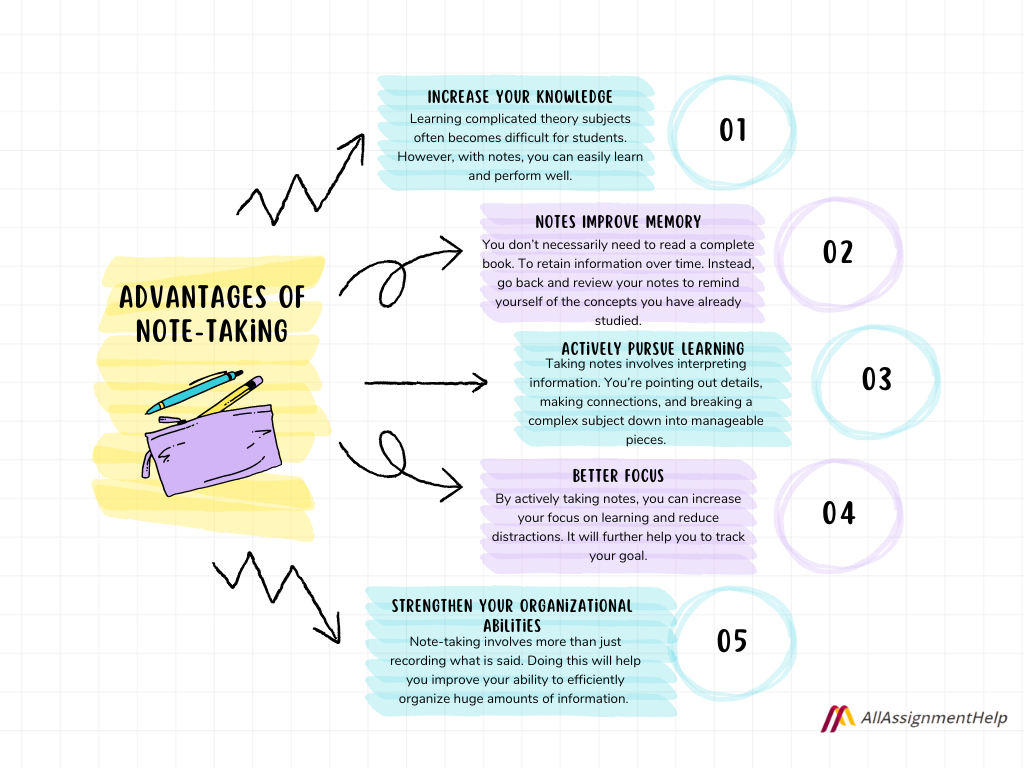
Here are several examples of effective coding notes, demonstrating various note-taking methods and highlighting the importance of clear organization, concise explanations, and practical application. These examples are designed to help you visualize how to apply the concepts we’ve discussed, making your note-taking process more effective and efficient.
Example 1: The Cornell Method for JavaScript Fundamentals
The Cornell Method is excellent for organizing notes taken during lectures or tutorials. It divides the page into three sections: notes, cues, and summary.
- Notes Section: This is where you write the main points during the lecture or tutorial.
- Cues Section: This column on the left is for s, questions, or cues that summarize the notes. This helps with later review and recall.
- Summary Section: This section at the bottom is for a concise summary of the entire page’s content.
Here’s an example:
| Cues (s/Questions) | Notes (Main Points) |
|---|---|
| Variables | Variables are used to store data values. They are declared using `let`, `const`, or `var`. `let` and `const` are preferred. Example: `let myVariable = 10;` `const` declares a constant variable (cannot be reassigned). `let` can be reassigned. |
| Data Types | JavaScript has several data types, including:
|
| Operators | Operators perform operations on values. Examples include:
|
| Summary: This page covers fundamental JavaScript concepts including variables (let, const), data types (string, number, boolean, null, undefined), and operators (arithmetic, assignment, comparison, logical). These are essential building blocks for writing JavaScript code. | |
Example 2: Mind Map for Object-Oriented Programming (OOP) Concepts
Mind maps are excellent for visualizing relationships between concepts. They are particularly useful for understanding complex topics like OOP.
Consider a mind map centered on “OOP Principles”:
- Central Topic: Object-Oriented Programming Principles
- Branches:
- Encapsulation: Grouping data and methods that operate on that data within one unit (a class). Hides internal workings and exposes only necessary information.
- Inheritance: Creating new classes (derived classes or subclasses) from existing classes (base classes or superclasses). Allows code reuse and establishes an “is-a” relationship.
- Polymorphism: The ability of an object to take on many forms. Different classes can implement the same method in their own way.
- Abstraction: Showing only essential information and hiding complex implementation details. Focuses on what an object
-does* rather than how it
-does* it.
- Sub-branches (under each principle): Specific examples and code snippets related to each principle.
This mind map structure allows you to visually connect the principles of OOP and how they relate to each other. For example, you can show how encapsulation supports inheritance by allowing subclasses to inherit the encapsulated data and methods of their parent classes. This visual representation helps with understanding the bigger picture.
Example 3: Code Snippet with Detailed Explanations for Python
This example demonstrates how to document code snippets effectively. This includes the code itself, a detailed explanation of what the code does, and cross-references to related concepts.
Consider the following Python code snippet for sorting a list:
“`python# Code Snippet: Sorting a list in ascending ordermy_list = [3, 1, 4, 1, 5, 9, 2, 6]# Using the sort() method (in-place modification)my_list.sort() # Sorts the list directlyprint(“Sorted list (in-place):”, my_list)# Using the sorted() function (returns a new sorted list)new_sorted_list = sorted(my_list)print(“Sorted list (new list):”, new_sorted_list)“`
Explanation:
- Purpose: This code demonstrates how to sort a list of numbers in Python.
- `sort()` method: This method sorts the list in-place (modifies the original list directly). It doesn’t return a new list. This is efficient in terms of memory usage, as it avoids creating a copy.
- `sorted()` function: This function returns a
-new* sorted list without modifying the original list. This is useful when you want to preserve the original list. The `sorted()` function can also sort iterables other than lists (e.g., tuples). - Cross-References: See also: Python documentation on lists, the `sort()` method, and the `sorted()` function. Also, consider the time complexity of sorting algorithms (e.g., O(n log n) for many built-in sorting implementations).
This detailed entry includes the code, a clear explanation of what the code does, and cross-references to relevant documentation and related concepts. This makes the notes highly valuable for future reference.
Closing Summary

In conclusion, mastering the art of note-taking is paramount for any aspiring coder. By implementing the strategies Artikeld, you’ll not only accelerate your learning process but also build a valuable resource for future projects. Remember to consistently review and revise your notes, and integrate them seamlessly into your coding workflow. With dedication and the right approach, you’ll unlock your coding potential and confidently navigate the world of software development.