Embark on a journey to supercharge your learning with pair programming! This guide dives into the dynamic world where two minds collaborate to write code, solve problems, and accelerate the learning process. From its historical roots to its modern applications, pair programming offers a unique blend of knowledge sharing and skill development, creating a powerful learning environment.
Discover the core concepts, from choosing the right partner and establishing clear roles to mastering effective communication and collaboration techniques. Explore various pair programming styles, essential tools, and strategies for overcoming common challenges. This is more than just writing code; it’s about building a strong foundation for continuous learning and improvement.
Introduction to Pair Programming
Pair programming is a collaborative software development technique where two programmers work together on one workstation. One, the “driver,” writes code, while the other, the “navigator,” reviews each line of code as it is typed. This dynamic approach enhances code quality, reduces errors, and accelerates learning.
Core Concept of Pair Programming
Pair programming fundamentally involves two roles: the driver and the navigator. The driver actively writes the code, focusing on the immediate task at hand, such as implementing a function or fixing a bug. The navigator, on the other hand, observes the driver, offering suggestions, catching errors, and considering the bigger picture of the project’s design and architecture. The roles switch frequently, typically every few minutes or when a logical unit of work is completed.
This constant exchange of perspectives ensures that the code is continuously reviewed and that both programmers are engaged in the problem-solving process.
Brief History and Origins of Pair Programming
The practice of pair programming has roots in the early days of software development. It gained formal recognition in the late 1990s, particularly with the rise of Extreme Programming (XP), a software development methodology. XP, developed by Kent Beck, emphasized collaboration and communication, and pair programming was a core practice. While the exact origins are debated, its evolution can be traced to practices within the broader Agile software development movement.
Its adoption was driven by a desire to improve code quality, reduce defects, and share knowledge more effectively.
Fundamental Benefits of Pair Programming for Learning
Pair programming provides several key advantages for learning, transforming the way developers acquire and apply knowledge.
- Enhanced Knowledge Transfer: The continuous dialogue between the driver and navigator facilitates a rapid transfer of knowledge. The navigator can ask questions, clarifying concepts and filling knowledge gaps, while the driver benefits from having their understanding challenged and refined. This constant exchange helps both programmers learn from each other’s expertise.
- Improved Code Quality and Reduced Errors: The navigator’s role as a reviewer helps catch errors early in the development process. This immediate feedback loop prevents bugs from propagating through the codebase. As a result, the code is generally more robust and reliable.
- Increased Code Comprehension: Pair programming promotes a shared understanding of the code. By working together, programmers gain a deeper insight into the codebase, making it easier to maintain, debug, and extend the software.
- Faster Learning Curve: Junior developers learn significantly faster when working with more experienced programmers. The experienced programmer can guide the junior developer, explaining concepts, best practices, and design patterns. This mentorship approach accelerates the learning process.
- Development of Communication and Collaboration Skills: Pair programming fosters essential soft skills, such as communication, active listening, and the ability to explain technical concepts clearly. These skills are invaluable in any collaborative work environment.
Choosing the Right Partner
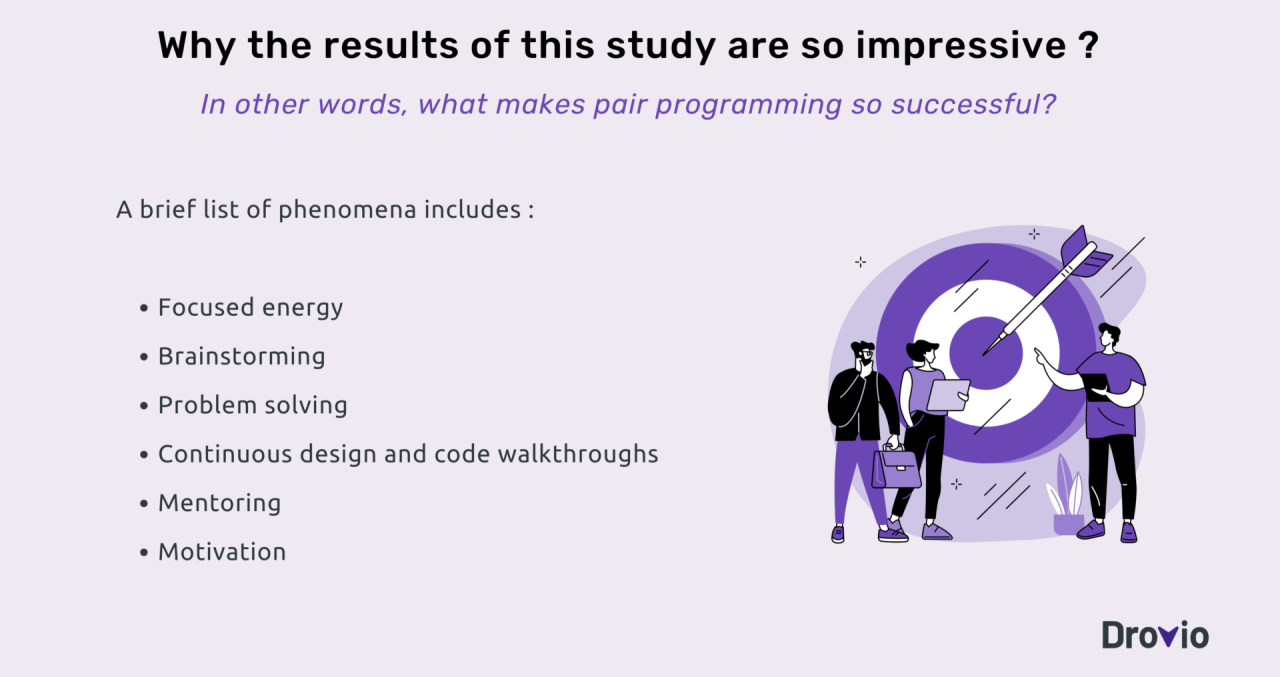
Pair programming’s effectiveness hinges not just on the technique itself, but also on the dynamics between the programmers. Choosing the right partner is a critical step towards maximizing the learning and productivity benefits of this collaborative approach. A well-matched pair can tackle complex problems more efficiently, learn from each other’s strengths, and create a more enjoyable coding experience. Conversely, a poorly matched pair can lead to frustration, slow progress, and a breakdown in communication.
Factors in Partner Selection
Selecting a suitable pair programming partner involves considering several factors. These considerations contribute to a more productive and positive collaborative experience.
- Skill Level Compatibility: Ideally, pair programmers should have complementary skill sets or a slight difference in experience. This allows one partner to learn from the other while contributing their own expertise. For example, a more experienced programmer can guide a less experienced one through a new framework, while the less experienced partner might offer a fresh perspective on the code.
- Personality and Communication Styles: Compatibility in personality and communication is essential. Partners should be able to communicate openly, constructively, and respectfully. This includes being comfortable giving and receiving feedback, and being willing to compromise.
- Work Ethic and Pace: Partners should ideally share a similar work ethic and pace. This means being equally committed to the project, being punctual, and being able to work at a comfortable and productive speed. Discrepancies in these areas can lead to frustration and conflict.
- Shared Goals and Objectives: Ensure that both partners have a shared understanding of the project’s goals and objectives. This alignment helps to keep the pair focused and motivated. Misalignment can lead to disagreements about priorities and direction.
- Availability and Schedule: Consider the partners’ availability and schedules. Successful pair programming requires dedicated time and a consistent schedule. Inconsistent availability can disrupt the flow and hinder progress.
Complementary Personality Traits
Different personality traits can create a powerful and balanced pair programming dynamic. Recognizing and embracing these differences can lead to a more productive and enjoyable collaboration.
- The “Driver” and the “Navigator”: This classic pairing involves one person taking the lead in writing the code (the “driver”) while the other person reviews the code, plans the next steps, and identifies potential issues (the “navigator”). The driver focuses on the immediate task, while the navigator maintains the bigger picture.
- The “Detail-Oriented” and the “Big-Picture Thinker”: One partner focuses on the meticulous details, such as syntax, formatting, and edge cases. The other partner considers the overall design, architecture, and long-term implications of the code.
- The “Proactive” and the “Reactive”: The proactive partner anticipates potential problems and explores new solutions. The reactive partner responds to immediate issues and ensures the code functions correctly.
- The “Optimistic” and the “Skeptical”: An optimistic partner provides enthusiasm and encouragement, while a skeptical partner challenges assumptions and ensures thoroughness. This balance can prevent both overconfidence and unnecessary pessimism.
Importance of Communication Styles
Effective communication is the cornerstone of successful pair programming. Different communication styles can either enhance or hinder the collaboration.
- Active Listening: Both partners must actively listen to each other’s ideas and concerns. This means paying attention, asking clarifying questions, and summarizing the other person’s points to ensure understanding.
- Constructive Feedback: Feedback should be specific, actionable, and focused on the code or the process, not the person. Use “I” statements to express concerns and offer suggestions for improvement. For example, instead of saying “That’s a bad idea,” try “I’m concerned about X because of Y; could we consider Z instead?”
- Clear and Concise Language: Use clear and concise language to avoid misunderstandings. Avoid jargon or technical terms that the other person may not understand. Explain your reasoning and thought processes clearly.
- Regular Check-ins and Discussions: Schedule regular check-ins to discuss progress, address any issues, and plan the next steps. This helps to keep the pair aligned and prevent problems from escalating.
- Respectful Dialogue: Maintain a respectful and professional tone throughout the collaboration. Value each other’s contributions and be open to different perspectives.
Setting Up for Success
Pair programming thrives on clear roles and responsibilities. Establishing these from the outset minimizes confusion and maximizes learning and productivity. This section will clarify the distinct roles within pair programming, the process for switching roles, and the specific duties of each participant, creating a solid foundation for effective collaboration.
Roles of Driver and Navigator
Pair programming involves two primary roles: the driver and the navigator. Each role contributes uniquely to the success of the session.
- The Driver: This person controls the keyboard and mouse, writing the code. They are responsible for the immediate execution of the task, focusing on the syntax and mechanics of coding. They are “in the trenches,” typing and implementing the solution.
- The Navigator: This person observes the code, thinks strategically, and considers the bigger picture. They are responsible for the overall design, potential issues, and future implications of the code being written. They provide guidance and ensure the code aligns with the project’s goals.
Process for Switching Roles and When to Switch
Regularly switching roles is crucial for both learning and maintaining focus. The most common approach is to switch roles every 20-30 minutes, although this can be adjusted based on the complexity of the task and the energy levels of the participants.
The key is to ensure both partners have opportunities to drive and navigate.
When to switch:
- After a set time: The most common and simplest approach. Setting a timer helps maintain a consistent rhythm.
- Upon completion of a small task or unit of work: For example, after finishing a function or a specific test case.
- When the driver becomes stuck: If the driver struggles to solve a problem, switching allows the navigator to offer a fresh perspective.
- When the navigator identifies a potential issue or improvement: The navigator can take over the driver role to demonstrate the change or guide the driver through the implementation.
Responsibilities for Each Role During the Pairing Session
Each role has specific responsibilities that contribute to a productive and collaborative coding session. These responsibilities ensure that both partners are actively engaged and contribute to the success of the project.
- Driver Responsibilities:
- Write the code based on the navigator’s guidance.
- Focus on the syntax and the immediate task at hand.
- Ask clarifying questions when needed.
- Explain the code as it is being written.
- Keep the code clean and readable.
- Test the code frequently.
- Navigator Responsibilities:
- Think strategically about the overall design and architecture.
- Review the code as it is being written.
- Identify potential issues, bugs, and areas for improvement.
- Provide guidance and suggestions to the driver.
- Consider alternative solutions.
- Keep the long-term goals of the project in mind.
Effective Communication and Collaboration
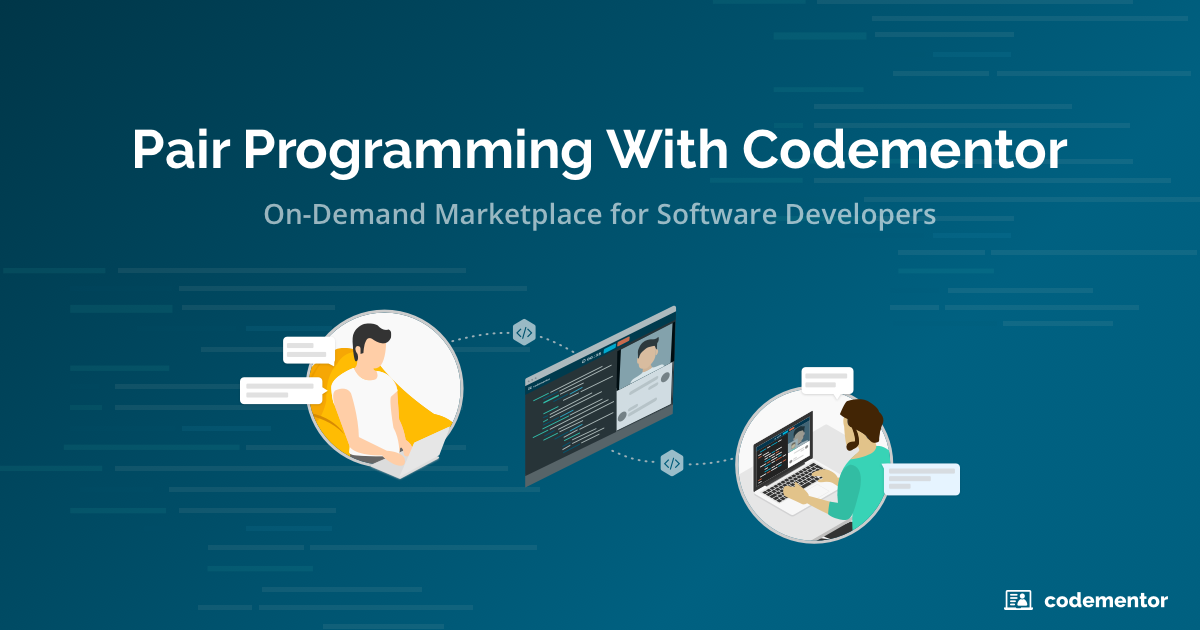
Pair programming thrives on strong communication and collaboration. It’s not just about two people writing code; it’s about two minds working together to solve problems. This section provides techniques and strategies to foster effective communication and handle disagreements constructively, ultimately enhancing the learning experience and the quality of the code produced.
Communication Techniques to Use During Pair Programming
Effective communication is the cornerstone of successful pair programming. It involves clear, concise, and respectful exchange of ideas. Implementing these techniques will help ensure both partners stay engaged, understand each other, and contribute effectively.
- Speak Up and Be Clear: Clearly articulate your thoughts, ideas, and concerns. Avoid vague language or assumptions. State your intentions and reasoning explicitly. For example, instead of saying “I think this is wrong,” say “I think this might be an issue because…”.
- Use the Driver/Navigator Roles Effectively: The driver should verbalize their actions as they type, explaining what they are doing and why. The navigator should provide continuous feedback, ask questions, and offer suggestions. Regularly switch roles to ensure both partners contribute equally and stay engaged.
- Regularly Ask for Feedback: Periodically ask your partner for feedback on your understanding, approach, and progress. This can be as simple as “Does that make sense?” or “What are your thoughts on this solution?”.
- Use Descriptive Language: Instead of using jargon or technical terms that might not be familiar to your partner, explain concepts in simpler terms. Provide context and examples when necessary.
- Summarize and Paraphrase: After your partner explains a concept or idea, summarize it in your own words to ensure understanding. This also gives your partner an opportunity to clarify if your understanding is incorrect. For instance, “So, what you’re saying is that…?”
- Use Visual Aids: Utilize diagrams, sketches, or pseudocode to illustrate complex concepts or solutions. This can help bridge communication gaps and clarify ideas. Imagine a whiteboard with a flowchart representing the program’s logic. This is particularly helpful when explaining intricate algorithms.
- Take Breaks: Regular breaks can improve communication. Use breaks to step back from the problem and gain fresh perspectives. Breaks can also provide opportunities to discuss the project’s goals and strategy.
Handling Disagreements and Conflicts Constructively
Disagreements are inevitable in pair programming. The key is to manage these conflicts constructively to arrive at better solutions and maintain a positive working relationship.
- Acknowledge the Disagreement: Don’t ignore the conflict. Acknowledge that you have differing viewpoints. For example, “I see your point, but I’m not sure I agree.”
- Listen Actively: Truly listen to your partner’s perspective. Try to understand their reasoning and the basis for their disagreement.
- Seek to Understand: Ask clarifying questions to understand your partner’s viewpoint fully. For example, “Can you explain why you think that approach is better?” or “What are the potential benefits of that approach?”.
- Focus on the Problem, Not the Person: Frame the discussion around the specific code or problem, not on the personal attributes or skills of your partner. Avoid phrases like “You’re wrong” and instead use “I see a potential issue here because…”.
- Suggest Compromises: Look for solutions that incorporate elements from both viewpoints. A compromise might involve implementing parts of each approach to create a more robust solution.
- Take a Break if Needed: If the disagreement escalates, take a short break to cool down and re-evaluate the situation. Come back to the problem with fresh perspectives.
- Consider the Trade-offs: Analyze the pros and cons of each approach. Evaluate the potential impact on code quality, maintainability, and future development.
- Document the Decision: Once a decision is made, document the rationale behind it in the code comments or in the project documentation. This will help prevent future misunderstandings.
Active Listening Techniques to Enhance Collaboration
Active listening is crucial for successful pair programming. It goes beyond simply hearing what your partner says; it involves understanding their perspective, showing empathy, and providing feedback.
- Pay Attention: Focus fully on your partner. Put away distractions like your phone or email. Maintain eye contact and body language that shows you’re engaged.
- Show That You’re Listening: Use verbal and non-verbal cues to show that you are engaged. Nod your head, say “uh-huh,” or make other sounds of agreement.
- Provide Feedback: Offer feedback that reflects your understanding of what your partner is saying. This might include summarizing their points, asking clarifying questions, or expressing your agreement or disagreement.
- Defer Judgment: Avoid interrupting or formulating your response while your partner is still speaking. Allow them to finish their thought before you respond.
- Respond Appropriately: Once your partner is finished speaking, respond thoughtfully. Avoid making assumptions or jumping to conclusions.
- Empathize: Try to understand your partner’s feelings and perspective. Put yourself in their shoes and consider their viewpoint.
- Use Open-Ended Questions: Encourage your partner to elaborate on their thoughts and ideas by asking open-ended questions, such as “How did you arrive at that solution?” or “What are the potential challenges?”.
- Summarize: Periodically summarize what your partner has said to ensure you understand their message accurately. For example, “So, you’re suggesting that we use this library because…”
Different Pair Programming Techniques
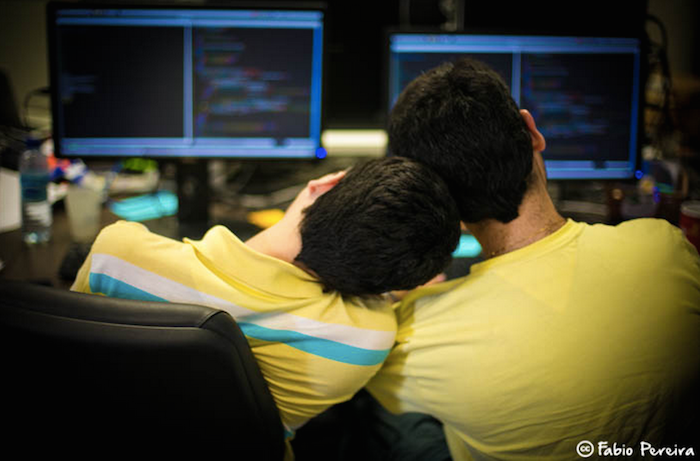
Pair programming offers various approaches to collaborative coding, each with its strengths and weaknesses. Understanding these techniques and when to apply them can significantly impact your learning and productivity. Let’s delve into two common and effective pair programming methodologies: driver-navigator and ping-pong.
Driver-Navigator Technique
The driver-navigator technique is a straightforward approach to pair programming. One person, the “driver,” controls the keyboard and writes the code. The other person, the “navigator,” reviews the code, considers the bigger picture, and offers strategic guidance.
This technique is characterized by the following:
- Driver’s Role: The driver focuses on the immediate task, typing code, and implementing small changes. They concentrate on the syntax, structure, and details of the code.
- Navigator’s Role: The navigator’s primary responsibility is to think strategically. They consider the overall design, potential edge cases, and the broader implications of the code being written. The navigator is constantly reviewing the driver’s code and providing feedback.
- Frequent Role Switching: The roles of driver and navigator should switch frequently, typically every few minutes, to ensure both partners remain engaged and contribute actively. This keeps the flow of information fresh.
- Communication: Clear and concise communication is crucial. The driver should verbalize their thought process, and the navigator should provide constructive criticism and suggestions.
Effectiveness of the Driver-Navigator Technique
This technique is especially effective in the following scenarios:
- Learning New Concepts: When one partner is more familiar with the subject matter, the driver-navigator model allows for knowledge transfer. The driver can explain their understanding as they code, and the navigator can provide clarification and guidance.
- Debugging: The navigator can often spot errors that the driver might miss due to being too focused on the code. The navigator’s fresh perspective is invaluable for identifying bugs.
- Complex Tasks: For complicated coding problems, the driver-navigator technique facilitates dividing the workload, with the driver implementing the navigator’s strategic approach.
Advantages of the Driver-Navigator Technique
- Shared Knowledge: The constant exchange of information enhances the understanding of both partners.
- Reduced Errors: The navigator’s review process minimizes the likelihood of bugs and logical flaws.
- Improved Code Quality: The navigator’s oversight promotes better code design and adherence to coding standards.
Disadvantages of the Driver-Navigator Technique
- Potential for Unequal Participation: If not managed well, one partner might dominate the process, reducing the benefits of collaboration.
- Slower Coding Speed: The frequent role-switching and constant discussions can sometimes slow down the coding process compared to solo coding.
- Requires Strong Communication: The effectiveness of the technique heavily depends on clear and effective communication between partners.
Ping-Pong Technique
The ping-pong technique, also known as the “test-driven development” (TDD) pair programming, is a more structured approach that leverages test-first development.
This technique involves the following steps:
- Partner A: Writes a failing test case. This test defines the desired behavior of the code to be written.
- Partner B: Writes the code to make the test pass. This code should implement the functionality defined in the test.
- Partner B: Refactors the code if necessary. This ensures the code is clean, efficient, and maintainable.
- Partner A: Repeats the process, writing a new failing test case and then the process repeats.
Effectiveness of the Ping-Pong Technique
The ping-pong technique is most effective in the following scenarios:
- Test-Driven Development (TDD): The technique naturally aligns with TDD, where tests drive the development process.
- When Code Quality is a Priority: The constant feedback loop and emphasis on testing lead to high-quality code.
- Clear Task Definition: When the requirements are well-defined, the technique allows for efficient implementation of the features.
Advantages of the Ping-Pong Technique
- High Code Quality: The focus on testing and refactoring leads to robust and well-designed code.
- Early Bug Detection: Tests are written before the code, so bugs are caught early in the development cycle.
- Shared Responsibility: Both partners actively participate in writing tests and code.
Disadvantages of the Ping-Pong Technique
- Slower Initial Pace: Writing tests can sometimes feel slower than directly writing code, especially at the beginning.
- Requires Strong TDD Skills: Both partners need a solid understanding of TDD principles.
- Potential for Misunderstanding: If the tests are poorly written or misinterpreted, it can lead to confusion and delays.
Comparing Driver-Navigator and Ping-Pong Techniques
Both driver-navigator and ping-pong techniques offer benefits, but they are best suited for different scenarios.
Here is a comparison table:
| Feature | Driver-Navigator | Ping-Pong |
|---|---|---|
| Focus | Code implementation and overall strategy | Test-driven development and code quality |
| Structure | Less structured, more flexible | Highly structured, test-first approach |
| Best For | Learning new concepts, debugging, complex tasks | Test-driven development, high code quality, well-defined requirements |
| Role Switching | Frequent | After each test and code implementation cycle |
| Skill Requirement | Good communication and collaboration skills | Strong TDD knowledge and experience |
Code Review and Feedback in Pair Programming
Code review and feedback are critical components of pair programming, ensuring code quality, fostering learning, and promoting team cohesion. This process goes beyond simply finding bugs; it’s about improving code readability, maintainability, and adherence to best practices. Effective feedback mechanisms within a pair programming session transform a simple coding exercise into a valuable learning experience for both partners.
Giving and Receiving Constructive Feedback
Providing and receiving feedback effectively is a skill that improves with practice. The goal is to help your partner and improve the code, not to criticize or demean. Focus on the code and the reasoning behind the code, not on the person writing it.
- Focus on Specifics: Instead of saying “This code is bad,” provide specific examples. For instance, “The variable name `x` doesn’t clearly indicate its purpose. Could we rename it to something more descriptive, like `userAge`?”
- Be Objective: Frame your feedback as observations and suggestions, rather than personal judgments.
- Use “I” Statements: Express your perspective. For example, “I find it difficult to understand this section of code because…”
- Offer Suggestions: Instead of just pointing out problems, suggest alternative solutions. “Perhaps we could refactor this function using a loop instead of recursion.”
- Listen Actively: When receiving feedback, listen carefully and ask clarifying questions. Don’t interrupt.
- Ask for Clarification: If you don’t understand the feedback, ask for clarification. “Could you explain why you think this approach is better?”
- Thank the Provider: Acknowledge the feedback and show appreciation for the effort.
- Don’t Take It Personally: Remember that feedback is about the code, not you.
- Focus on the Positive: Start by acknowledging what’s working well. This creates a more positive environment.
Structuring Code Reviews Within a Pair Programming Session
Integrating code reviews seamlessly into pair programming enhances code quality and accelerates learning. A structured approach helps to keep the process efficient and productive.
Here’s a practical guide:
- Review as You Go: Regularly pause during coding to review the code together. This prevents large, overwhelming code reviews later.
- Explain Your Code: The driver should explain the logic behind the code they’ve written. This helps the navigator understand the thought process and identify potential issues.
- Navigator’s Role: The navigator should actively look for areas of improvement, potential bugs, and opportunities to refactor the code.
- Driver’s Role: The driver should listen to the navigator’s feedback and be open to suggestions.
- Focus on Key Areas: Prioritize reviewing critical aspects of the code, such as:
- Logic: Does the code do what it’s supposed to do?
- Readability: Is the code easy to understand? Are variable names clear? Is the code formatted consistently?
- Efficiency: Is the code efficient in terms of performance and resource usage?
- Error Handling: Does the code handle potential errors gracefully?
- Adherence to Standards: Does the code follow the team’s coding style guidelines?
- Document Decisions: Note down any significant decisions made during the review process, including the reasoning behind them.
- Iterate and Refactor: Based on the feedback, refactor the code to improve its quality.
- Keep it Concise: Aim for shorter, focused reviews to maintain engagement and productivity. Aim for reviews of no more than 15-20 minutes.
Incorporating Feedback to Improve Code Quality
Effectively integrating feedback is crucial for continuous improvement in pair programming. This involves not only accepting suggestions but also actively applying them and learning from the process.
Here’s how to do it:
- Implement Changes: Immediately apply the feedback. Don’t postpone changes.
- Test Thoroughly: After incorporating feedback, test the code to ensure that the changes haven’t introduced any new issues.
- Refactor Incrementally: Make small, incremental changes to avoid introducing bugs.
- Document Changes: Comment the code to explain why changes were made. This helps future developers (including yourselves) understand the code’s evolution.
- Learn from Mistakes: If a bug is found during the review, discuss how to prevent similar issues in the future.
- Regularly Review: Periodically revisit the code to ensure that the changes are still effective and that the code continues to meet the project’s requirements.
- Automate the Process: Integrate automated code review tools, such as linters and static analyzers, to identify potential issues early on.
- Embrace Iteration: View code review as an iterative process. Code quality is continuously improving.
Consider the following
example: A software development team working on a web application regularly uses pair programming. During a code review, the navigator points out that a function responsible for handling user authentication has a potential security vulnerability. The team, after discussing the issue, refactors the code to incorporate secure coding practices, such as input validation and output encoding, based on the navigator’s suggestions. They then test the modified function thoroughly to ensure that it functions correctly and does not introduce new bugs. The team also documents the changes and discusses the lessons learned to prevent similar vulnerabilities in the future. This iterative process improves the code quality and enhances the team’s security practices.
Tools and Technologies for Pair Programming
Pair programming, especially in a remote setting, relies heavily on the right tools and technologies. These tools facilitate real-time collaboration, code sharing, and communication, making the process seamless and efficient. Choosing the appropriate tools can significantly impact the productivity and overall experience of the pair programming session.
Essential Tools for Remote Pair Programming
Effective remote pair programming requires a suite of tools to bridge the physical distance and enable real-time collaboration. These tools can be broadly categorized into code editors with collaborative features, communication platforms, and screen-sharing applications.
- Code Editors with Collaborative Features: These editors allow multiple developers to simultaneously view and edit the same code. Some provide real-time cursor tracking, integrated chat, and video conferencing capabilities. Examples include VS Code with extensions like Live Share, IntelliJ IDEA with Code With Me, and other cloud-based IDEs.
- Communication Platforms: Clear and consistent communication is crucial. Platforms that offer voice and video calls, screen sharing, and text chat are essential. Popular choices include Slack, Microsoft Teams, Discord, and Zoom. These tools enable the pair to discuss code, resolve issues, and maintain a good flow of communication.
- Screen Sharing Applications: While some code editors have built-in screen sharing, dedicated screen sharing tools can be helpful. They allow one partner to share their screen and control the other’s mouse and keyboard, if needed. Tools like Zoom, Google Meet, and TeamViewer are commonly used for this purpose.
- Version Control Systems: A robust version control system, like Git, is vital for managing code changes, tracking history, and resolving conflicts. This is particularly important in pair programming to ensure that both developers are working on the latest version of the code and can easily integrate their changes.
Features of a Code Editor That Supports Pair Programming
A code editor designed for pair programming offers specific features that enhance collaboration and streamline the coding process. These features go beyond basic code editing and aim to provide a more integrated and interactive experience.
- Real-time Code Synchronization: The most crucial feature is the ability for both developers to see and edit the same code simultaneously. This ensures that both partners are always on the same page and can work together seamlessly.
- Cursor and Selection Tracking: Editors often display the cursors and selections of both partners, allowing them to easily see where each other is working. This helps maintain awareness of each other’s actions and facilitates easier collaboration.
- Integrated Communication: Built-in chat or voice/video call features within the editor can streamline communication, eliminating the need to switch between different applications.
- Code Navigation and Completion: Features like code completion, syntax highlighting, and code navigation should be available to both partners, ensuring that the coding experience is consistent and efficient for both.
- Integrated Debugging: The ability to debug code together, with both partners having access to the debugger, is a significant advantage. This allows for collaborative troubleshooting and faster identification of issues.
- Version Control Integration: Seamless integration with version control systems like Git allows for easy code commits, branching, and merging directly from the editor.
Online Platforms That Facilitate Pair Programming
Several online platforms are specifically designed to facilitate pair programming, offering a comprehensive set of tools and features tailored to collaborative coding. These platforms typically combine code editing, communication, and screen sharing into a single, integrated environment.
- VS Code Live Share: This extension for Visual Studio Code allows developers to share their editor with others, enabling real-time collaboration. It supports features like shared editing, debugging, and terminal access. This tool is widely used and supported by a large community.
- CodeSandbox: Primarily used for web development, CodeSandbox allows developers to create and share web applications with ease. It offers collaborative editing features and supports various frameworks and libraries.
- CodePen: Another popular platform for front-end development, CodePen provides a collaborative environment for creating and sharing HTML, CSS, and JavaScript code snippets. It allows for real-time collaboration and is ideal for smaller projects and code demonstrations.
- Replit: Replit is a cloud-based IDE that supports a wide range of programming languages. It offers collaborative editing features, integrated communication, and a built-in terminal, making it suitable for various projects.
- Code with Me (IntelliJ IDEA): JetBrains’ IntelliJ IDEA IDE includes Code With Me, a feature designed specifically for remote pair programming. It offers shared editing, integrated voice and video calls, and other collaboration tools.
- Floobits: Floobits is a plugin-based platform that supports collaborative editing across multiple IDEs. It provides real-time code synchronization, cursor tracking, and other collaboration features.
Common Challenges and How to Overcome Them
Pair programming, while incredibly beneficial, isn’t without its hurdles. Successfully navigating these challenges is crucial for maximizing the learning and productivity gains. This section addresses common obstacles and offers practical solutions to ensure a smooth and effective pair programming experience.
Personality Clashes Between Partners
Working closely with another person inevitably brings the potential for personality clashes. Differences in communication styles, work habits, or even personal preferences can create friction. Addressing these issues directly and proactively is essential for a positive and productive partnership.
- Identify the Root Cause: Before attempting a solution, understand
-why* the clash exists. Is it a difference in working pace, communication style (direct vs. indirect), or something else entirely? Open and honest communication is key. - Establish Clear Communication Guidelines: Discuss and agree upon communication norms
-before* starting the coding session. This includes how to give and receive feedback, how to handle disagreements, and how to raise concerns. For example, agree on a specific time for breaks to avoid interruptions during critical coding moments. - Practice Active Listening: When disagreements arise, actively listen to your partner’s perspective. Try to understand their viewpoint, even if you don’t agree with it. Paraphrase their statements to confirm understanding. For example, “So, you’re saying you prefer to refactor this section first because…”
- Focus on the Task, Not the Person: Redirect discussions back to the code and the problem at hand. Avoid personal attacks or judgments. Instead of saying “You’re being too slow,” try “Let’s break this down into smaller, manageable steps.”
- Take Breaks When Needed: If tensions rise, take a break. Step away from the computer, get some fresh air, and give yourselves time to cool down. Return to the task with a fresh perspective.
- Seek Mediation if Necessary: If the issues persist, consider involving a third party, such as a team lead or mentor, to mediate the situation. They can offer an objective perspective and help facilitate a resolution.
Addressing Knowledge Gaps Within a Pair
Pair programming often involves individuals with varying levels of experience and expertise. This difference can lead to one partner feeling overwhelmed or the other feeling held back. Effectively managing knowledge gaps is crucial for a successful pairing.
- Acknowledge the Gap: The first step is to openly acknowledge the knowledge difference. This removes any pretense and allows for a more collaborative approach. For example, “I’m not as familiar with this library; let’s look at the documentation together.”
- Utilize the More Experienced Partner’s Knowledge: The more experienced partner should take the lead in explaining concepts and guiding the less experienced partner. Explain the “why” behind the “what.” For example, instead of just writing the code, explain the rationale behind a specific design choice.
- Encourage Questioning: The less experienced partner should feel comfortable asking questions. Create a safe space for asking “dumb” questions. There are no truly “dumb” questions; they all contribute to the learning process.
- Research Together: If a knowledge gap arises, don’t be afraid to research the topic together. Use documentation, online resources, and tutorials. This allows both partners to learn and fosters a collaborative learning environment.
- Switch Roles: Periodically switch roles (driver and navigator) to give both partners experience in different areas. This helps the less experienced partner become more familiar with the code and the more experienced partner reinforce their understanding by explaining concepts.
- Document Key Learnings: As you learn new concepts, document them. This could involve creating comments in the code, writing notes in a shared document, or creating a small cheat sheet. This serves as a reference for future pair programming sessions.
Measuring the Impact of Pair Programming on Learning
Pair programming, while beneficial, requires a way to measure its effectiveness. Tracking the impact on learning helps determine if the practice is yielding the desired outcomes and allows for adjustments to improve the process. This section provides practical methods for assessing the value of pair programming.
Metrics for Tracking Effectiveness
Establishing measurable metrics is essential for evaluating the impact of pair programming on learning. These metrics provide objective data to assess progress and identify areas for improvement.
- Code Quality: Measuring code quality involves analyzing factors like cyclomatic complexity, code coverage, and the number of bugs detected. Higher code coverage and fewer bugs suggest improved learning and understanding of the code.
- Time to Complete Tasks: Tracking the time it takes to complete tasks, both individually and in pairs, offers insights into efficiency. While initial pair programming might seem slower, over time, the collaborative approach often leads to faster overall completion times due to fewer errors and quicker debugging.
- Number of Errors and Bugs: Monitoring the frequency of errors and bugs helps gauge the effectiveness of the learning process. A reduction in errors indicates a better grasp of concepts and improved coding skills.
- Knowledge Retention: Assessing knowledge retention can be done through quizzes, tests, or practical coding assignments administered after pair programming sessions. Higher scores on these assessments suggest better knowledge retention.
- Code Review Feedback: Analyzing the feedback received during code reviews provides valuable insights. Positive feedback, along with fewer requested changes, indicates a stronger understanding of coding principles and best practices.
- Collaboration and Communication Skills: Observing and evaluating collaboration and communication skills during pair programming sessions is crucial. Metrics include the frequency of effective communication, active listening, and the ability to resolve conflicts constructively.
- Learning Rate: The learning rate can be assessed by measuring how quickly individuals acquire new skills or concepts. This could involve tracking the time it takes to learn a new programming language feature or understand a complex algorithm.
Evaluating Learning Outcomes
Evaluating learning outcomes requires a multi-faceted approach that considers both individual and collective progress. This includes observing behaviors, reviewing code, and using assessment tools.
- Observation of Behaviors: Observing the pair programming session provides insight into how the partners interact and learn. Look for active listening, constructive feedback, and effective communication. For instance, if one partner consistently explains the reasoning behind their code, it indicates a deeper understanding and a willingness to share knowledge.
- Code Review: Code reviews provide a valuable opportunity to assess the quality of the code produced during pair programming. Examining the code for clarity, efficiency, and adherence to coding standards helps gauge the learning outcomes. The review process can identify areas where the pair has successfully applied learned concepts and areas where further understanding is needed.
- Quizzes and Tests: Administering quizzes or tests before and after pair programming sessions can measure knowledge gains. Comparing the results helps quantify the learning impact. For example, a quiz on object-oriented programming principles before and after a pair programming session focused on class design could reveal improvements in understanding.
- Coding Assignments: Assigning coding tasks to individuals or pairs allows for the evaluation of their ability to apply learned concepts. Assessing the correctness, efficiency, and elegance of the code demonstrates the effectiveness of pair programming. A task could be to implement a specific algorithm, such as a sorting algorithm, and the resulting code can be evaluated.
Assessing Individual and Collective Progress
Evaluating progress requires a blend of qualitative and quantitative methods. This helps determine how pair programming benefits each individual and the team as a whole.
- Individual Assessments: Individual assessments include self-reflection, feedback from the partner, and code reviews. Self-reflection prompts individuals to consider what they learned and what areas need improvement. Feedback from the partner offers a different perspective on strengths and weaknesses. Code reviews highlight individual contributions and understanding.
- Collective Assessments: Collective assessments focus on the team’s performance. This can include measuring the team’s code quality, time to complete tasks, and overall project success. For example, if a team using pair programming consistently delivers high-quality code on time, it indicates positive collective progress.
- Comparative Analysis: Comparing the performance of teams that use pair programming with teams that do not can reveal the impact of the practice. This comparison might involve tracking the number of bugs, code complexity, and development time.
- Surveys and Interviews: Gathering feedback through surveys and interviews allows for a qualitative assessment of the learning experience. Asking participants about their perceived learning gains, collaboration experiences, and challenges can provide valuable insights. For instance, a survey might ask, “How has pair programming improved your understanding of [specific concept]?”
- Performance Metrics: Performance metrics, such as the number of commits, lines of code written, and code coverage, can be used to track individual and collective progress. Analyzing these metrics over time provides insights into the learning process. A steady increase in code coverage suggests improved understanding and more thorough testing.
Pair Programming for Different Learning Styles

Pair programming, at its core, is a collaborative learning technique. However, its adaptability is one of its greatest strengths. Recognizing that individuals learn in diverse ways, this section explores how pair programming can be tailored to benefit different learning styles, making the learning experience more effective and engaging for everyone.
Pair Programming and Visual Learners
Visual learners thrive on seeing information. Pair programming offers several advantages that cater to this learning style.
- Real-time Code Visualization: Visual learners benefit from seeing code written and executed in real-time. The “driver” actively types the code while the “navigator” observes, providing immediate visual feedback on syntax, structure, and logic.
- Diagrams and Flowcharts: Pair programming sessions can easily incorporate the use of diagrams and flowcharts to represent complex concepts. The navigator can draw diagrams on a whiteboard or use digital tools to visually map out the program’s logic, which is particularly helpful for visual learners to grasp the bigger picture.
- Code Highlighting and Formatting: Using an IDE with code highlighting and formatting features enhances the visual appeal and readability of the code. The consistent formatting and color-coding make it easier for visual learners to understand the code’s structure and identify potential errors.
- Screen Sharing and Presentation: Sharing the screen allows both partners to see the code simultaneously. This enables the navigator to point out specific lines of code, highlight sections, and draw attention to important details, facilitating better understanding and retention.
- Code Walkthroughs: Regularly walking through the code, line by line, with visual aids such as comments and annotations, provides a clear visual explanation of how the code functions. The navigator can use these walkthroughs to explain complex logic and algorithms in a visually engaging manner.
For example, consider a scenario where two programmers are working on a simple Python script to calculate the average of a list of numbers. The navigator might use a whiteboard to sketch out the steps involved in the calculation: input the numbers, sum them, and divide by the count. The driver then implements the code based on this visual representation.
This collaborative process reinforces the visual learner’s understanding by combining the visual guide with the practical implementation.
Pair Programming and Kinesthetic Learners
Kinesthetic learners learn best through doing and experiencing. Pair programming provides ample opportunities for hands-on learning, making it an ideal technique for this learning style.
- Active Coding: Kinesthetic learners benefit from the hands-on experience of writing and interacting with code. Pair programming allows them to actively engage with the code, type, and experiment with different approaches.
- Role-Playing and Experimentation: The driver and navigator roles naturally encourage active participation. The driver gets to actively type the code and experience the immediate results, while the navigator can actively experiment with different approaches, suggesting changes and observing the effects.
- Debugging and Troubleshooting: Kinesthetic learners thrive on the process of debugging and troubleshooting. When errors arise, pair programming provides a collaborative environment to actively identify and fix the issues, which is a hands-on learning experience.
- Hands-on Projects: Working on real-world projects offers a practical, tangible experience for kinesthetic learners. The pair can actively work on a project, building, testing, and refining the code, which reinforces the learning through practical application.
- Pair-Driven Learning: The constant back-and-forth between the driver and navigator allows for frequent hands-on interaction with the code. This interaction can involve refactoring, testing, and implementing new features.
Consider two programmers working on a web development project. A kinesthetic learner can benefit from the driver role by actively typing the HTML, CSS, and JavaScript code, while the navigator can experiment with different layout designs and functionalities. They can test their code by running the application and making changes. This practical, hands-on experience reinforces their understanding and keeps them engaged.
Pair Programming and Auditory Learners
Auditory learners learn best by hearing and discussing information. Pair programming can be adapted to maximize its benefits for this learning style.
- Verbal Explanations: Encourage frequent verbal explanations of the code and concepts. The navigator should explain the code to the driver, and vice versa. This constant dialogue helps auditory learners process and retain information.
- Discussions and Debates: Pair programming sessions should include discussions and debates about the code’s logic, design, and implementation. This verbal interaction helps auditory learners to actively engage with the material.
- Reading Code Aloud: Reading the code aloud, line by line, helps auditory learners to hear the code and understand its structure and functionality. The driver and navigator can take turns reading sections of the code.
- Using Voice Recording: Recording the pair programming session can be a valuable resource for auditory learners. They can listen to the recording later to review the discussions, explanations, and debates that occurred during the session.
- Feedback and Clarification: Providing and receiving feedback verbally, including clarifying doubts and questions, is important for auditory learners. The navigator can ask questions to the driver and provide feedback on the driver’s code, and vice versa.
For instance, when two programmers are working on a Java program, the navigator can explain the purpose of each class, method, and variable to the driver, using clear and concise language. They can also discuss the logic behind the code, the design choices, and the potential improvements. The driver can then implement the code based on the verbal explanations and feedback.
This verbal interaction and discussion helps the auditory learner to understand and remember the information.
Pair Programming in Different Contexts
Pair programming isn’t confined to a single environment; its principles of collaboration and shared learning are adaptable to diverse settings. Understanding how to apply pair programming in various contexts expands its utility and allows for more effective knowledge sharing and skill development. This section explores how pair programming can be leveraged in academic settings, software development teams, and open-source projects.
Pair Programming in Academic Settings
Pair programming offers a powerful learning experience within educational institutions. It provides students with opportunities to solidify their understanding of programming concepts and enhance their problem-solving abilities.
- Benefits for Students: Students can learn from each other’s strengths and weaknesses, fostering a supportive learning environment. One student might excel in debugging, while the other is strong in algorithm design. This collaborative approach leads to a deeper understanding of the material.
- Implementation in Assignments: Instructors can design assignments that require pair programming. This encourages students to communicate effectively, explain their code, and learn from different perspectives. For example, a programming assignment might involve developing a simple game, where one student focuses on the game logic and the other on the user interface.
- Enhancing Peer Learning: Pair programming promotes peer teaching. When one student explains a concept to their partner, they reinforce their own understanding. The partner, in turn, benefits from a different explanation and perspective. This active learning approach significantly improves knowledge retention.
- Reducing Cheating and Promoting Academic Integrity: By working together on assignments, students are less likely to resort to plagiarism. The shared responsibility and accountability inherent in pair programming encourage ethical behavior. The instructor can monitor pair programming sessions to ensure active participation from both students.
- Examples of Academic Pair Programming: At universities, pair programming is often used in introductory programming courses, data structures and algorithms courses, and software engineering courses. In introductory courses, students may pair on basic exercises, while in advanced courses, they may collaborate on more complex projects, like developing a full-fledged application.
Pair Programming in Software Development Teams
In professional software development, pair programming is a valuable practice that can improve code quality, reduce errors, and accelerate the development process. It’s a cornerstone of agile methodologies.
- Benefits for Software Development Teams: Pair programming enhances code quality by enabling real-time code review and immediate feedback. It also facilitates knowledge sharing among team members. This can lead to fewer bugs, more maintainable code, and faster onboarding for new team members.
- Pair Programming Roles: The two main roles in pair programming are the “driver” and the “navigator.” The driver writes the code, while the navigator reviews the code, thinks about the broader design, and suggests improvements. These roles switch regularly.
- Real-World Applications: Companies like Google and Microsoft have successfully implemented pair programming in their software development teams. This practice is especially beneficial for complex projects where multiple developers need to collaborate effectively.
- Impact on Code Quality and Error Reduction: Pair programming has been shown to reduce the number of defects in code. The constant review and discussion during the coding process help catch errors early. According to a study, pair programming can reduce the number of bugs by up to 15%.
- Improved Knowledge Sharing and Team Cohesion: Pair programming fosters a collaborative environment where developers share their knowledge and expertise. This improves team cohesion and reduces the risk of “knowledge silos,” where only one person understands a specific part of the codebase.
Adapting Pair Programming for Open-Source Projects
Pair programming can be effectively integrated into open-source projects, even though contributors may be geographically dispersed. This adaptation requires careful planning and the use of specific tools.
- Challenges in Open-Source: The main challenge is the distributed nature of open-source development. Contributors are often located in different time zones and may not have the opportunity to work together in person.
- Tools for Remote Pair Programming: Tools like VS Code Live Share, GitHub Codespaces, and cloud-based IDEs facilitate remote pair programming. These tools allow developers to share their code, see each other’s cursors, and collaborate in real-time, regardless of their location.
- Adapting the Process: Contributors can schedule pair programming sessions based on their availability. They can also use asynchronous communication methods, such as code reviews and pull requests, to provide feedback and collaborate on the code.
- Example Scenario: Consider an open-source project for a Python library. Two contributors, one in the US and one in Europe, decide to work together on a new feature. They use VS Code Live Share to collaborate. The US-based contributor writes the initial code, while the European contributor reviews the code and provides suggestions. They switch roles periodically.
- Benefits in Open-Source: Pair programming helps to improve the quality of code, reduce bugs, and accelerate the development process. It also fosters a more collaborative and inclusive environment.
Enhancing Learning with Pair Programming: Best Practices

Pair programming, when executed effectively, accelerates learning and deepens understanding. This section details best practices to optimize your pair programming sessions, ensuring you maximize knowledge acquisition and skill development. It covers preparation, maintaining focus, and extracting the most value from each experience.
Preparing for a Pair Programming Session
Effective preparation is crucial for a productive pair programming session. Thorough preparation minimizes wasted time and maximizes learning opportunities. This involves several key steps.
- Define the Objectives: Before the session, clearly define the learning objectives. What specific concepts or skills do you aim to master? Having clear goals ensures the session remains focused and productive. For instance, if learning about data structures, specify whether you are focusing on understanding the concept of a linked list, or how to implement a linked list in a specific programming language.
- Review the Material: Both partners should review relevant material beforehand. This could include code examples, documentation, or tutorials. This shared understanding provides a common ground for discussion and problem-solving. Consider reading up on the topic and each partner bringing their own notes to the session.
- Prepare the Environment: Ensure the development environment (IDE, code editor, etc.) is set up correctly. This includes having the necessary tools, libraries, and dependencies installed and configured. This minimizes technical issues during the session. If using a specific IDE, both partners should ensure they are familiar with its features and shortcuts.
- Plan the Approach: Discuss and agree on the approach to the task. Will you use driver/navigator, or ping-pong pairing? Deciding this in advance ensures a smooth workflow.
- Set Time Limits: Decide on the session duration and schedule breaks. This prevents burnout and maintains focus. Short, frequent breaks can significantly improve productivity.
Maintaining Focus and Productivity During a Session
Maintaining focus and productivity is essential during a pair programming session. Here are some strategies to ensure the session remains on track.
- Regular Breaks: Take short breaks every hour. These breaks allow for mental refreshment and can prevent fatigue. Use the break to discuss what you’ve learned and what you plan to do next.
- Active Communication: Communicate continuously. The driver should verbalize their thought process, and the navigator should ask questions and provide feedback. Encourage both partners to actively listen and clarify any doubts.
- Minimize Distractions: Turn off notifications and close unnecessary tabs. Create a dedicated workspace free from interruptions. If working remotely, ensure a stable internet connection and a quiet environment.
- Stay on Task: Regularly check in with each other to ensure you’re on track with the objectives. If you find yourselves off-topic, gently steer the conversation back to the task at hand.
- Time Management: Use a timer to manage coding time and break intervals. This can help you stay on schedule and prevent the session from running over time. Consider using the Pomodoro Technique, which involves 25-minute work intervals followed by a 5-minute break.
Maximizing Learning from Each Pair Programming Experience
To truly enhance learning through pair programming, it’s essential to actively reflect on the experience and extract valuable insights. This involves several key practices.
- Regular Code Reviews: Conduct regular code reviews throughout the session. This provides immediate feedback and reinforces understanding. Reviewing the code together ensures that both partners comprehend the logic and design.
- Document Key Learnings: Take notes on the concepts learned, challenges faced, and solutions implemented. This serves as a valuable reference for future projects. Documenting your learning helps consolidate the knowledge and provides a record of your progress.
- Seek and Provide Feedback: Actively seek and provide feedback on each other’s contributions. Constructive criticism helps improve coding skills and communication abilities. Be specific with feedback, pointing out strengths and areas for improvement.
- Experiment with Roles: Alternate between the driver and navigator roles to experience different perspectives and develop a broader skillset. Regularly switching roles allows both partners to practice different skills, such as coding and reviewing.
- Reflect on the Process: At the end of each session, take time to reflect on the experience. What went well? What could be improved? This reflection helps refine the pair programming process for future sessions. Consider a short debrief at the end of each session to discuss what you learned and how you can improve your teamwork.
Structuring Content with Tables
Pair programming, like any collaborative effort, benefits from clear organization and presentation. Tables are a powerful tool for summarizing complex information, comparing different options, and highlighting key details. They help learners quickly grasp essential concepts and make informed decisions. Let’s explore how to use tables effectively within the context of pair programming.Tables provide a structured way to present information, enhancing readability and comprehension.
They are particularly useful for comparing techniques, outlining roles, and listing tools. This structured approach helps learners digest information more efficiently.
Comparing Pair Programming Techniques
Different pair programming techniques suit different scenarios and learning styles. Understanding the advantages and disadvantages of each technique allows pairs to choose the most effective approach for their specific needs.
| Technique | Advantages | Disadvantages | Best Use Cases |
|---|---|---|---|
| Driver-Navigator |
|
|
|
| Ping-Pong (or Test-Driven Development) |
|
|
|
| Strong-Style/Formal Pair Programming |
|
|
|
| Remote Pair Programming (e.g., with screen sharing) |
|
|
|
Roles and Responsibilities in Driver-Navigator Pair Programming
The driver-navigator technique is a common and effective way to pair program. Defining the roles and responsibilities of each participant ensures a smooth and productive collaboration. The driver writes the code, and the navigator guides the process.
| Role | Responsibilities |
|---|---|
| Driver |
|
| Navigator |
|
Essential Tools and Technologies for Pair Programming
Pair programming relies on specific tools and technologies to facilitate effective collaboration. These tools can range from basic screen-sharing software to advanced integrated development environments (IDEs) with built-in collaboration features.
| Category | Tools | Purpose | Examples |
|---|---|---|---|
| Communication | For real-time interaction. | Enables voice and video communication between the pair. |
|
| Screen Sharing | To view and interact with each other’s screens. | Allows both partners to see and control the code. |
|
| Integrated Development Environment (IDE) | For coding, debugging, and testing. | Provides a platform for writing and running code. Some IDEs have built-in pair programming features. |
|
| Version Control | For tracking changes and collaboration. | Allows for seamless code sharing and management. |
|
Visualizing Concepts with Detailed Descriptions
Visual aids can significantly enhance understanding and retention of complex concepts, especially when learning new programming techniques. In pair programming, visual representations of the process and its benefits can be incredibly helpful for both learners and experienced developers. This section delves into how illustrative descriptions can clarify the dynamics of pair programming and highlight its advantages.
Illustration of Two Developers Collaborating on a Code Project
Imagine a digital illustration. The scene is a modern, well-lit workspace. Two figures, representing developers, are seated side-by-side at a desk. One developer, the “Driver,” is actively typing at a keyboard, their fingers dancing across the keys as they write code. Their posture suggests focused concentration.
The other developer, the “Navigator,” is seated beside them, their gaze fixed on the screen. They hold a pen in their hand, as if ready to jot down notes or draw diagrams.The Navigator’s facial expression reflects engagement – perhaps a slight furrow of the brow indicating critical thought, or a nod of agreement with the Driver’s actions. Around them, the workspace is tidy, with multiple monitors displaying code, documentation, and perhaps a version control system interface.
A coffee mug sits nearby, symbolizing the collaborative effort. A subtle glow emanates from the screen, illuminating both developers. The background is intentionally blurred to keep the focus on the pair. Above the developers, lightbulbs are shown, each of them glowing, and connected by lines, indicating the exchange of ideas.The illustration visually represents the roles and dynamics of pair programming.
The Driver is responsible for the hands-on coding, while the Navigator guides the process, offering suggestions, reviewing the code, and considering the bigger picture. The setting emphasizes the collaborative and focused environment essential for effective pair programming.
Image Depicting the Flow of Information and Collaboration
Visualize a diagram resembling a circuit board, with interconnected pathways and components, representing the flow of information during a pair programming session. At the center of the diagram, a large, prominent circle is labeled “Code.” Radiating outwards from this central point are two distinct pathways.One pathway, colored blue, is labeled “Driver.” It shows a flow of information from the Driver’s keyboard, through a series of “code generation” nodes, and finally back to the “Code” circle.
This represents the Driver’s active role in writing and implementing code.The second pathway, colored green, is labeled “Navigator.” It originates from the “Code” circle and splits into several sub-paths. One sub-path leads to a “Review” node, representing the Navigator’s role in examining the code. Another sub-path leads to a “Testing” node, symbolizing the Navigator’s focus on identifying potential issues and suggesting improvements.
A third sub-path leads to a “Design” node, representing the Navigator’s role in planning and strategizing. Each sub-path eventually converges back towards the “Code” circle, representing the continuous feedback loop.Arrows throughout the diagram illustrate the constant exchange of ideas and information between the Driver and Navigator. The diagram clearly illustrates the roles and responsibilities of each participant, as well as the cyclical nature of the collaborative process.
It emphasizes the importance of communication, feedback, and shared understanding in achieving high-quality code.
Illustration Showcasing the Benefits of Pair Programming
Picture an infographic featuring two columns, each representing a developer. The left column, labeled “Individual Coding,” shows a developer working alone, isolated, and potentially struggling. The screen displays a code with several red error messages. Above the developer, a speech bubble contains a single thought: “Is this correct?”.The right column, labeled “Pair Programming,” shows two developers working together, actively collaborating, and smiling.
The screen displays a clean code without errors. Above them, a speech bubble is shared, filled with multiple thoughts like: “Good idea!”, “Let’s try this”, “That’s a great approach!”.Connecting the two columns is a visual representation of the benefits of pair programming. The code in the “Pair Programming” column is of higher quality and with fewer errors than the code in the “Individual Coding” column.
A graph shows that the time taken to find a solution is less in the pair programming scenario. Another section of the infographic shows how knowledge is transferred between the two developers. Arrows indicate how the experienced developer shares their expertise with the less experienced one, accelerating the learning process. The illustration also highlights a positive emotional state, indicating a more enjoyable and less stressful coding experience.The illustration effectively contrasts the challenges of solo coding with the advantages of pair programming, such as improved code quality, faster problem-solving, knowledge sharing, and a more collaborative and positive environment.
Pair Programming vs. Other Learning Methods
Pair programming isn’t the only way to learn to code, but it offers a unique set of advantages. Understanding how it stacks up against other methods helps you choose the best approach for your learning style and goals. This section will break down the key differences between pair programming, solo coding, and code reviews, and highlight scenarios where pair programming shines.
Pair Programming vs. Solo Coding
Solo coding involves working on code independently, which is a fundamental part of a programmer’s life. However, it differs significantly from pair programming in terms of the learning experience.
Here’s a comparison:
- Solo Coding:
- Allows for independent exploration and experimentation.
- Promotes self-reliance and the development of problem-solving skills.
- Can be faster for simple tasks, as you don’t need to coordinate with another person.
- Offers a quiet environment, beneficial for focused work.
- Can lead to the development of bad habits if unchecked.
- Requires self-discipline to stay on track and avoid procrastination.
- Pair Programming:
- Encourages constant communication and collaboration.
- Provides immediate feedback and error detection.
- Exposes you to different perspectives and coding styles.
- Reduces the likelihood of making mistakes, thanks to the “driver” and “navigator” roles.
- Can be slower initially due to the need for coordination.
- Requires effective communication and the ability to compromise.
- Offers a more engaging and less isolating learning experience.
Pair Programming vs. Code Reviews
Code reviews are a crucial part of software development, but they are different from pair programming. Code reviews happen
- after* code is written, while pair programming happens
- during* the coding process.
Here’s how they differ:
- Code Reviews:
- Performed by a different person (or people) than the original author.
- Focus on identifying bugs, security vulnerabilities, and adherence to coding standards.
- Provide feedback on the completed code.
- Often involve a formal process, with specific checklists and criteria.
- Can be time-consuming, as the reviewer needs to understand the code.
- Help ensure code quality and maintainability.
- Pair Programming:
- Involves two programmers working together in real-time.
- Focus on writing code and problem-solving collaboratively.
- Catch errors and issues early in the development cycle.
- Promote knowledge sharing and skill development.
- Faster feedback loop than code reviews.
- Improve the overall understanding of the code by both programmers.
Scenarios Where Pair Programming Is a Superior Learning Method
Pair programming is not always the best approach. However, there are specific situations where it offers significant advantages for learning and skill development.
Here are some scenarios:
- Learning a New Language or Framework: When you are new to a technology, pair programming with someone who has experience can accelerate your learning curve. They can guide you through the syntax, best practices, and common pitfalls. For instance, if you are learning React, pairing with a developer experienced in React can help you grasp concepts like components, state management, and JSX much faster than solo learning.
- Working on Complex or Challenging Problems: Complex projects can be overwhelming when working alone. Pair programming provides a sounding board and a second set of eyes to help break down problems, identify solutions, and avoid getting stuck. Consider the development of a machine learning algorithm. Working with a partner allows for brainstorming and immediate feedback on the algorithm’s design and implementation, leading to faster iteration and improved results.
- When Seeking to Improve Code Quality and Reduce Errors: Pair programming can significantly reduce the number of bugs and improve the overall quality of code. The constant review and feedback loop help to catch errors early on. For example, a study by IBM showed that pair programming reduced defect rates by 15% and reduced overall development time by up to 20%.
- For Knowledge Transfer and Skill Development: Pair programming is an excellent way to transfer knowledge and skills between team members. The more experienced programmer can share their expertise with the less experienced programmer, while the less experienced programmer can bring fresh perspectives and challenge assumptions. This promotes team cohesion and a culture of learning. For example, a senior developer pairing with a junior developer on a critical bug fix allows the junior developer to observe the senior developer’s debugging techniques and problem-solving approach.
- When Team Members Have Different Levels of Experience: Pair programming can be particularly effective when pairing a more experienced developer with a less experienced one. This allows the less experienced developer to learn from the more experienced one, while the more experienced developer can reinforce their own knowledge by teaching.
- During Code Refactoring or Major Codebase Changes: Refactoring code can be risky, as it can introduce new bugs. Pair programming helps to minimize these risks by providing immediate feedback and allowing for better design decisions. For instance, refactoring a large legacy application to use a modern design pattern is a prime example. The constant collaboration ensures that changes are made safely and that the overall system architecture improves.
Last Word
In conclusion, mastering pair programming is an investment in your learning journey. By embracing collaboration, communication, and continuous feedback, you can unlock a new level of understanding and accelerate your progress. Implement the strategies Artikeld in this guide, from selecting partners to adapting to different learning styles, and watch your skills and knowledge flourish. Embrace the power of two minds, and unlock your full potential through the art of pair programming.