How to Use Stack Overflow Respectfully and Effectively: It’s the ultimate online hub for programmers. Think of it as the go-to place for all your coding questions and answers. But navigating this vast resource requires a certain finesse. This guide will equip you with the knowledge to not only find solutions but also contribute positively to the community.
We’ll delve into the core principles of Stack Overflow, from understanding its purpose and community guidelines to mastering the art of asking and answering questions. You’ll learn how to formulate effective questions, write helpful answers, navigate the interface, and interact respectfully with other users. Furthermore, we’ll explore advanced techniques, including advanced Markdown formatting, effective research, and troubleshooting to maximize your experience.
Understanding Stack Overflow’s Purpose and Community Guidelines
Stack Overflow is an invaluable resource for programmers worldwide. It serves as a Q&A platform specifically for programming and software development, fostering collaboration and knowledge sharing. Understanding its core function and adhering to its guidelines are crucial for productive engagement.
Core Function of Stack Overflow
Stack Overflow’s primary function is to provide a repository of solutions to programming problems. It facilitates the exchange of knowledge through a question-and-answer format, where users can ask questions, provide answers, and rate the helpfulness of both. This collaborative approach helps programmers of all skill levels find solutions, learn new concepts, and improve their coding abilities.
Stack Overflow’s Role in the Programming Community
Stack Overflow plays a vital role in the programming community by:
- Providing a centralized knowledge base: It acts as a comprehensive database of programming knowledge, covering a vast range of topics and technologies.
- Facilitating knowledge sharing: It enables programmers to share their expertise and learn from others’ experiences.
- Promoting best practices: The platform encourages users to follow coding standards and provide well-documented solutions.
- Supporting open-source development: It provides a space for discussing and troubleshooting open-source projects.
- Connecting programmers globally: It allows programmers from different backgrounds and locations to interact and collaborate.
Official Stack Overflow Code of Conduct and Its Importance
The Stack Overflow Code of Conduct is a set of guidelines that Artikels the expected behavior of users on the platform. Adhering to this code is crucial for maintaining a positive and respectful environment. The Code of Conduct is designed to ensure that all users feel welcome and safe, promoting constructive discussions and discouraging harassment, discrimination, and other forms of inappropriate behavior.
Consequences of Violating Stack Overflow’s Community Guidelines
Violating the Stack Overflow Code of Conduct can lead to various consequences, depending on the severity and frequency of the violation. These consequences may include:
- Warning: Users may receive a warning for minor infractions.
- Account suspension: Repeated or severe violations can result in a temporary suspension of the user’s account, preventing them from participating on the platform.
- Account deletion: In extreme cases, users who repeatedly violate the Code of Conduct or engage in serious misconduct may have their accounts permanently deleted.
- Content removal: Offensive or inappropriate content, such as abusive comments or spam, may be removed from the platform.
- Moderator intervention: Moderators may take various actions to address violations, such as editing posts, closing questions, or contacting users directly.
Comparison of Stack Overflow with Other Online Programming Resources
While Stack Overflow is a leading resource, other platforms also serve the programming community. Here’s a comparison:
- Stack Overflow vs. Online Documentation: Online documentation (e.g., for programming languages, libraries, and frameworks) provides comprehensive reference material. Stack Overflow focuses on practical problem-solving and community-driven knowledge. Documentation offers official details, while Stack Overflow provides user-generated solutions and examples.
- Stack Overflow vs. Forums: Forums (e.g., Reddit’s r/programming, or dedicated forums for specific technologies) offer broader discussions and community interaction. Stack Overflow is more structured and focused on Q&A. Forums can be less organized, while Stack Overflow prioritizes clarity and concise answers.
- Stack Overflow vs. Blogs and Tutorials: Blogs and tutorials provide step-by-step guides and educational content. Stack Overflow provides answers to specific questions, often focusing on troubleshooting and practical application. Blogs and tutorials offer more in-depth explanations, while Stack Overflow is geared towards immediate solutions.
- Stack Overflow vs. Code Repositories (e.g., GitHub): Code repositories store and manage code projects. Stack Overflow helps with specific problems encountered while working with those projects. Repositories are for version control and collaboration on code, while Stack Overflow addresses individual coding challenges.
Writing Helpful and Respectful Answers
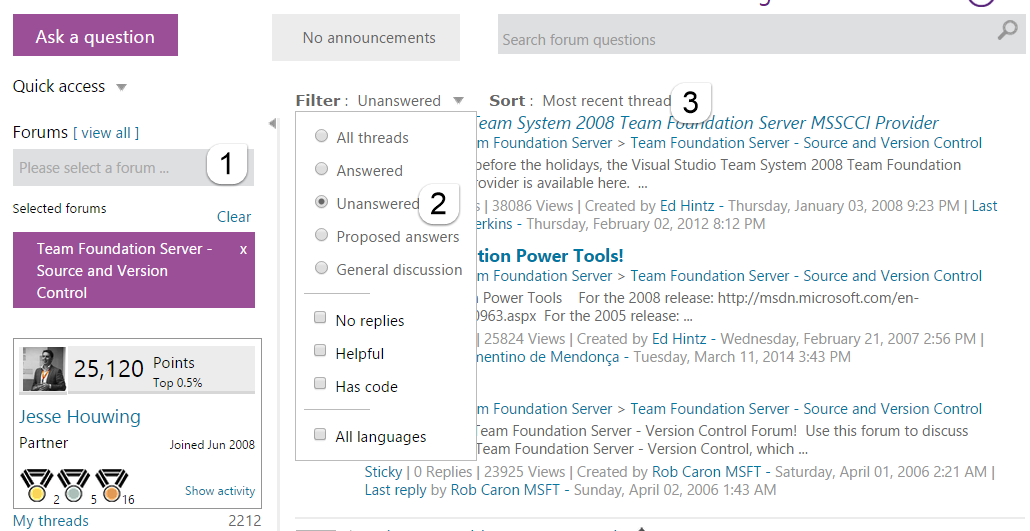
Answering questions on Stack Overflow is a collaborative effort, and crafting effective answers is crucial to the platform’s value. The goal is to provide accurate, clear, and respectful solutions that help other developers learn and solve their problems. This section Artikels the key principles of writing helpful and respectful answers, along with practical methods and examples.
Principles of Accurate and Helpful Answers
Providing accurate and helpful answers requires a commitment to clarity, completeness, and respect. Focus on addressing the core issue while also offering context and potential improvements.
- Accuracy: Ensure the information provided is correct. Double-check code, syntax, and explanations. Misinformation can be very damaging.
- Clarity: Write in a clear and concise manner. Avoid jargon or overly complex language, especially if the question is from a beginner.
- Completeness: Address the question thoroughly. Provide all the necessary information to understand and implement the solution. Consider edge cases or potential pitfalls.
- Context: Explain the “why” behind the “how.” Offer insights into the problem, the solution’s logic, and its implications. This helps the user understand the underlying concepts.
- Respect: Treat the questioner with respect, even if the question seems simple or has been asked before. Avoid condescending language or dismissive responses.
Methods for Verifying Answer Correctness
Verifying the correctness of an answer is essential before submitting it. Several methods can be employed to ensure accuracy and prevent the spread of misinformation.
- Testing the Code: Always test any code you provide. Run it in a suitable environment to confirm it produces the expected results. Consider testing with different inputs to check for edge cases.
- Consulting Documentation: Refer to official documentation for the programming language, libraries, or frameworks involved. This ensures your answer aligns with the authoritative source.
- Checking Similar Answers: Review existing answers on Stack Overflow and other reliable sources. Compare your solution and explanation with established practices and ensure your answer offers new insights or a different approach.
- Peer Review: Ask a colleague or another developer to review your answer before submitting it. A second pair of eyes can often catch errors or suggest improvements.
- Reproducing the Problem: If possible, attempt to reproduce the problem described in the question. This allows you to understand the issue better and test your solution more effectively.
Examples of Good and Bad Answers
Understanding the differences between good and bad answers helps clarify the best practices for contributing to Stack Overflow.
Good Answer Example:
Question: How do I sort an array of numbers in JavaScript?
Good Answer:
“You can use the sort() method in JavaScript. By default, it sorts the elements as strings. To sort numerically, you need to provide a comparison function. Here’s an example:”
const numbers = [3, 1, 4, 1, 5, 9, 2, 6];
numbers.sort(function(a, b)
  return a - b;
);
console.log(numbers); // Output: [1, 1, 2, 3, 4, 5, 6, 9]
“Explanation: The comparison function (a, b) => a - b subtracts ‘b’ from ‘a’. If the result is negative, ‘a’ comes before ‘b’. If positive, ‘b’ comes before ‘a’. If zero, their order remains unchanged. This ensures correct numerical sorting.
If you want to sort in descending order, use (a, b) => b - a.”
Why it’s good: It provides a clear, concise solution, includes runnable code, and explains the logic behind the solution, including an alternative (descending sort). It also addresses a common pitfall (sorting numbers as strings).
Bad Answer Example:
Question: How do I sort an array of numbers in JavaScript?
Bad Answer:
“Just use the sort() function. It’s easy.”
Why it’s bad: It offers no code, no explanation, and provides no helpful information. It is not a helpful answer.
Providing Clear Explanations
Clear explanations are crucial for helping users understand the solution, especially if they are unfamiliar with the topic. Break down complex concepts into smaller, more digestible pieces.
- Define Terms: If you use technical terms, define them or provide links to relevant documentation.
- Step-by-Step Instructions: If the solution involves multiple steps, provide clear, step-by-step instructions.
- Illustrate with Examples: Use concrete examples to demonstrate how the solution works in practice.
- Explain the “Why”: Don’t just provide the “how.” Explain the reasoning behind the solution and why it’s the best approach.
- Consider the Audience: Tailor your explanation to the level of the questioner. If the questioner is a beginner, avoid overly technical jargon.
Formatting Answers: Code, Links, and Citations
Proper formatting makes answers easier to read and understand. Stack Overflow provides formatting tools to enhance readability.
- Code Formatting: Use the code formatting tools (indentation, syntax highlighting) to make code snippets clear and readable. Use the appropriate language tag to enable syntax highlighting.
- Links: Include links to relevant documentation, tutorials, or external resources. This provides users with additional information and context.
- Citations: If you reference external sources, cite them properly. This gives credit to the original authors and allows users to verify your information. Use inline citations or a reference list.
- Use Headings and Subheadings: Break up your answer into sections with headings and subheadings to improve readability.
- Use Lists: Use bullet points or numbered lists to present information in an organized and concise manner.
Navigating and Utilizing the Stack Overflow Interface
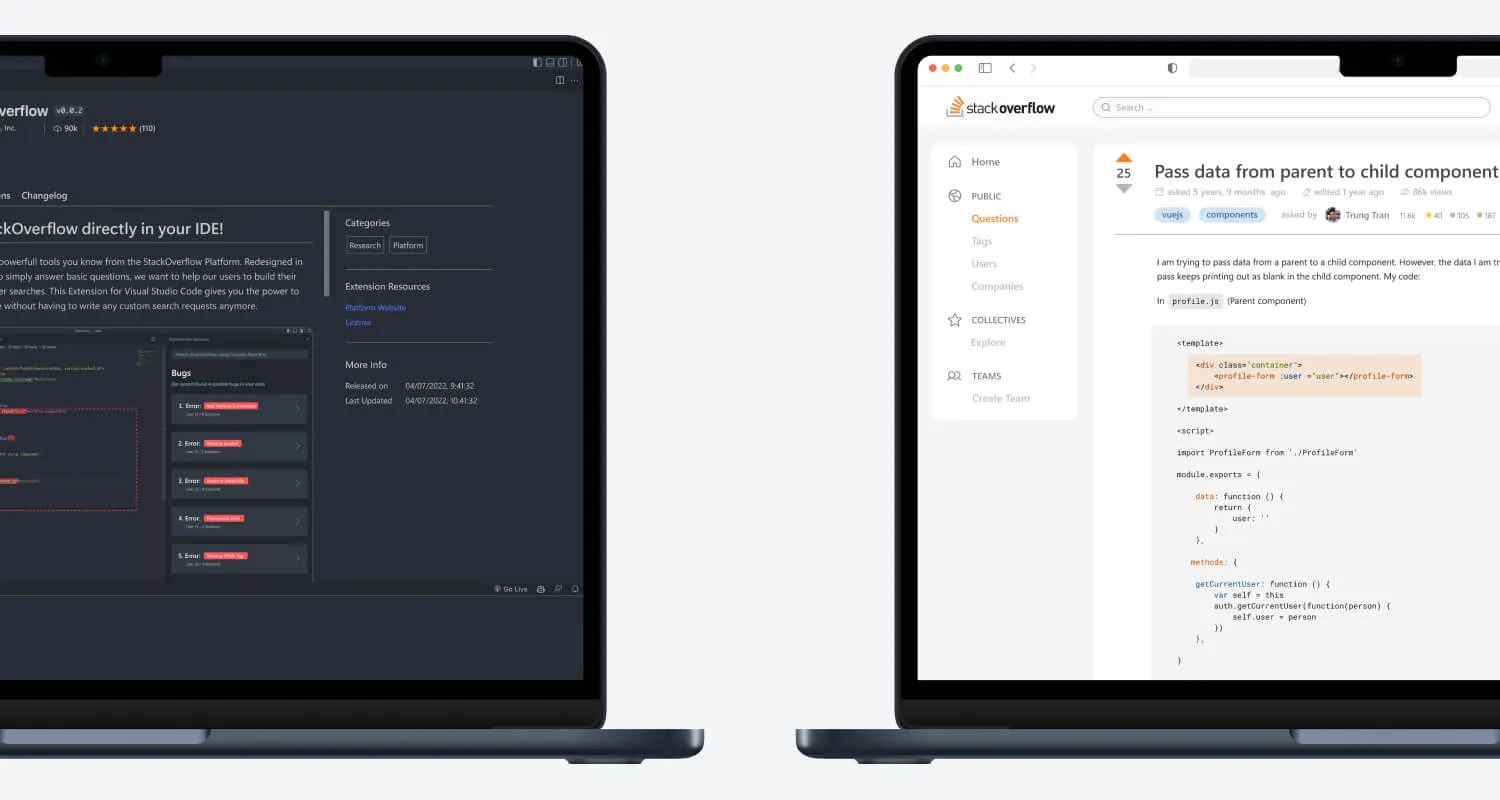
Stack Overflow’s interface is designed to be intuitive and user-friendly, allowing users to easily find information, ask questions, and contribute to the community. Understanding the different elements of the interface is crucial for effective use of the platform. This section will guide you through the key features, helping you become a proficient Stack Overflow user.
Functionality of the Search Bar and Advanced Search Operators
The search bar is the primary tool for finding answers on Stack Overflow. Mastering its use is essential.To find the information you need, you can use the search bar located at the top of the Stack Overflow page. Simply type in your query, and the site will return relevant questions and answers.Advanced search operators enhance the search functionality. Here’s a breakdown:
- `[tag]`: Searches within specific tags. Example: `[python] file reading` will find questions related to file reading specifically tagged with Python.
- `is:question` or `is:answer`: Filters results to show only questions or only answers. Example: `is:answer recursion` will display only answers about recursion.
- `user:id`: Searches for posts by a specific user ID. Example: `user:123456 javascript` will find posts by user with ID 123456 related to Javascript.
- `score:n`: Filters by the score of the post. Example: `score:5 python` will show Python-related posts with a score of 5 or higher.
- `created:yyyy-mm-dd` or `created:yyyy-mm-dd..yyyy-mm-dd`: Filters by the date the post was created. Example: `created:2023-10-27 javascript` will show Javascript-related posts created on October 27,
2023. `created:2023-10-01..2023-10-31 python` searches for Python-related posts created during October 2023. - `answers:n`: Filters by the number of answers a question has. Example: `answers:2 java` will find Java-related questions with at least two answers.
- `views:n`: Filters by the number of views a question has. Example: `views:1000 c++` will show C++-related questions with at least 1000 views.
- `title:”search phrase”`: Searches within the title of the question. Example: `title:”how to center a div”` will find questions with “how to center a div” in the title.
These operators can be combined for more specific searches. For instance, `[java] is:question created:2023-11-01..2023-11-30 “null pointer exception”` will find Java questions related to “null pointer exception” created in November 2023.
Understanding Reputation Points and How They Are Earned
Reputation points reflect a user’s standing within the Stack Overflow community. They are earned through helpful contributions and actions.The reputation system is designed to reward users for providing valuable content and assisting others. Here’s how reputation is earned:
- Upvotes on Questions: +5 reputation
- Upvotes on Answers: +10 reputation
- Accepted Answer: +15 reputation
- Downvotes on Questions: -2 reputation
- Downvotes on Answers: -2 reputation
- Suggested Edits Accepted: +2 reputation
- Bounty Awarded: +50 to +500 reputation (depending on the bounty amount)
There are also reputation limits. For example, there is a daily reputation cap on upvotes (currently 200). These limits are in place to prevent abuse and maintain the integrity of the system. Reputation points unlock privileges. For example, a user needs 10 reputation to comment, 100 to vote, and 2000 to edit questions.
Purpose of Tags and How to Effectively Use Them
Tags are s that categorize questions and answers, making it easier to find relevant information. Proper tagging is crucial for the organization and searchability of the platform.Tags serve as a critical organizational tool. They help users find questions related to specific topics, and they also assist in filtering search results.Here’s how to effectively use tags:
- Choose relevant tags: Select tags that accurately describe the topic of your question or answer.
- Use existing tags: Check if a suitable tag already exists before creating a new one.
- Use specific tags: Avoid overly general tags. For example, instead of just “programming,” use “java,” “python,” or “c++.”
- Limit the number of tags: Use a reasonable number of tags (typically up to 5) to keep the question focused.
- Tag synonyms: If a tag has a synonym, the system may automatically suggest it. Use the most common and accurate tag.
For example, a question about how to use the `map()` function in Python should include the tags `python` and `map`.
Methods for Interacting with Other Users on Stack Overflow, such as Commenting and Voting
Stack Overflow fosters a collaborative environment. Interaction with other users through commenting and voting is vital for this collaboration.Interacting with other users is a core component of the Stack Overflow experience. This includes:
- Commenting: Use comments to ask for clarification, provide suggestions, or offer feedback on questions and answers. Comments should be concise and focused on improving the content.
- Voting: Upvote helpful questions and answers, and downvote those that are incorrect, unclear, or unhelpful. Voting helps to surface the best content and guides users to accurate information.
- Flagging: Flag inappropriate content, such as spam, abusive behavior, or off-topic questions. Flagging alerts moderators to address issues and maintain the quality of the platform.
For instance, if a user posts an answer that is not clear, you can leave a comment asking for clarification, such as “Can you please explain this part in more detail?” or “Could you provide an example?”.
Demonstrating How to Edit Questions and Answers to Improve Their Quality
Editing questions and answers is a vital aspect of maintaining Stack Overflow’s quality. It is a collaborative process to improve clarity and accuracy.Editing allows users to correct errors, improve clarity, and update outdated information.Here’s how to edit questions and answers effectively:
- Correct spelling and grammar errors: Ensure the content is free of typos and grammatical mistakes.
- Improve formatting: Use markdown to format the text for better readability (e.g., code blocks, lists, headings).
- Add context and clarity: Clarify ambiguous statements and provide additional information to help others understand the content.
- Update outdated information: Correct any outdated information, especially related to libraries, APIs, or technologies.
- Fix code examples: Ensure code examples are correct and runnable.
- Be respectful: Avoid making changes that alter the original meaning or intent of the post without good reason.
For example, if a question contains a code snippet that is not properly formatted, you can edit it to include proper code formatting, making it easier for other users to read and understand the code.
Elaborating on How to Report Inappropriate Content or Behavior on Stack Overflow
Stack Overflow has guidelines to maintain a positive and productive environment. Reporting inappropriate content is a critical part of upholding these standards.Reporting inappropriate content helps maintain a civil and respectful environment.Here’s how to report inappropriate content or behavior:
- Flag the content: Click the “flag” link below the post.
- Select a reason: Choose the appropriate reason for flagging, such as “spam,” “rude or abusive,” “offensive,” “not an answer,” or “other.”
- Provide details (if necessary): In some cases, you may be asked to provide more details about why you are flagging the content.
- Submit the flag: Once you have provided the necessary information, submit the flag.
Moderators will review the flags and take appropriate action, such as deleting the content, suspending the user, or other measures. For example, if you encounter a post containing hate speech or personal attacks, you should flag it as “rude or abusive” or “offensive.”
Advanced Stack Overflow Techniques

Stack Overflow is more than just a Q&A platform; it’s a dynamic ecosystem offering various advanced features for both learning and contributing. Mastering these techniques can significantly enhance your ability to find solutions, contribute to the community, and stay informed about the platform’s evolution. This section delves into these advanced capabilities, equipping you with the knowledge to navigate and utilize Stack Overflow at its fullest potential.
Utilizing Stack Overflow’s Chat Rooms
Stack Overflow chat rooms offer a space for real-time discussions related to specific topics or questions. These rooms facilitate quicker interactions and collaborative problem-solving compared to the Q&A format.
- Types of Chat Rooms: Stack Overflow features various chat rooms, including those linked to specific questions, dedicated to particular tags (e.g., `javascript`, `python`), and general discussion rooms.
- Joining a Chat Room: You can access chat rooms through the “chat” link in the top navigation bar. You can join existing rooms or create a new one if needed.
- Effective Chat Etiquette: Engage respectfully, be concise, and clearly state your questions or contributions. Provide sufficient context, and avoid posting irrelevant information. Remember, the goal is to assist and be assisted.
- Finding Help: Chat rooms are ideal for getting quick clarification on questions or seeking real-time assistance with coding issues. Moderators and experienced users often participate in chat, offering immediate support.
- Examples of Use: Imagine you’re struggling with a specific JavaScript library. You could join the JavaScript chat room and ask for help with a particular function, providing code snippets and error messages for quicker debugging.
Contributing to Stack Overflow’s Documentation
Stack Overflow’s documentation, also known as Stack Overflow Documentation, is a community-driven effort to create comprehensive and up-to-date resources for various programming languages and technologies. Contributing to documentation is a valuable way to improve the platform and help fellow developers.
- Accessing Documentation: Navigate to the “Documentation” tab on Stack Overflow.
- Identifying Areas for Improvement: Review existing documentation and look for gaps, inaccuracies, or areas that could be clearer.
- Creating or Editing Documentation: Propose edits or create new documentation pages. Follow the guidelines for formatting and content to ensure consistency.
- Benefits of Contributing: Contributing to documentation helps solidify your understanding of a topic and provides a valuable resource for other developers.
- Examples of Contribution: You could contribute by adding a section on a specific feature of a language or framework, providing clear examples, and explaining best practices.
Finding and Contributing to Open-Source Projects Using Stack Overflow
Stack Overflow can be a useful resource for discovering and contributing to open-source projects. The platform allows you to connect with projects, understand their issues, and offer solutions.
- Searching for Open-Source Projects: Use Stack Overflow to search for projects by their name, tags, or s. Many open-source projects have their own Stack Overflow tags, which allows users to find project-specific questions.
- Identifying Relevant Issues: Review the project’s issues and discussions on Stack Overflow to find areas where you can contribute.
- Contributing Code or Documentation: Submit pull requests with code fixes, enhancements, or documentation improvements.
- Communicating with Project Maintainers: Engage with project maintainers to discuss your contributions and get feedback.
- Example: Suppose you find a question on Stack Overflow related to a bug in an open-source library. You could investigate the issue, identify the cause, and submit a pull request with a fix.
Staying Updated on New Features and Changes to Stack Overflow
Keeping up-to-date with the latest features and changes to Stack Overflow is essential for maximizing your usage of the platform.
- Following the Stack Overflow Blog: The official Stack Overflow blog provides announcements about new features, updates, and platform changes.
- Checking the Meta Stack Overflow: Meta Stack Overflow is a platform where the community discusses the platform’s policies, features, and bugs.
- Subscribing to the Stack Overflow Newsletter: Subscribe to the newsletter to receive updates and announcements directly in your inbox.
- Following Stack Overflow on Social Media: Follow Stack Overflow on social media platforms to stay informed about the latest news and community discussions.
- Example: Suppose Stack Overflow introduces a new feature for collaborative editing. The blog and Meta Stack Overflow would provide details, allowing you to learn about and utilize the new functionality.
Stack Overflow Feature Table
This table showcases several Stack Overflow features and their uses, providing a quick reference guide for various platform capabilities.
| Feature | Description | Use Case | Benefit |
|---|---|---|---|
| Questions and Answers | The core functionality of Stack Overflow, allowing users to ask and answer questions related to programming. | Finding solutions to coding problems, understanding concepts, and learning new technologies. | Quick access to solutions, learning from experts, and building a knowledge base. |
| Tags | s used to categorize questions, making it easier to find relevant information. | Filtering questions by topic, finding experts in specific areas, and organizing content. | Efficient search, focused learning, and connecting with relevant communities. |
| Voting | Users can vote on questions and answers, indicating their usefulness and relevance. | Identifying the best answers, prioritizing content, and promoting quality contributions. | Improved content quality, community-driven ranking, and easy access to valuable information. |
| Reputation | A point system that rewards users for their contributions, such as answering questions and providing helpful content. | Demonstrating expertise, gaining recognition, and becoming a trusted member of the community. | Community recognition, motivation to contribute, and a measure of expertise. |
| Chat Rooms | Real-time discussion forums for specific topics or questions. | Getting quick help, collaborating with others, and discussing complex issues. | Faster interaction, collaborative problem-solving, and building relationships. |
| Documentation | Community-created resources for programming languages and technologies. | Learning about specific technologies, understanding best practices, and finding code examples. | Comprehensive information, community-driven content, and up-to-date resources. |
| User Profiles | Profiles that display a user’s activity, reputation, and badges. | Tracking contributions, showcasing expertise, and connecting with other users. | Transparency, community engagement, and a measure of user activity. |
Advanced Markdown Formatting Techniques
Stack Overflow uses Markdown for formatting posts, allowing for clear and structured content presentation. Mastering advanced Markdown techniques enhances the readability and clarity of your contributions.
- Code Formatting: Use backticks (`) for inline code, triple backticks (“`) for code blocks, and specify the programming language for syntax highlighting (e.g., “`python).
- Tables: Create tables using pipes (|) to separate columns and hyphens (-) to define the header row.
- Blockquotes: Use the greater-than sign (>) to create blockquotes, useful for quoting external sources or highlighting important text.
- Lists: Use asterisks (*), plus signs (+), or hyphens (-) for unordered lists, and numbers for ordered lists.
- Links and Images: Use brackets ([]) for link text and parentheses (()) for the URL. For images, use an exclamation mark (!) before the brackets.
- Mathematical Formulas: Stack Overflow supports LaTeX for rendering mathematical formulas. Use dollar signs ($) for inline formulas and double dollar signs ($$) for display formulas.
- Example of Code Block with Syntax Highlighting:
“`python
def greet(name):
print(f”Hello, name!”)
greet(“World”)
“` - Example of Table:
| Header 1 | Header 2 |
|—|—|
| Row 1, Col 1 | Row 1, Col 2 |
| Row 2, Col 1 | Row 2, Col 2 | - Example of Blockquote:
“The only way to do great work is to love what you do.”
-Steve Jobs
Effective Question Research and Troubleshooting
Before reaching out for help on Stack Overflow, a significant amount of time should be dedicated to self-research and troubleshooting. This proactive approach not only increases the likelihood of finding a solution independently but also demonstrates respect for the community’s time and resources. Effective research is a critical skill for any programmer, fostering independence and problem-solving abilities. This section will guide you through the process of effective research, debugging techniques, and providing sufficient context for your questions, ultimately leading to more efficient and productive interactions on Stack Overflow.
Understanding Error Messages
Error messages are invaluable clues that pinpoint the location and nature of a problem in your code. They are often the first place to look when something goes wrong. Understanding how to decipher these messages is a crucial skill for any programmer.Here’s how to effectively analyze error messages:
- Read the entire message: Don’t just skim the surface. Error messages often contain vital information about the type of error, the file and line number where it occurred, and sometimes even suggested solutions.
- Identify the error type: Common error types include `SyntaxError`, `TypeError`, `NameError`, `IndexError`, and `ValueError`. Each type indicates a specific kind of problem (e.g., incorrect syntax, using the wrong data type, referencing a non-existent variable).
- Locate the error in your code: The error message will usually provide a file name and line number. Use this information to pinpoint the exact location of the problem in your code.
- Understand the context: Consider the code surrounding the error. What was the code supposed to do? What data was it working with? Understanding the context helps you understand the cause of the error.
- Look for s: Error messages often contain s that hint at the problem. For example, “undefined variable” suggests a variable was used before it was defined.
- Research the error: If the error message is unclear, search online for the specific error message or parts of it. Stack Overflow is a great resource for finding solutions to common errors.
For example, consider the Python `TypeError: unsupported operand type(s) for +: ‘int’ and ‘str’` error. This message clearly indicates a problem: you are trying to add an integer and a string together, which Python doesn’t allow directly. The solution is to convert one of the operands to the other’s type (e.g., convert the integer to a string or vice versa, depending on what you’re trying to achieve).
Debugging Code and Isolating the Root Cause
Debugging is the process of finding and fixing errors in your code. It’s an essential skill for every programmer. Debugging effectively involves systematically identifying the source of a problem.Here are some effective debugging techniques:
- Use print statements: Insert `print()` statements throughout your code to display the values of variables and track the program’s execution flow. This helps you understand what’s happening at each step.
- Use a debugger: A debugger is a tool that allows you to step through your code line by line, inspect variables, and set breakpoints. Most integrated development environments (IDEs) have built-in debuggers.
- Isolate the problem: If you have a large codebase, try to isolate the problem by commenting out sections of code or creating a minimal, reproducible example (a small piece of code that demonstrates the problem).
- Rubber duck debugging: Explain your code, line by line, to a rubber duck (or any inanimate object). This process often helps you identify errors because it forces you to think through your code carefully.
- Check your assumptions: Make sure your assumptions about how your code should work are correct. Sometimes, the problem lies in a misunderstanding of how a language or library functions.
- Test frequently: Write tests to ensure your code works as expected. This helps you catch errors early and prevent regressions (the introduction of new bugs).
For example, if you suspect a variable is not being assigned the correct value, insert a `print()` statement before the variable is used to see its current value. If the value is incorrect, you can trace back through the code to find where the variable is being assigned and identify the error.
Providing Sufficient Context When Asking for Help
When asking for help on Stack Overflow, providing sufficient context is crucial for getting helpful answers. The more information you provide, the better equipped other users are to understand your problem and offer solutions.Here’s what you should include in your question:
- A clear and concise problem description: Explain what you’re trying to achieve and what’s going wrong.
- The code that’s causing the problem: Include a minimal, reproducible example (a small piece of code that demonstrates the problem). Avoid posting your entire codebase.
- Error messages: Copy and paste the complete error message, including the file name and line number.
- What you’ve already tried: Describe the steps you’ve taken to troubleshoot the problem, including any solutions you’ve attempted.
- Your environment: Specify the programming language, version, operating system, and any relevant libraries or frameworks you’re using.
- Expected vs. actual behavior: Clearly state what you expected to happen and what actually happened.
By providing this information, you make it easier for other users to understand your problem and provide accurate and helpful answers. For instance, instead of asking “My code doesn’t work,” you should ask “I’m trying to calculate the sum of a list of numbers, but I’m getting a `TypeError`. I’ve included my code, the error message, and the steps I’ve taken to try and fix it.”
Common Debugging Tools and Their Uses
Several debugging tools can help you identify and fix errors in your code. Understanding the purpose of each tool can significantly improve your debugging efficiency.Here’s a list of common debugging tools and their uses:
- Print statements: Used to display the values of variables and track the program’s execution flow.
- Debuggers (e.g., GDB, Visual Studio Code debugger, IntelliJ IDEA debugger): Allow you to step through code line by line, inspect variables, set breakpoints, and examine the call stack.
- Logging tools (e.g., `logging` module in Python, `console.log` in JavaScript): Used to record events and messages during program execution. This is helpful for tracking down problems in complex applications.
- Static analysis tools (e.g., linters like `pylint` and `ESLint`): Check your code for style violations, potential errors, and other issues.
- Memory profilers (e.g., `memory_profiler` in Python): Used to analyze memory usage and identify memory leaks.
- Performance profilers (e.g., `cProfile` in Python): Used to identify performance bottlenecks in your code.
For example, if you suspect a memory leak in your Python code, you can use the `memory_profiler` library to track the memory usage of your program and pinpoint the source of the leak.
Demonstrating Stack Overflow for a Real-World Problem
Let’s walk through a common programming problem and how to use Stack Overflow to solve it, step-by-step. Scenario: You’re writing a Python script to read data from a CSV file, but you’re encountering a `UnicodeDecodeError`. Step 1: Research the Error MessageYou copy the error message: `UnicodeDecodeError: ‘utf-8’ codec can’t decode byte 0xff in position 0: invalid start byte` and paste it into a search engine (like Google or DuckDuckGo).
The search results quickly point you towards Stack Overflow. Step 2: Search Stack OverflowYou search on Stack Overflow using the error message: `”UnicodeDecodeError: ‘utf-8’ codec can’t decode byte 0xff”`. Step 3: Analyze Search ResultsYou review the search results, looking for questions that match your problem. You find several relevant questions and answers, including this one: [Assume this is a valid Stack Overflow question] “How to fix UnicodeDecodeError in Python when reading a CSV file?”.
Step 4: Understand the Proposed SolutionsYou read the answers to the question. You learn that the error likely occurs because the CSV file is encoded in a different format than UTF-8 (the default encoding Python uses). The solutions suggest specifying the correct encoding when opening the file. Common encodings are `latin-1`, `utf-16`, or `cp1252`. Step 5: Implement the SolutionYou modify your Python code to specify the correct encoding when opening the CSV file:“`pythonimport csvtry: with open(‘your_file.csv’, ‘r’, encoding=’latin-1′) as file: # Or try ‘utf-16’, ‘cp1252’ reader = csv.reader(file) for row in reader: print(row)except UnicodeDecodeError as e: print(f”Error decoding the file: e”)“` Step 6: Test and VerifyYou run your script again.
If the correct encoding was selected, the script should now read the CSV file without errors. If the error persists, you can try different encodings (e.g., `utf-16`, `cp1252`) until you find the correct one. Step 7: If the Problem Persists, Ask a Question (with Context)If the solutions on Stack Overflow don’t work, you’re now ready to ask your own question. You’ll include:
- Your code (the relevant part that opens and reads the CSV file).
- The complete error message.
- The encodings you’ve tried and the results.
- Your operating system and Python version.
- The format of the CSV file.
By following these steps, you effectively used Stack Overflow to research, understand, and solve a real-world programming problem. This demonstrates the power of Stack Overflow as a problem-solving resource and highlights the importance of thorough research and clear communication.
The Importance of Providing Context and Specificity
Providing context and specificity is absolutely critical when asking questions on Stack Overflow. Without it, your question is likely to be misunderstood, lead to irrelevant answers, or, worse, be ignored entirely. The goal is to make it as easy as possible for someone to understand your problem and offer a helpful solution.
Why Context is Crucial in Questions
Context provides the necessary background information for others to understand your problem. It’s the ‘who, what, where, when, and how’ of your coding issue. Without this, responders are forced to guess, potentially wasting your time and theirs. They might need to make assumptions about your project, your code, or your goals.Here are some examples of questions lacking context and how they can be improved:* Poor: “My code doesn’t work.”
Improved
“I’m building a web application using React.js and Node.js. I’m trying to fetch data from an API, but I’m getting a ‘TypeError: Cannot read properties of undefined’ error in the console. I’ve included my code snippet [code snippet here] and the API endpoint I’m using [API endpoint here]. I’m running Node.js version 16.0.0 and React version 18.0.0.”* Poor: “How do I fix this error?”
Improved
“I’m getting a ‘NullPointerException’ in my Java application when trying to access an object. The object is instantiated in the ‘MyClass’ class. I’ve verified that the object should be initialized, but the error persists. I’m using Java 17 and the Spring Framework. Here’s the relevant code [code snippet here] and the stack trace [stack trace here].”* Poor: “Why isn’t this working?”
Improved
“I’m trying to implement a sorting algorithm in Python, specifically the bubble sort. When I input the list \[10, 1, 7, 3, 8], the output is \[10, 1, 7, 3, 8] instead of \[1, 3, 7, 8, 10]. I’ve included my code [code snippet here] and the expected output [\[1, 3, 7, 8, 10]]”.
Specifying Programming Language, Libraries, and Environment
Being specific about your programming language, libraries, and environment helps responders understand your problem and offer relevant solutions. It allows them to avoid suggesting solutions that are incompatible with your setup.Here’s a breakdown:* Programming Language: Specify the language (e.g., Python, Java, JavaScript, C++). Include the version number (e.g., Python 3.9, Java 11).
Libraries/Frameworks
List the relevant libraries and frameworks you’re using (e.g., React, Angular, Django, Spring Boot, Pandas, NumPy). Include version numbers whenever possible.
Environment
Describe your development environment (e.g., operating system, IDE, build tools). Include the operating system (e.g., Windows 10, macOS Monterey, Ubuntu 20.04). Indicate your IDE (e.g., VS Code, IntelliJ IDEA, Eclipse). Specify your build tools (e.g., Maven, Gradle, npm, pip).
Benefits of Including Expected and Actual Output
Providing the expected output and the actual output is crucial. It helps responders understand the discrepancy between what you want and what you’re getting. It gives them a clear understanding of the problem.* Expected Output: What youthink* your code should produce.
-
Actual Output
What your code
- actually* produces.
If you also include sample input, it helps responders to replicate the issue and test potential solutions. This helps ensure that the proposed solution addresses the problem accurately.
Comparison of Questions with and Without Sufficient Context
Here is a table illustrating the differences between questions with and without sufficient context:
| Category | Question Lacking Context | Question with Sufficient Context |
|---|---|---|
| Programming Language | “My code is broken.” | “I’m using Python 3.9.5.” |
| Libraries/Frameworks | “I have an error.” | “I’m using React 18.0.0 and Axios 1.2.0.” |
| Environment | “It doesn’t work.” | “I’m running this on Windows 11 using VS Code.” |
| Problem Description | “I don’t know what’s wrong.” | “I’m getting a ‘TypeError: Cannot read property ‘map’ of undefined’ error.” |
| Code Snippet | (No code provided) | “Here’s the relevant code snippet: [code snippet here]” |
| Expected Output | (Not provided) | “I expected the output to be: \[1, 2, 3].” |
| Actual Output | (Not provided) | “The actual output is: \[undefined, undefined, undefined].” |
Example of a Well-Formed Question
Here’s an example of a well-formed question that includes the necessary context and specificity:
I’m trying to create a simple to-do list application using React.js. I’m having trouble with the ‘add item’ functionality. When I click the ‘Add’ button, the new item isn’t added to the list, and I’m seeing an error in the console. I’m using React version 18.2.0 and the useState hook. My operating system is macOS Ventura, and I’m using VS Code. Here’s my code:
“`javascript import React, useState from ‘react’; function App() const [items, setItems] = useState([]); const addItem = () => setItems([…items, text: ‘New Item’ ]); ; return (items.map((item, index) => (
- item.text
))
); export default App; “`
The expected output is for a new item to appear in the list when the button is clicked. The actual output is that nothing happens, and the console shows an error message: ‘Uncaught TypeError: Cannot read properties of undefined (reading ‘map’)’.
Conclusion
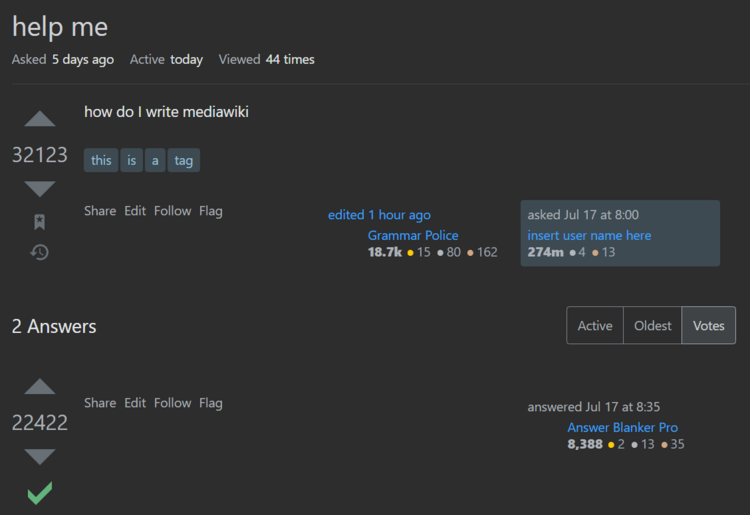
In essence, mastering Stack Overflow is about more than just finding answers; it’s about becoming a valuable member of a thriving community. By following the principles Artikeld in this guide, you can not only solve your coding challenges but also contribute to the collective knowledge and growth of the programming world. Remember to be respectful, provide context, and always strive to learn.
Happy coding!